 wapday Download Latest Pro Soccer Games
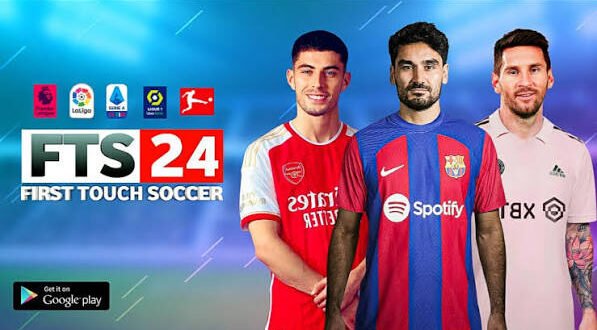
Searching for Download FTS 24 because you want that classic First Touch Soccer experience with newer teams, players, kits, and graphics? You’re definitely not the only one. FTS still has a loyal Android community because its lightweight gameplay works well on phones that struggle with heavier football games.
But there’s an important detail before you start hunting for an FTS 24 APK. First Touch Games did not officially release a game called FTS 24. Most files promoted online as FTS 24 come from community developers who modify older FTS builds and add newer football content.
That doesn’t automatically make the idea bad. A well-made FTS modification can refresh the classic gameplay with updated squads and visuals while keeping the simple controls that made FTS popular in the first place.
What Is FTS 24?
FTS 24 usually refers to a fan-made modification of an older First Touch Soccer game, updated with content inspired by the 2023/2024 football season.
First Touch Games eventually moved its focus toward the Dream League Soccer series. As a result, fans who wanted newer football content in the older FTS engine started creating their own modifications.
These community projects can update several parts of the original game, including:
– Player squads
– Team transfers
– Football kits
– Player faces
– Club logos
– Stadium graphics
– Scoreboards
– Menus
– Balls
– Boots
– Competitions
– Team ratings
The exact content depends on the individual modification. One FTS 24 mod might focus heavily on transfers, while another might focus more on graphics.
Is FTS 24 an Official Game?
No. FTS 24 does not represent an official First Touch Games release.
This distinction matters because websites sometimes present FTS 24 as if First Touch Games launched a new official mobile title.
The original First Touch Soccer series has a different history. Community creators later modified older versions to keep the classic experience alive with newer football content.
So when you see phrases such as “FTS 24 APK + OBB”, “FTS 24 Android”, or “FTS 24 latest version,” treat those terms as descriptions of community modifications rather than official product names.
Why does this matter? It helps you understand what you’re actually installing instead of expecting an official game with official support.
Why Do People Still Like FTS?
Here’s the interesting part: FTS remains popular despite its age.
The game keeps things simple. You don’t need an enormous download or a flagship smartphone just to play a football match.
The controls also feel familiar to players who grew up with older mobile football games. You can pass, shoot, sprint, tackle, and control players without spending hours learning complicated mechanics.
Lightweight gameplay
One major attraction involves performance.
Modern football games can demand substantial storage, RAM, and processing power. FTS takes a much lighter approach.
That makes it attractive to players using:
– Budget Android phones
– Older smartphones
– Devices with limited storage
– Phones with modest RAM
– Offline-focused gaming setups
Sometimes simple wins. Not every football match needs 4K textures and enough commentary files to consume half your storage.
FTS 24 Features
Updated squads
The main reason players search for FTS 24 download involves updated teams.
Community developers can move players between clubs and add newer footballers to the database. That can make an old FTS installation feel much more current.
You may find updated versions of major clubs and national teams depending on the particular mod.
However, don’t assume every FTS 24 package uses the same database. Community creators work independently, so rosters can differ significantly.
New kits
Kits give an old football game an instant visual refresh.
An FTS 24 mod may include newer home, away, and goalkeeper kits. Some creators also update national-team uniforms and club branding.
A good kit update can make a bigger difference than you might expect.
[10/4/2026 2:12 PM] Content store 3: You load into a match and suddenly the game looks much closer to the football season you’re following.
Updated player faces
Some FTS modifications also update player faces.
Popular players may receive new textures that better match their current appearance. Other players may continue using generic faces because creators can’t update every player individually.
That’s normal with community projects.
Updated logos
Club badges and competition logos can also receive updates.
This small detail helps create a more modern presentation without changing the underlying gameplay engine.
FTS 24 Graphics
Don’t expect FTS 24 to suddenly compete with modern console football games.
The underlying engine comes from an older mobile football title, so the graphics have obvious limitations. However, community creators can improve textures and presentation within those limitations.
Depending on the modification, you may see:
– HD-style kits
– Improved player textures
– New stadium graphics
– Updated scoreboards
– Better menus
– New competition graphics
– Improved balls
– Updated boots
– Custom backgrounds
IMO, the best FTS mods focus on balance. If a creator adds huge textures that make the game look slightly better but causes constant lag, I would rather keep the lighter version.
FTS 24 Gameplay
Gameplay remains the strongest reason to try an FTS-style modification.
The game focuses on straightforward football rather than overwhelming players with complicated menus.
You can quickly start a match and get into the action.
What makes the gameplay enjoyable?
– Simple controls
– Quick matches
– Lightweight performance
– Easy passing
– Straightforward shooting
– Offline-friendly gameplay
– Career-style progression
– Classic football mechanics
The simplicity makes FTS particularly attractive on mobile.
Ever notice how some games spend five minutes loading before giving you ten seconds of actual football? FTS takes a much more direct approach.
Can You Play FTS 24 Offline?
Many community FTS modifications target offline gameplay.
That remains one of the biggest reasons people search for FTS 24 Android versions.
Offline gaming means you can play without constantly depending on a server or mobile data connection. That can prove useful when you’re travelling, dealing with poor network coverage, or simply trying to save data.
However, specific features can vary between modifications.
Some community versions may include online-related features or additional components that require connectivity. Always check the documentation for the particular version you use.
FTS 24 Android Requirements
One of the advantages of FTS modifications involves their relatively low hardware requirements.
A compatible Android device may only need modest specifications.
A practical setup could include:
– Android 5.0 or newer
– 1GB–2GB RAM or more
– A compatible ARM processor
– Several hundred MB of available storage
– Enough space for additional game data
Newer Android phones should generally have more than enough raw performance for an older FTS-based game.
However, compatibility can depend on the modification. Some newer Android versions may restrict older applications or create installation issues.
APK, OBB, and Data Explained
Searches for FTS 24 APK OBB Data appear frequently, so let’s quickly explain the terminology.
APK
The APK contains the Android application itself.
You can think of it as the main installation package.
OBB
An OBB file can store additional game resources that don’t fit inside the APK.
Large graphics, audio, maps, and other assets can use this type of structure.
Data files
Some older Android games use separate data folders for additional resources.
Community modifications can use different file structures depending on the original game and the creator’s modifications.
That’s why one FTS 24 version might use an APK with additional data while another version uses a different packaging method.
Common FTS 24 Problems
Community modifications can sometimes introduce technical issues.
Game crashes
[10/4/2026 2:12 PM] Content store 3: Crashes may occur because of incompatible files or an incorrect installation.
Black screen
A black screen can indicate compatibility problems, missing resources, or an unsuitable Android version.
Missing kits
Missing kits often point toward incomplete graphics files.
Missing player faces
Some face packs require additional resources that the main game doesn’t include.
Lag
Heavy graphics modifications can increase memory usage and reduce performance on weaker phones.
Installation errors
Android security restrictions can prevent older APKs from installing normally.
If you encounter a problem, check the specific mod’s documentation instead of randomly replacing files. Random file swapping can turn a small problem into a much bigger one.
FTS 24 vs Dream League Soccer
How does FTS compare with modern Dream League Soccer?
Feature| FTS 24 Mod| Dream League Soccer
Official release| No| Yes
Gameplay style| Classic| Modern
Graphics| Older/modded| More modern
Hardware demand| Low| Higher
Offline focus| Strong| Depends on version/mode
Updated squads| Community-created| Official updates
Modding| Extensive community scene| More limited
Installation| Can require extra files| Generally simpler
Dream League Soccer wins in modern presentation and official support.
FTS wins for players who specifically want the classic lightweight football experience.
That difference explains why people still search for FTS 24 even though newer football games exist.
Is FTS 24 Safe to Download?
This deserves serious attention.
Because FTS 24 isn’t an official First Touch Games product, you should exercise extra caution with APK files advertised online.
Avoid installing random files simply because a website promises the “latest FTS 24 APK.”
Watch out for:
– Suspicious APK files
– Unnecessary permissions
– Fake download buttons
– Multiple redirects
– Modified packages from unknown sources
– “Unlimited money” versions
– Apps that request sensitive information
Never disable your phone’s security protections just to install an unknown APK.
Also remember that community modifications can involve copyrighted game assets. Use legitimate copies of games and respect the rights of the original developers and publishers.
How to Choose a Good FTS 24 Mod
Not every FTS 24 modification offers the same quality.
Before choosing one, look for:
Updated database
Check whether the creator actually updated squads and transfers.
Good graphics
Look for screenshots that show the actual gameplay rather than heavily edited promotional images.
Stable performance
A good mod should run consistently on compatible devices.
Clear installation instructions
Avoid packages that provide dozens of unexplained files and expect you to figure everything out yourself.
Active community
An active community can help identify bugs and compatibility problems.
The biggest mistake involves choosing a mod solely because someone claims it has “ultra HD 2024 graphics.” Fancy words don’t improve frame rates.
Final Thoughts
The search for Download FTS 24 makes sense if you want a lightweight football game with newer teams, kits, players, and graphics while keeping the classic FTS gameplay style.
But remember the most important point: FTS 24 is generally a community-made modification, not an official First Touch Games release.
A good modification can refresh the classic experience with updated squads, transfers, kits, faces, logos, menus, and other football content. It can also provide an enjoyable offline experience on Android devices that struggle with larger modern football games.
If you want official support and modern graphics, Dream League Soccer and other current football titles make more sense. If you want that old-school FTS feeling with a modern-season makeover, a well-made community patch can still offer plenty of fun.
So, before you hit that tempting “Download FTS 24” button, check exactly what the package contains, verify its compatibility, and keep your phone safe. The best football game on your phone isn’t necessarily the biggest one — sometimes the lightweight classic still scores the winning goal. 🙂


