 wapday Download Latest Pro Soccer Games
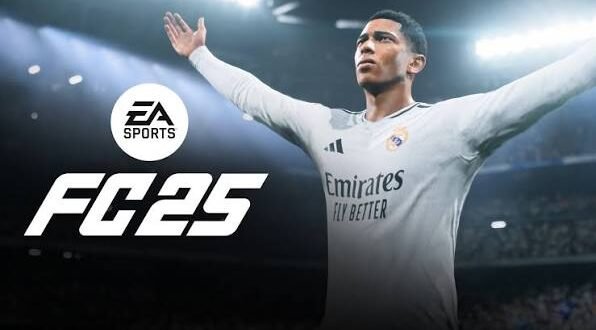
Looking for EA Sports FC 25 PPSSPP ISO download and install information? You’re definitely not alone. Football fans love the idea of carrying a full football game around on an Android phone, especially when the game runs through PPSSPP without demanding a powerful gaming PC.
But there’s one important detail to clear up first: EA Sports FC 25 never received an official PSP release. That means the files you see online under names like “FC 25 PSP ISO” usually come from unofficial fan projects, modified older football games, or questionable downloads.
So, what can you actually do? Let’s separate the real stuff from the internet wizardry and look at the safest way to enjoy a modern-looking football experience through PPSSPP.
Does EA Sports FC 25 Have an Official PSP ISO?
No. EA Sports FC 25 does not have an official PSP version.
EA Sports FC 25 launched for modern platforms rather than Sony’s PSP. PPSSPP can emulate PSP games, but it cannot magically turn a PlayStation 5, Xbox, or PC game into a PSP game.
Ever wondered why so many websites advertise “FC 25 PSP ISO”? The answer usually involves modifications.
Developers and modders can take an older PSP football game and modify elements such as:
– Player names
– Kits
– Team logos
– Menus
– Faces
– Stadium graphics
– Commentary
– Transfers
– Database information
These projects can look surprisingly convincing, but they don’t represent an official EA Sports FC 25 PSP release.
What Are FC 25 PSP Mods?
Most “EA Sports FC 25 PPSSPP” downloads online refer to unofficial modifications.
A modder may start with a PSP football game such as an older FIFA release and replace its content with newer football data. The result can look like a modern football game while still running on PSP hardware through PPSSPP.
That approach explains why some Android gaming blogs advertise titles such as:
– FC 25 PSP
– FC 25 PPSSPP
– FC 25 PSP ISO
– EA FC 25 PSP
– FC 25 Android
– FC 25 PPSSPP save data
The underlying game engine usually comes from an older PSP title.
What You Need for a PPSSPP Football Game
If you want to run a legitimate PSP football game through PPSSPP, you need a few basic things.
Your Android device should have:
– A reasonably modern Android version
– Enough free storage
– A capable processor
– PPSSPP
– A legally obtained PSP game image
– Any required save data or game files
Storage matters more than many beginners expect. You should keep extra space available because extracting compressed game files can temporarily require considerably more storage than the final game occupies.
PPSSPP Requirements
PPSSPP supports a wide range of Android devices. Older phones can run many PSP games surprisingly well, while demanding games may require more powerful hardware.
Your results can depend on:
– CPU performance
– GPU performance
– RAM
– Android version
– PPSSPP settings
– Game optimization
A flagship phone can make PSP emulation feel almost effortless. A budget phone might need a few compromises.
How to Install PPSSPP on Android
The first step involves installing PPSSPP from an official or trusted source.
Once you install the emulator, open it and allow it to access the appropriate game directory.
Then create a dedicated folder for your PSP games.
A simple structure can look like this:
PSP/
├── GAME/
└── ISO/
You can place compatible PSP ISO files inside the ISO folder.
Keep your game files organized from the beginning. Trust me, hunting through random Downloads folders later gets annoying very quickly. 🙂
How to Load a PSP Game in PPSSPP
Once you have legally obtained a compatible PSP game, loading it normally takes only a few steps.
Step 1: Open PPSSPP
Launch PPSSPP from your Android device.
Step 2: Locate Your Game
Navigate to the folder where you stored your PSP game.
PPSSPP should display compatible game files automatically.
Step 3: Tap the Game
Select the game from the PPSSPP menu.
The emulator should start the game if the file works correctly.
[10/7/2026 1:46 AM] Content store 1: If PPSSPP refuses to recognize the file, check the file format and confirm that you extracted it correctly.
What About ZIP, RAR, and 7Z Files?
Many PSP game files come inside compressed archives.
You may encounter formats such as:
– “.zip”
– “.rar”
– “.7z”
PPSSPP generally expects a compatible game image rather than a random compressed archive.
If you legally obtained an archive containing your game, extract it first using a suitable file manager.
After extraction, look for the actual PSP game file.
Don’t rename random files and hope PPSSPP accepts them. The emulator needs a valid game image.
What About Save Data and Textures?
This topic creates a lot of confusion around FC 25 PSP mods.
Some unofficial football modifications use additional files for:
– Updated squads
– New kits
– Player faces
– Menu graphics
– Stadium textures
– Commentary
– Career-mode data
Save data can sometimes change what appears inside the game without changing the underlying game engine.
Texture packs can also make an older PSP football title look considerably newer.
However, compatibility matters.
A save file created for one modification may not work correctly with another version. Mixing files randomly can cause crashes, missing textures, or corrupted saves.
Recommended PPSSPP Graphics Settings
If you run a compatible football game through PPSSPP, you can adjust the graphics settings to balance quality and performance.
Start with the default settings.
If the game runs smoothly, increase the rendering resolution gradually.
You can experiment with:
– Rendering resolution
– Texture filtering
– Anisotropic filtering
– Frame skipping
– VSync
– Texture scaling
– Backend options
For Low-End Phones
If your phone struggles, try reducing the rendering resolution.
You can also disable demanding enhancements.
The goal should remain simple:
Stable gameplay beats fancy graphics that run at 15 FPS.
A football game needs responsive controls. What’s the point of making the grass look amazing if your striker moves like he has a three-second internet connection?
For Mid-Range Phones
Most mid-range devices can handle many PSP games comfortably.
Start with a moderate rendering resolution and increase it if performance remains stable.
Don’t change ten settings at once. Adjust one setting, test the game, then move to the next.
How to Improve PPSSPP Performance
If your football game stutters, don’t immediately blame PPSSPP.
Try these adjustments:
1. Close background applications.
2. Restart your phone.
3. Disable unnecessary overlays.
4. Lower the rendering resolution.
5. Test another graphics backend.
6. Disable expensive visual enhancements.
7. Keep enough free storage available.
8. Avoid overheating your phone.
Heat can also affect performance. If your phone becomes extremely hot during long gaming sessions, give it a break.
How to Avoid Fake FC 25 PSP Downloads
This part deserves serious attention.
Search for “FC 25 PPSSPP ISO” and you’ll find plenty of websites promising tiny files, “100% working” downloads, password-protected archives, and miraculous 2026 updates.
Some of those sites may distribute modified software, aggressive advertising, malware, or deceptive files.
Watch for warning signs such as:
– Endless redirect pages
– Fake download buttons
– Password-protected archives
– Executable Android files pretending to be ISOs
– Requests for unnecessary personal information
– Suspicious “download managers”
– Files that don’t match the advertised format
Never install an APK simply because a website calls it “FC 25 PSP.”
A PSP ISO and an Android APK serve completely different purposes.
FC 25 PSP vs Modern EA Sports FC
It also helps to understand what you’re actually getting.
A fan-made FC 25 PSP modification can provide updated football content inside an older PSP engine.
Modern EA Sports FC releases offer considerably more advanced technology.
[10/7/2026 1:46 AM] Content store 1: Feature| FC 25 PSP-style Mod| Modern EA Sports FC
PSP compatibility| Yes| No
Modern graphics engine| No| Yes
Updated squads| Often| Yes
Fan modifications| Common| Limited
PPSSPP support| Yes| No
Hardware requirements| Low| Higher
Official PSP release| No| No
IMO, PSP mods make sense if your priority involves lightweight offline football gaming. They don’t replace the actual modern EA Sports FC experience.
Can You Play Offline?
Yes, a compatible PSP football game can generally run offline through PPSSPP.
That’s one of the biggest advantages of PSP emulation.
Once you have the legitimate game files and configure everything correctly, you don’t necessarily need a constant internet connection to play the single-player portions.
That makes PPSSPP especially useful when you’re travelling or dealing with unreliable mobile data.
Can You Use a Controller?
Absolutely.
PPSSPP supports external controllers, and I strongly recommend one if you plan to play regularly.
Touchscreen controls work, but physical buttons can provide much better precision for football games.
You can configure:
– Analog stick
– D-pad
– Face buttons
– Shoulder buttons
– Start/select
– Custom shortcuts
Take a few minutes to map everything properly.
A comfortable controller can make a bigger difference than another round of graphics tweaking.
Common FC 25 PPSSPP Problems
Game Doesn’t Appear
Check whether you extracted the archive correctly and whether PPSSPP can access the folder.
Black Screen
Try another graphics backend or restore PPSSPP to default settings.
Lag or Stuttering
Reduce rendering resolution and disable demanding enhancements.
Missing Textures
Check whether the modification requires additional texture files and whether you placed them in the correct directory.
Crashes
A modification may require a specific base game version or compatible save data.
Don’t randomly combine files from several different mods.
Final Thoughts
The phrase EA Sports FC 25 PPSSPP ISO download and install attracts plenty of searches, but you should understand what you’re actually downloading before putting anything on your phone.
EA Sports FC 25 doesn’t have an official PSP version. Most FC 25 PSP downloads represent unofficial modifications built around older PSP football games.
If you want the PPSSPP experience, stick with legally obtained PSP games, use trusted emulator sources, keep your files organized, and adjust the graphics settings according to your phone’s capabilities.
And if you find a website promising “official FC 25 PSP for 50 MB,” maybe don’t celebrate just yet. Your phone—and your antivirus—might have a different opinion.
For a smooth experience, prioritize compatibility, stable performance, safe files, and proper PPSSPP configuration. That approach will save you plenty of headaches while still giving you an enjoyable offline football experience.


3 comments
Pingback: eFootball PES 2026 PPSSPP ISO – Features, Gameplay, Graphics and Android Guide - wapday
Pingback: FIFA 16 Mod EA Sports FC 26 Android Offline – New Graphics and Latest Edition - wapday
Pingback: eFootball PES 25 PPSSPP Download – Features, Gameplay, Graphics and Android Guide - wapday