wapday Download Latest Pro Soccer Games
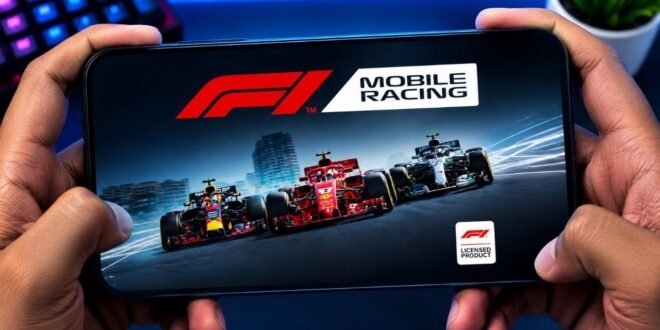
Mobile Racing F1 Android Game Offline APK – Formula Racing on Android
Are you looking for a Mobile Racing F1 Android game offline APK that lets you enjoy high-speed Formula racing on your Android phone? If you love powerful racing cars, sharp corners, fast straights, and the excitement of crossing the finish line first, Formula racing games can deliver plenty of action right on your mobile device.
The best part is that you don’t necessarily need a console or gaming PC to enjoy the experience. Some Android racing games offer single-player modes that can be played without an internet connection, making them useful when you’re travelling, conserving mobile data, or playing somewhere with a weak network.
However, there is something important to understand before downloading an F1 APK. Not every game advertised as an offline F1 racing game actually works offline, and some older titles have been discontinued.
Let’s look at what you should know, the features to look for, and some alternatives worth checking out.
Mobile Racing F1 Android Game Offline APK Overview
Formula racing games put you behind the wheel of a single-seat racing car designed for speed, cornering, and competitive circuit racing.
Depending on the game you choose, you might be able to compete against computer-controlled opponents, practise on racing circuits, adjust your vehicle setup, and work towards better lap times.
Here is a quick overview of what to expect from this type of game.
- Game category: Formula racing and motorsport simulation
- Platform: Android
- Gameplay: Circuit racing, time trials, and single-player races, depending on the title
- Offline support: Available in selected games; check the individual game’s requirements
- Controls: Touchscreen, tilt steering, or other supported controls
- Graphics: Vary from lightweight arcade visuals to more detailed racing environments
- Installation: Google Play or a trusted developer’s official download page
Remember that these are general features of Formula racing games, not a guarantee that every game includes all of them.
What Happened to F1 Mobile Racing?
If you’ve searched for F1 Mobile Racing APK, you may have come across older videos showing realistic Formula racing on Android.
The original F1 Mobile Racing was an official Formula One mobile game developed through the partnership between Codemasters, EA SPORTS, and Formula 1. It featured competitive races, car customisation, and a progression system.
Unfortunately, the game was discontinued. EA and Codemasters announced that it would be taken offline on 24 May 2024. The game depended on online servers, and its official support information stated that it required an internet connection.
That means downloading an old APK does not guarantee that the original game will work today. An APK may install successfully but still fail to launch or access its gameplay because the required servers are no longer available.
Be careful with websites claiming to offer a fully working, updated version of the original F1 Mobile Racing. Check whether the download is genuinely playable before trusting those claims.
Best Features to Look for in an Offline F1 Racing Game
Not every racing game offers the same experience. Some focus on arcade-style fun, while others try to recreate the challenge of professional circuit racing.
Here are the features worth looking for when choosing an Android game.
1. Realistic Formula Racing Cars
One of the biggest attractions of Formula racing is the design of the cars. Their low bodies, aerodynamic wings, exposed wheels, and powerful performance make them instantly recognisable.
A good Formula racing game should provide cars that feel different from ordinary road vehicles. Acceleration, braking, cornering, and handling should all contribute to the racing experience.
Keep in mind that unofficial Formula racing games may use fictional car designs rather than licensed Formula One cars.
2. Challenging Racing Circuits
A good circuit can make a race exciting even when you’re competing against computer-controlled opponents.
Look for tracks with long straights, tight corners, sweeping bends, and challenging braking zones. These elements reward players who learn the layout instead of simply holding the accelerator throughout the race.
Some games offer real-world circuit recreations, while others feature fictional tracks. The available circuits depend on the game.
3. Offline Single-Player Mode
This is probably the most important feature if you want to race without mobile data.
An offline mode should allow you to launch the game and complete supported races without connecting to a remote server. Ideally, you should be able to access the main single-player gameplay after the initial setup.
Before installing an APK, check whether the developer explicitly confirms offline support. Some games require an internet connection for account verification, additional downloads, advertisements, or saved progress even when they offer single-player racing.
Tip: If offline gameplay is your priority, test the game in airplane mode after completing its initial installation and any required downloads.
4. Smooth Controls
Racing games need responsive controls. Poor steering can turn a promising race into a frustrating experience.
Depending on the title, you may find touchscreen steering buttons, tilt controls, or virtual steering wheels. Some games also let you adjust sensitivity and driving assistance.
Try different control options if the game provides them. A setup that works well on a large phone may feel uncomfortable on a smaller screen.
5. Vehicle Setup and Customisation
Some Formula racing games allow you to customise the appearance or performance of your car.
Depending on the title, you might be able to change colours, adjust selected vehicle components, or tune handling and performance.
More advanced games may include tyre choices, pit-stop strategy, or vehicle damage. These are not universal features, so check the game’s description before downloading it.
Recommended Android Games to Consider
If you want Formula-style racing on Android, these are two alternatives worth investigating.
Ala Mobile – Formula Racing
Ala Mobile – Formula Racing is an Android racing game that lists single-player and offline gameplay among its features.
Its advertised features include multiple customisable Formula-style cars, racing circuits, different tyre types, pit stops, vehicle damage, and computer-controlled opponents.
That makes it an option to investigate if you prefer a more detailed circuit-racing experience rather than a simple traffic-racing game.
However, the game’s exact features and device compatibility can change with updates. Check the current listing before installing it.
Where to check: Search for Ala Mobile – Formula Racing on Google Play.
F1 Racing – Formula Fury
F1 Racing – Formula Fury is an independent Formula-style racing game for Android. Its developer advertises offline play and describes it as a lightweight racing experience.
It may be worth considering if you want a simpler game that does not require a constant internet connection.
Because it is an independent project rather than the official EA F1 Mobile Racing game, do not assume it includes licensed Formula One teams, drivers, or circuits.
Where to check: Visit the developer’s F1 Racing – Formula Fury page on itch.io for its current download information and compatibility details.
Graphics and Performance on Android Phones
You don’t always need an expensive phone to enjoy a racing game. The experience depends on the game’s optimisation, graphics settings, and your device’s hardware.
A lightweight racing title may run comfortably on an entry-level Android phone, while a more demanding simulator may require a stronger processor and graphics hardware.
For smoother gameplay, consider these tips:
- Close unnecessary background apps before starting a race.
- Keep enough free storage space for the game and its additional files.
- Reduce graphics quality if you experience stuttering or frame drops.
- Avoid playing while your phone is overheating.
- Use the recommended settings for your device rather than automatically choosing the highest graphics option.
If your phone has limited RAM, start with lower graphics settings and increase them gradually until you find a good balance between image quality and performance.
Also, remember that a large APK file does not automatically mean better graphics. Optimisation and game design matter just as much as file size.
How to Download and Install an F1 Racing Game on Android
The safest option is to install the game through its official Google Play listing or a download page published by its developer.
Follow these steps:
- Open the game’s official listing or developer page.
- Confirm the game name and developer.
- Check the minimum Android version and device requirements.
- Read the description to verify whether offline gameplay is supported.
- Download the game from the listed source.
- Install it and complete any required first-time setup.
- Test its single-player mode without an internet connection if offline play is advertised.
If you download an APK outside Google Play, remember that Android cannot guarantee that every third-party file is safe. Avoid files that request unnecessary permissions or require you to disable important security protections.
You should also be cautious with modified APKs claiming to unlock unlimited money, premium cars, or all tracks. Such modifications can contain malicious software, damage game data, or stop working after an update.
Can You Play F1 Mobile Racing Offline?
The original F1 Mobile Racing is no longer a dependable choice for offline racing. EA’s official information confirms that the game was taken offline in May 2024.
Even if an older installation file is available on another website, downloading it does not restore the discontinued online service.
If your main goal is to play without an internet connection, choose a different game that clearly advertises offline support and is still available from a source you trust.
Before travelling or disconnecting from the internet, open the game and verify that its playable modes work offline. Some titles require an initial connection or additional data downloads.
Is Mobile Racing F1 Available for Free?
Some Android Formula racing games are free to download, while others may require a purchase or offer optional in-app purchases.
A free download does not necessarily mean that every feature is available without payment. Some games include advertisements, cosmetic purchases, unlockable vehicles, or other optional transactions.
Check the current store listing for the game’s pricing and in-app purchase details. Avoid websites that promise premium features in exchange for installing unknown applications or entering your Google account password.
Common Problems and Possible Solutions
The Game Closes Immediately
This can happen when a game is incompatible with your Android version, has missing files, or depends on a server that is no longer operating.
Check the developer’s compatibility information and reinstall only from a trusted source. If the game has been discontinued, switching to a supported alternative may be the only practical solution.
The Game Requires an Internet Connection
Some games need online access for account verification, game data, or server-based features.
If the developer requires a permanent connection, you cannot reliably turn that game into a fully offline experience simply by downloading another APK.
Choose a title with documented offline support instead.
The Game Runs Slowly
Lower the graphics settings, close background apps, and check your available storage. If performance remains poor, the game may be too demanding for your phone.
A lighter racing game may deliver a much better experience on your device.
The APK Will Not Install
Check whether the file is compatible with your Android version and device architecture. A damaged or incomplete download can also prevent installation.
Avoid downloading random additional files from unfamiliar websites to fix the problem. Start with the developer’s official installation instructions.
Final Verdict
If you’re searching for Mobile Racing F1 Android Game Offline APK, the most important thing is to choose a game that actually works without an internet connection.
The original F1 Mobile Racing offered an official Formula One experience, but its servers were shut down in May 2024. Downloading an old APK will not guarantee that it works.
For current alternatives, consider checking out Ala Mobile – Formula Racing or F1 Racing – Formula Fury. Review their latest requirements and offline support before installing either game.
Once you find a compatible title, you can enjoy circuit racing, improve your lap times, and compete against computer-controlled opponents without relying on a constant mobile data connection.
Choose a trusted download source, check compatibility with your phone, and get ready to hit the track.