 wapday Download Latest Pro Soccer Games
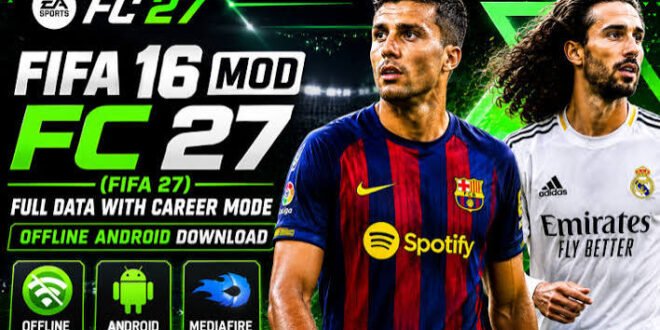
Want EA Sports FC 26-style football on Android without an internet connection? That’s exactly why the FIFA 16 mod scene remains popular. Modders continue to take the classic FIFA 16 Android game and give it fresh kits, squads, player faces, menus, and graphics inspired by modern EA Sports FC releases.
The name FIFA 16 Mod EA Sports FC 26 Android Offline can sound like an official EA game, but there’s an important difference. EA did not release an official “FIFA 16 Mod FC 26” edition. Community developers create these mods by modifying an older FIFA 16 mobile game.
So, is the latest edition worth trying? What changed, and how does it compare with modern EA Sports FC Mobile? Let’s break it down.
What Is FIFA 16 Mod EA Sports FC 26?
At its core, FIFA 16 Android provides the original game foundation, while modders update different parts of the game to create a newer football experience.
The “FC 26” label usually refers to the season or presentation theme that the modder wants to recreate. A particular version might include modern kits, updated squads, player faces, menus, competitions, and graphical changes.
Think of it like giving an old football game a serious wardrobe upgrade.
The underlying engine still comes from FIFA 16, though. You shouldn’t expect the mod to magically transform the game into the same engine that powers modern EA Sports FC titles.
What Can a Typical FC 26 Mod Include?
Depending on the version, you might find:
– Updated player squads
– New club transfers
– Modern football kits
– Updated player faces
– New boots
– New footballs
– Updated stadium graphics
– Modern menus
– New scoreboards
– Updated competition branding
– Improved textures
– Updated commentary
– New career or tournament content
The exact features depend on the mod creator, so always check the specific version details before installing anything.
FIFA 16 Mod FC 26 Gameplay
Here’s where things get interesting.
FIFA 16 still offers a familiar football experience with passing, shooting, dribbling, tackling, crosses, set pieces, and team management. The mod doesn’t completely replace those mechanics.
Instead, the creators focus heavily on updating the presentation and football content.
That approach makes sense. Why rebuild an entire game engine when you can refresh an older one and make it feel much newer?
Passing and Build-Up
Passing remains one of the most important parts of the game.
You can build attacks through short combinations or move the ball quickly toward the wings. Good passing can create space before the defence has time to settle.
I usually prefer patient build-up over constantly holding the sprint button. Why rush forward when you can pull defenders out of position first?
Try mixing:
– Short passes
– Through balls
– Crosses
– Long passes
– Wing attacks
– Quick counter-attacks
That variety keeps matches from becoming repetitive.
Dribbling and Skill Moves
FIFA 16’s dribbling system still gives you opportunities to beat defenders individually.
The modern graphics might make the game look newer, but the underlying mechanics still reflect the older FIFA generation.
That isn’t necessarily bad.
Some players actually prefer the simpler controls because they don’t have to learn an entirely new system every time they start a match.
New Graphics in FIFA 16 Mod EA Sports FC 26
The new graphics usually provide the biggest visual difference between the original FIFA 16 Android version and a modern FC 26-style mod.
Modders can replace textures and visual assets to make the game look more current.
You may notice changes to:
– Player faces
– Jerseys
– Boots
– Footballs
– Stadiums
– Menus
– Scoreboards
– Logos
– Loading screens
– Background graphics
The improvement can feel dramatic when you compare an updated mod with an untouched FIFA 16 installation.
However, let’s keep expectations realistic. A graphics mod cannot turn FIFA 16 into a completely different modern game engine.
[10/6/2026 4:55 AM] Content store 5: Your phone might display sharper textures and updated visuals, but the core animations and gameplay framework still come from FIFA 16.
Updated Squads and Transfers
One of the main reasons players search for FIFA 16 Mod EA Sports FC 26 updated squads involves transfers.
Football fans hate outdated squads. Nobody wants to start a supposedly modern season and discover that half the players still wear their old club’s shirt.
A community mod can update team databases to reflect more recent transfers.
Depending on the version, you might see:
– New club transfers
– Updated starting lineups
– Current squad numbers
– Updated player ratings
– New player faces
– Updated formations
– Modern kits
But don’t assume every mod includes every transfer.
Different creators maintain different databases, and some mods receive updates more frequently than others.
FIFA 16 Mod FC 26 Features
The feature list can vary, but several additions appear frequently in community football mods.
Modern Kits
Updated kits can make a massive visual difference.
Seeing your favourite club in a current-style home or away kit immediately makes an older game feel less dated.
Updated Player Faces
Face updates help recognizable players look closer to their modern appearance.
A good face pack can make the squad feel much more authentic, especially when you play with famous teams.
Modern Menus
Menu graphics often receive a complete makeover.
Modders can replace old FIFA branding with an EA Sports FC-inspired presentation, giving the game a newer identity from the moment you launch it.
Updated Scoreboards
Scoreboards may receive modern designs that match the rest of the mod.
Small details like these matter more than people think. After all, presentation can change the entire feel of a football game.
FIFA 16 Mod FC 26 Offline Gameplay
The offline feature attracts many Android players.
You don’t always want to depend on an internet connection just to play a football match. Sometimes you simply want to choose your club, start a match, and play.
Offline gameplay can make the game useful when:
– Your mobile data runs out
– You have poor network coverage
– You’re travelling
– You want to save data
– You simply prefer single-player football
For many players, that’s the biggest advantage over online-focused football games.
Does It Really Work Without Internet?
That depends on the particular mod and the features included.
The core offline gameplay of FIFA 16 can support offline matches, but some modified versions may include features that require additional services or connectivity.
Always check the specific mod’s documentation instead of assuming every feature works offline.
FIFA 16 Mod FC 26 vs EA Sports FC Mobile
How does this unofficial mod compare with EA Sports FC Mobile?
The answer depends on what you want.
Feature| FIFA 16 FC 26 Mod| EA Sports FC Mobile
Gameplay base| FIFA 16| Modern EA platform
Offline focus| Stronger| More online-focused
Updated kits| Community mod| Official
Modern graphics| Modded| More advanced
Official support| No| Yes
Squad updates| Community| Official
Online ecosystem| Limited| Extensive
Customization| Often high| More controlled
EA Sports FC Mobile wins for official content, online features, and modern support.
The FIFA 16 mod wins if you want offline football, smaller game requirements, and a classic FIFA-style experience with updated visuals.
IMO, that’s the main reason these mods continue attracting players.
Android Performance and Requirements
You don’t necessarily need a flagship phone to run a FIFA 16-based football mod.
However, performance depends on your Android device, RAM, processor, GPU, storage, Android version, and the specific modifications included.
A heavily modified version can demand more resources than the original game.
For a smoother experience, consider:
[10/6/2026 4:55 AM] Content store 5: – Keeping sufficient free storage
– Closing unnecessary background apps
– Using a compatible Android version
– Avoiding extremely high-resolution texture packs
– Restarting the game if you experience memory issues
– Using a reliable game installation
More graphics don’t always equal better performance. Sometimes a slightly lighter texture pack gives you a much smoother match.
FIFA 16 Mod FC 26 Installation Basics
Because community mods can package files differently, installation steps can vary.
The general process involves:
1. Install the legitimate base game or compatible version.
2. Obtain the community modification from a trustworthy source.
3. Follow the creator’s included instructions.
4. Keep backup copies of your original game data.
5. Launch the game and test it.
6. Adjust graphics or performance settings if necessary.
Some websites package APK files with additional game data. Others provide separate modification files.
Be careful with random download pages. A site that offers a football game but asks you to install three unrelated apps first probably doesn’t deserve your trust.
Is FIFA 16 Mod EA Sports FC 26 Official?
No.
This point matters for SEO and for players searching for the game.
FIFA 16 Mod EA Sports FC 26 is generally a community-made modification, not an official EA Sports product.
EA Sports owns the official FIFA 16 game, while EA now uses the EA Sports FC branding for its newer football titles.
Therefore, don’t confuse a fan-made “FC 26 mod” with an official EA Sports FC 26 Android release.
The mod may imitate modern presentation and update content, but it doesn’t receive official support from EA.
Common Problems With FIFA 16 FC 26 Mods
Community mods can sometimes create technical headaches.
Game Crashes
Try a clean installation and confirm that your device meets the mod’s requirements.
Missing Graphics
Some visual assets may not load correctly if the mod package doesn’t match the base game.
Outdated Transfers
Different creators update their databases at different times.
Lag
Reduce graphical settings, close background applications, and avoid extremely heavy texture packs.
Installation Errors
Make sure you follow the specific instructions for the version you downloaded. Don’t mix files from different mods unless the creator specifically recommends it.
Is the Latest FIFA 16 FC 26 Mod Worth Playing?
If you want a modern football presentation with offline gameplay, the concept makes sense.
The biggest attraction comes from combining the familiar FIFA 16 gameplay foundation with updated content.
You get:
– Classic FIFA gameplay
– Modern-style kits
– Updated squads
– New player faces
– Fresh menus
– Updated graphics
– Offline matches
However, you shouldn’t expect the complete EA Sports FC 26 experience.
The mod doesn’t provide the same official engine, licensing structure, online ecosystem, or long-term support as a current EA Sports FC game.
That distinction actually makes the choice easier.
Final Thoughts
FIFA 16 Mod EA Sports FC 26 Android Offline offers an interesting combination of classic FIFA gameplay and modern community-made updates. New kits, player faces, transfers, menus, scoreboards, and textures can make FIFA 16 feel surprisingly fresh.
The biggest advantage comes from offline gameplay. You can enjoy football without relying heavily on an internet connection, while the updated graphics help the game look much closer to a newer football title.
Just remember that this is a community modification, not an official EA Sports FC 26 Android release. Use legitimate game files, avoid suspicious APK websites, and check the exact features of the mod before installing it.
Would I choose it over modern EA Sports FC Mobile? For online features, no. For a simple offline football experience with a classic FIFA feel, though? Absolutely worth a look.
Sometimes an old game doesn’t need a miracle. It just needs a fresh kit, updated squads, and a goalkeeper who finally stops conceding goals from 30 metres. 🙂


