wapday Download Latest Pro Soccer Games
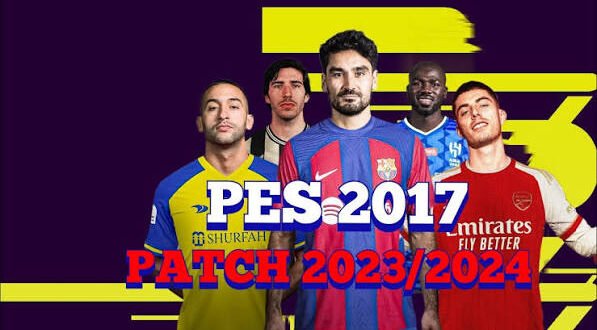
Still playing PES 2017 on PC and wondering how to make it look and feel like a newer football game? That’s exactly where the PES 2017 Patch 2023 PC comes in. With the right community patch, an old copy of PES 2017 can get updated teams, transfers, kits, player faces, competitions, and a much fresher presentation.
I’ve always liked the idea behind PES patches because they give older football games another life. Why replace a game you already enjoy when a good community update can refresh the experience? Of course, not every patch deserves a place on your hard drive, so choosing carefully matters.
What Is PES 2017 Patch 2023 PC?
PES 2017 Patch 2023 PC refers to a community-made update that brings PES 2017 closer to the 2022/2023 football season.
Konami released PES 2017 years before the 2023 season, so the original game naturally contains old squads, kits, competitions, and player information. Community creators solve that problem by modifying the game’s files and adding newer content.
A typical PES 2017 2023 patch can update:
– Team squads and transfers
– 2022/2023 kits
– Player faces
– Club logos
– Competition graphics
– Scoreboards
– Menus
– Stadium visuals
– Boots and accessories
– Ball packs
– Commentary or music
– Database information
The exact features depend on the patch creator. Some patches focus heavily on transfers, while others completely redesign the presentation.
Why Do People Still Play PES 2017?
You might wonder why anyone would bother updating a football game from 2016 when newer titles exist.
The answer comes down to gameplay, performance, and familiarity.
PES 2017 runs comfortably on many older PCs. You don’t need an expensive gaming machine just to enjoy a few matches. For players with modest hardware, that advantage matters.
The gameplay also has plenty of fans. PES 2017 offers responsive passing, physical battles, tactical options, and a style that many longtime PES players still appreciate.
And let’s be honest: sometimes newer games add shiny graphics while your laptop responds like it needs a personal assistant just to launch them. 🙂
What Does a PES 2017 2023 Patch Add?
Updated squads and transfers
One of the biggest attractions involves updated transfers.
A good 2023 patch can move players to the clubs where they played around the 2022/2023 season. That means you don’t have to see an ancient squad every time you start Master League or a friendly match.
Depending on the patch, you may find updates involving major European clubs and players across leagues such as:
– Premier League
– La Liga
– Serie A
– Bundesliga
– Ligue 1
– Eredivisie
– Portuguese league
– International teams
Patch creators often update squad numbers, player positions, ratings, and other database information too.
New kits
Old kits can instantly make PES 2017 feel dated.
A quality PES 2017 2023 kit update can replace older uniforms with designs from the 2022/2023 season. That includes home kits, away kits, goalkeeper kits, and sometimes third kits.
You may also see updated national-team kits and custom kits for clubs that didn’t appear properly in the original database.
Updated player faces
Player faces can make a surprisingly big difference.
Patch creators often add or improve faces for popular footballers. Instead of seeing an outdated generic face, you can get a much closer representation of the player’s appearance during the 2023 season.
However, don’t expect every player to receive a perfect face. Community patches vary significantly in quality.
PES 2017 2023 Graphics
Graphics remain one of the most noticeable parts of a football patch.
The original PES 2017 already looks decent on PC, but community patches can refresh the visual presentation through new textures and graphical packages.
Common graphical improvements
Depending on the patch, you may get:
– HD player faces
– Updated kits
– Improved stadium textures
– New turf
– Updated adboards
– New scoreboards
– Realistic balls
– Updated boots
– New menus
– Competition-specific graphics
– Improved lighting effects
[10/4/2026 2:09 PM] Content store 3: Some patches go much further and attempt to create a modern broadcast-style presentation.
IMO, a balanced patch works better than one that throws every available graphics mod into the game. Beautiful visuals mean little if your frame rate starts crawling.
Gameplay Changes
Not every PES 2017 2023 patch changes gameplay.
Some patches concentrate on visual and database updates. Others modify gameplay files to create a different experience.
You might find changes involving:
– Ball physics
– Player movement
– Shooting
– Passing
– Goalkeeper behaviour
– Referee decisions
– Team tactics
– Player responsiveness
– Match tempo
Should you change the gameplay?
That depends on what you enjoy.
If you already love the original PES 2017 gameplay, I would prioritize a patch that updates the database and graphics without radically changing the mechanics.
Why fix something that already works?
A patch should improve your experience rather than turn your familiar football game into something completely different.
Master League With a 2023 Update
Master League becomes much more interesting when you update the database.
Imagine starting a career with current squads instead of players from several seasons ago. You can rebuild teams using more recognizable lineups and follow a more modern football environment.
A good PES 2017 2023 patch can make Master League feel fresh again.
You can also create your own story.
Take a smaller club, develop young players, make smart transfers, and try to challenge the bigger teams. That long-term progression remains one of the strongest reasons people continue returning to PES.
PES 2017 2023 Patch PC Requirements
One major advantage of PES 2017 involves its relatively modest hardware requirements.
Your exact requirements depend on the patch because high-resolution textures and graphical enhancements can demand more from your PC.
For a smoother experience, consider:
– Windows PC capable of running PES 2017
– At least 4GB RAM
– A compatible DirectX graphics card
– Several GB of free storage
– Updated graphics drivers
– Enough additional storage for patch files
A PC with 8GB RAM and a dedicated graphics card should provide more breathing room for larger graphical modifications.
Before installing a large patch, check its specific requirements. Don’t assume that every PES 2017 patch will perform exactly like the original game.
PES 2017 Patch 2023 Installation Basics
Installation methods vary between patches, so you should always follow the instructions from the specific patch creator.
Most large patches modify or add files to your existing PES 2017 installation.
A typical installation process may involve:
1. Back up your original PES 2017 files.
2. Read the patch creator’s instructions.
3. Install the required components in the correct order.
4. Apply database or option files if the patch requires them.
5. Launch the game and check the teams.
6. Test several matches before changing additional settings.
Some patches require previous versions before you can install an update. Others work as standalone packages.
This detail matters. Installing random patches over one another can create conflicts, missing kits, crashes, or incorrect player data.
Common PES 2017 Patch Problems
Even a great patch can cause problems.
Game crashes
Crashes can occur when files conflict or when you install incompatible modifications.
Missing kits
A missing kit may indicate an incomplete installation or a conflict between graphics packages.
Incorrect transfers
Some patches update graphics without completely updating the database.
Player faces not appearing
Face packs may require specific folders or additional files.
Slow performance
High-resolution textures can increase hardware requirements.
Black screens or loading issues
These problems can occur after installing incompatible gameplay, stadium, or graphical files.
The best approach involves adding modifications gradually. If everything works before you install a new component, you can quickly identify which component caused the problem.
PES 2017 Patch 2023 vs Newer PES Games
How does a patched PES 2017 compare with newer football games?
Here’s a simple comparison:
Feature| PES 2017 + 2023 Patch| Newer Football Games
Updated squads| Yes, with community patch| Usually official
2023 kits| Yes| Depends on season
Hardware demand| Lower| Usually higher
Graphics| Good with mods| More advanced
Gameplay| Classic PES style| Newer mechanics
Modding| Very flexible| Varies
Offline career| Excellent| Depends on title
Installation| Requires patching| Usually simpler
The newer games obviously win in graphics, animations, presentation, and modern features.
But PES 2017 wins in accessibility and modding flexibility. A decent PC can run it without demanding the kind of hardware that modern football games often expect.
Is PES 2017 Patch 2023 Official?
No.
This point matters because people sometimes confuse community patches with official Konami updates.
Konami did not release an official “PES 2017 Patch 2023.” Community creators made these patches independently.
That means the quality can vary dramatically.
One creator might produce a polished database with excellent kits and faces. Another might simply rename teams and add a few transfers.
Before installing a patch, check screenshots, version information, compatibility notes, and feedback from other players.
Staying Safe With PES 2017 Patches
Be careful when searching for downloads.
Some websites use popular keywords such as “PES 2017 Patch 2023 PC,” “PES 2017 2023 Season Update,” and “PES 2017 latest patch” to attract visitors.
Not every download page deserves your trust.
Keep these points in mind:
– Download from sources you trust.
– Scan unfamiliar files before opening them.
– Avoid suspicious executable files.
– Don’t disable antivirus protection just to run an unknown installer.
– Back up your PES 2017 installation first.
– Don’t provide payment or personal information to questionable download pages.
– Read installation instructions before replacing game files.
Most importantly, use a legitimate copy of PES 2017 as your base game.
How to Choose a Good PES 2017 2023 Patch
With so many community patches available, how do you pick one?
Look for a patch that offers:
1. Updated squads: Make sure the database matches the season you’re targeting.
2. Complete kits: Check whether major clubs have home, away, and goalkeeper kits.
3. Quality faces: Look for screenshots instead of trusting exaggerated descriptions.
4. Stable gameplay: Avoid patches that introduce constant crashes or strange gameplay behaviour.
5. Clear installation instructions: A good creator should explain compatibility and installation requirements.
6. Active updates: An active community can fix problems and provide additional updates.
A smaller, stable patch often beats a giant package filled with hundreds of unnecessary modifications.
Final Thoughts
The PES 2017 Patch 2023 PC remains an interesting option for football fans who want to refresh an older PES experience without buying a modern gaming PC.
A good patch can bring 2023 squads, transfers, kits, player faces, competition graphics, stadium updates, and other visual improvements to the classic PES 2017 experience.
Just remember that these updates come from the community, not Konami. That means quality, compatibility, and installation methods can differ from one patch to another.
For me, that’s part of the charm. PES 2017 already provides a solid foundation, and a smart 2023 patch can give that foundation another few seasons of life.
So, would you rather abandon a classic game because its squads look old, or give it a proper community makeover? If your PC handles PES 2017 comfortably, the second option sounds pretty tempting. 🙂