 wapday Download Latest Pro Soccer Games
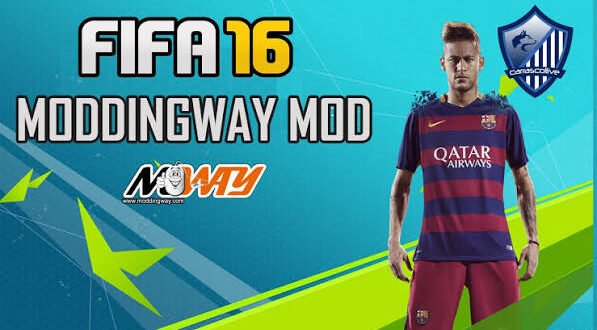
Still playing FIFA 16 on PC but wishing it had modern squads, kits, transfers, and updated football content? That’s exactly where FIFA 16 Patch 23 PC comes in.
FIFA 16 may look old next to newer football games, but the PC version still has something going for it: modding flexibility. Community creators can update the game with newer squads, competitions, kits, player faces, menus, and other content, giving an old FIFA title a surprisingly fresh feel.
But before you search for a “FIFA 16 Patch 23 official download,” there’s one important detail. EA Sports never released an official FIFA 16 Patch 23. The term generally refers to a community-made modification that updates FIFA 16 with newer football content.
And honestly, that’s what makes these patches interesting. Why throw away a perfectly playable football game when modders can give it a new lease of life?
What Is FIFA 16 Patch 23 PC?
FIFA 16 Patch 23 refers to a fan-made modification created for the PC version of FIFA 16.
The original FIFA 16 launched years before the 2023 football season. Community modders can modify the game’s database and assets to introduce newer football content.
Depending on the specific patch, you might find updates such as:
– 2022/23 squads
– Updated player transfers
– New football kits
– Updated team names
– New player faces
– Updated competitions
– Improved menus
– New boots and accessories
– Updated ratings
– New graphics
– Updated league structures
The exact features depend on the creator and version.
That means you shouldn’t assume every download carrying the “Patch 23” name contains exactly the same content.
Is FIFA 16 Patch 23 an Official EA Update?
No, it isn’t
This point deserves attention because many websites use words such as “official” simply to attract clicks.
EA Sports did not create FIFA 16 Patch 23.
Community developers created these patches independently, usually by modifying FIFA 16’s existing files.
The original FIFA 16 remains an EA Sports game. The modern content comes from the modding community.
So if you see something advertised as “EA FIFA 16 Patch 23,” don’t confuse that phrase with an official EA product.
Why do people still use FIFA 16?
Because FIFA 16 remains a useful foundation for modding.
The PC version gives creators access to tools and files that allow them to modify parts of the game.
That flexibility keeps older FIFA games alive long after their official update cycles end.
FIFA 16 Patch 23 Features
The biggest reason players search for FIFA 16 Patch 23 PC download involves updated football content.
Updated squads and transfers
One of the first things players notice involves the squad database.
A community patch can move players between clubs and update team rosters to represent a newer season.
For example, a patch might add transfers that didn’t exist when FIFA 16 originally launched.
That simple change can make Career Mode feel much fresher.
Ever tried playing an old football game with players wearing the wrong kits and representing clubs they left years ago? It can feel like watching a football time machine.
Updated kits
Kits add another layer of realism.
Depending on the patch, creators can introduce newer home, away, third, goalkeeper, and competition kits.
A good kit update can completely change the visual identity of a club.
You start a match and suddenly the old FIFA 16 menus feel a little less ancient.
Player faces
Some patches also update player faces.
Creators can add or improve faces for newer players and famous footballers whose appearances changed significantly over time.
The quality varies between patches, though.
Some faces look excellent, while others may look like the player spent the weekend arguing with a character creator. That’s modding for you. 🙂
Updated FIFA 16 Graphics
Graphics represent another area where community patches can make a noticeable difference.
Depending on the project, creators can modify:
[10/4/2026 2:31 PM] Content store 5: – Menus
– Scoreboards
– Stadium visuals
– Adboards
– Broadcast graphics
– Player faces
– Kits
– Boots
– Balls
– Presentation elements
These changes don’t turn FIFA 16 into a completely new game engine.
However, they can make the overall presentation feel more modern.
Can FIFA 16 Patch 23 look like FIFA 23?
Not exactly.
A patch can modify many assets, but it cannot magically transform FIFA 16’s entire engine into the technology behind a newer FIFA title.
That’s an important expectation to keep.
FIFA 16 with a modern patch remains FIFA 16 underneath.
The menus, gameplay engine, animations, physics, and other systems still depend heavily on the original game.
FIFA 16 Patch 23 Gameplay
One thing I like about updating older football games involves the combination of familiar gameplay and modern content.
FIFA 16 has its own gameplay characteristics.
You still get:
– Passing
– Shooting
– Dribbling
– Tackling
– Crosses
– Set pieces
– Skill moves
– Career Mode
– Tournament gameplay
A patch can update the surrounding content without completely replacing the core gameplay.
That makes FIFA 16 Patch 23 attractive to players who don’t enjoy the direction of newer football games.
Why learn a completely new game when you already understand the older controls?
Career Mode With FIFA 16 Patch 23
Career Mode can benefit heavily from squad updates.
Imagine starting a career with a team using newer players and transfers instead of FIFA 16’s original database.
The experience immediately feels different.
Career Mode improvements may include:
– Updated squads
– Updated player ratings
– New transfers
– Updated team kits
– New player faces
– Updated competitions
– New managers
– Updated club information
However, not every patch changes every Career Mode feature.
Some modifications focus mainly on visual updates and squad files.
Others go much deeper.
Always check the specific patch description before installing anything.
FIFA 16 Patch 23 PC System Requirements
One advantage of FIFA 16 involves its relatively modest hardware requirements compared with newer football games.
A PC that struggles with modern football titles may handle FIFA 16 much more comfortably.
General considerations
You should have:
– A compatible Windows PC
– A capable dual-core or better processor
– At least several GB of RAM
– A DirectX-compatible graphics card
– Enough storage for FIFA 16 and the patch
– Updated graphics drivers
Your exact requirements depend on the original FIFA 16 installation and the modifications you add.
Large graphics packs can increase storage requirements.
FIFA 16 Patch 23 Installation
Installation methods vary considerably between patches.
Some projects use dedicated installers.
Others require you to place mod files into specific FIFA 16 directories or use a mod manager.
Because different patches use different structures, follow the instructions supplied with the specific project rather than copying random files into your FIFA folder.
Before modifying your installation, create a backup.
A sensible preparation checklist
1. Keep a clean FIFA 16 installation.
2. Back up important files.
3. Read the patch documentation.
4. Check compatibility.
5. Install the required mod tools if the creator specifies them.
6. Follow the project’s installation instructions.
7. Launch the game and test the changes.
This approach can save you from reinstalling the entire game after one misplaced file ruins your weekend.
FIFA 16 Patch 23 vs FIFA 23
This comparison comes up constantly.
Feature| FIFA 16 Patch 23| FIFA 23
Base game| FIFA 16| FIFA 23
Modern squads| Community update| Official EA database
Graphics| Modded FIFA 16 engine| Newer engine
Gameplay| FIFA 16 foundation| Newer gameplay systems
PC requirements| Lower| Higher
Modding| Extensive community scene| Also supports modifications
Official status| Community-made| Official EA release
FIFA 23 clearly wins in modern technology and official content.
[10/4/2026 2:31 PM] Content store 5: But FIFA 16 Patch 23 has one major advantage: it can give older hardware access to newer football content without demanding the same hardware power.
For players with modest PCs, that difference matters.
FIFA 16 Patch 23 vs FIFA 16 Original
This comparison makes even more sense.
Original FIFA 16
You get:
– Original squads
– Original kits
– Original ratings
– Original menus
– Original competitions
– Classic FIFA 16 presentation
FIFA 16 Patch 23
A community patch can add:
– Newer squads
– Modern transfers
– Updated kits
– Updated faces
– New presentation
– Updated ratings
– Modern football graphics
If you love FIFA 16 gameplay but dislike its old database, Patch 23 offers a logical middle ground.
Common FIFA 16 Patch 23 Problems
Community modifications don’t always work perfectly.
Game crashes
A crash can happen when files conflict or when the patch doesn’t match your FIFA 16 version.
Start by checking compatibility.
Missing players
Your database may not load correctly if you install files incorrectly.
Follow the creator’s database and mod instructions carefully.
Kits don’t appear
Kit files may require specific installation steps.
Check whether the patch needs a mod manager or additional tools.
Career Mode problems
Some modifications can affect saved careers.
That’s why you should back up your existing Career Mode saves before installing major modifications.
Performance drops
High-resolution graphics packs can put additional pressure on your GPU.
If performance drops, reduce graphics settings or remove unnecessary visual enhancements.
Is FIFA 16 Patch 23 Worth It?
For the right player, definitely.
If you already enjoy FIFA 16 gameplay and want modern football content, a good community patch can make the game feel surprisingly fresh.
I’d choose this route over installing an enormous modern football game on an old PC that can barely maintain playable frame rates.
The biggest advantage comes from the balance between familiar gameplay, modern squads, and relatively modest hardware requirements.
What Should You Check Before Downloading a Patch?
Don’t install the first “FIFA 16 Patch 23” you find.
Different creators can release different projects using similar names.
Before downloading, check:
– Patch version
– Supported FIFA 16 version
– Included leagues
– Squad update date
– Transfer update
– Kit availability
– Player face updates
– Graphics changes
– Installation requirements
– Mod manager requirements
– Known bugs
– Developer/community information
FYI, the newest-looking screenshot doesn’t necessarily prove that a patch contains the latest database.
Safety and Legal Considerations
FIFA 16 remains copyrighted software, while community modifications can include copyrighted assets and third-party material.
Use a legitimate copy of FIFA 16 as your base game.
Avoid suspicious downloads that bundle cracks, unknown executable files, or modified installers.
Also avoid disabling your antivirus simply because a website tells you that “Windows doesn’t understand the patch.”
Your antivirus may occasionally flag unusual mod tools, but you should verify the file’s source before making any decision.
Final Thoughts
FIFA 16 Patch 23 PC gives older FIFA fans an interesting way to refresh a classic football game.
It doesn’t magically transform FIFA 16 into FIFA 23. Instead, community creators update the old game with newer squads, transfers, kits, player faces, ratings, menus, and other football content.
The biggest attraction comes from that combination of classic FIFA 16 gameplay and newer football content.
If you have a modest gaming PC, enjoy FIFA 16, and want a more modern database without jumping straight to a newer and more demanding game, a well-made Patch 23 project can make plenty of sense.
Just remember one thing before you start: FIFA 16 Patch 23 isn’t an official EA release. Treat it as a community modification, check compatibility carefully, back up your files, and use a legitimate copy of FIFA 16.
Sometimes an old football game doesn’t need retirement. It just needs a decent transfer window.


One comment
Pingback: FIFA 16 Mod 23 APK Mobile Android Offline - wapday