 wapday Download Latest Pro Soccer Games
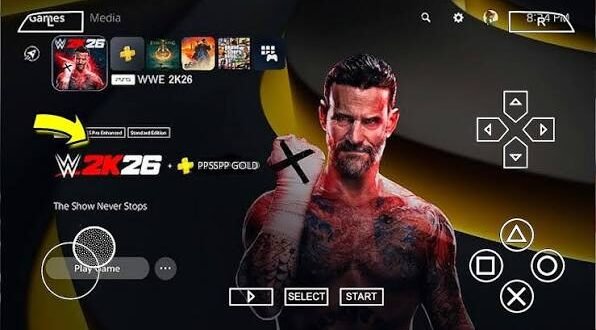
Trying to figure out whether your phone can handle WWE 2K26 PPSSPP? Before you start changing every PPSSPP setting you can find, there’s one important fact to clear up.
WWE 2K26 does not have an official PSP version. The official game targets modern platforms, while PPSSPP emulates software originally designed for Sony’s PSP. So when you see websites advertising a “WWE 2K26 PPSSPP ISO download latest update,” you should treat those claims as unofficial rather than assuming you’re getting the real WWE 2K26 game.
That doesn’t make PPSSPP useless. Far from it. PPSSPP can run compatible PSP wrestling games on Android and other platforms, and the emulator gives you plenty of control over graphics, performance, storage, and controls.
So, what hardware do you actually need? Let’s break it down without turning this into a computer-science exam.
What Does PPSSPP Actually Do?
PPSSPP acts as a PSP emulator. It translates software designed for PSP hardware so compatible games can run on devices such as Android phones, Windows PCs, Macs, and other supported platforms.
That distinction matters when you search for WWE 2K26 PPSSPP ISO files.
An emulator doesn’t automatically make every game compatible. A modern game designed for a completely different platform cannot become a PSP game simply because someone adds “PPSSPP” to the filename.
Sounds obvious, but download websites sometimes treat platform compatibility like optional seasoning.
System Requirements for PPSSPP on Android
Here’s the good news: PPSSPP itself doesn’t demand a monster phone.
The official PPSSPP documentation says that nearly any recent Android phone should run the emulator well. Your actual performance depends more heavily on the specific PSP game, graphics settings, and device hardware.
For a comfortable Android experience, I’d look for:
– A relatively recent Android version
– A modern multi-core processor
– At least 3–4 GB of RAM for comfortable multitasking
– Plenty of free storage
– A capable GPU
– Updated system software
These figures provide practical guidance rather than official minimum requirements for WWE 2K26.
Why? Because there are no official WWE 2K26 PPSSPP requirements. The game never launched for PSP.
Android Performance: CPU vs GPU
Both your processor and graphics hardware matter.
The CPU handles emulation work, while the GPU handles much of the rendering workload. A phone with a strong processor but weak graphics hardware can still struggle when you push resolution and visual enhancements.
Likewise, a powerful GPU won’t magically fix every CPU bottleneck.
What Should You Prioritize?
If you’re buying or choosing a phone for PSP emulation, I’d prioritize:
1. Modern chipset
2. Good GPU performance
3. At least 4 GB RAM
4. Fast internal storage
5. Good thermal management
6. A high-quality display
You don’t need the most expensive flagship just to enjoy PPSSPP.
That’s one of the emulator’s biggest strengths.
Storage Requirements for PPSSPP
Storage can create confusion because people often search for extremely small “compressed” ISO files.
A compressed file can reduce the amount of space you need for storage or transfer. PPSSPP also supports compressed CSO files, which can save space while allowing the emulator to decompress data during gameplay.
However, don’t confuse a compressed file size with the final storage requirement.
You may need space for:
– The game file
– Save data
– Save states
– Texture packs
– Emulator data
– Temporary files
– Additional modifications
If a website advertises a tiny “WWE 2K26 PPSSPP ISO,” don’t assume the file represents the complete official game.
Small file size doesn’t prove authenticity.
Android Storage and Newer PPSSPP Versions
Android 11 and newer versions introduced stricter storage permissions.
PPSSPP explains that newer Android versions require the emulator to use selected folders for certain PSP data instead of giving the application unrestricted access to external storage.
[10/8/2026 4:50 AM] Content store 3: You may therefore see permission prompts when setting up your game folder.
That doesn’t necessarily indicate a problem.
PPSSPP needs access to the appropriate folder so it can read your legally obtained game files and store save data.
Give PPSSPP the Correct Folder
If Android asks you to choose a folder, follow the emulator’s instructions carefully.
Don’t randomly grant access to unrelated directories.
Keeping your game files organized also makes troubleshooting much easier.
PPSSPP Requirements for Windows
Windows users generally have an easier time running PPSSPP.
The official documentation says that nearly any PC from the last 15 years should handle PPSSPP without major difficulty, although graphics drivers still matter.
For general PPSSPP use, you don’t need an expensive gaming PC.
A reasonably modern computer with:
– A capable CPU
– OpenGL 3.0 support or better
– Updated graphics drivers
– Adequate RAM
– Enough storage
should handle many PSP games comfortably.
PPSSPP also supports several graphics backends, including Vulkan and OpenGL.
Recommended PPSSPP Settings
Hardware requirements only tell half the story.
Your PPSSPP settings can make a huge difference.
If your device struggles, lower the rendering resolution first. PPSSPP recommends reducing rendering resolution to 2x or even 1x for low-end hardware. It also recommends disabling unnecessary post-processing effects.
For Low-End Android Phones
Try:
– 1x rendering resolution
– Minimal texture filtering
– No unnecessary post-processing
– Default graphics settings
– Frameskip only when necessary
Don’t immediately activate every speed hack.
You might gain a few frames and lose half the game’s visual accuracy.
For Mid-Range Phones
A mid-range device can usually handle more.
Try:
– 2x rendering resolution
– Moderate texture filtering
– Vulkan where appropriate
– Limited enhancements
– Standard frame timing
Test each change separately.
A powerful phone gives you more freedom.
PPSSPP recommends matching rendering resolution to your device resolution on high-end hardware. Its documentation suggests using Vulkan and higher-quality texture filtering, while keeping unnecessary speed hacks disabled.
You can experiment with:
– 3x or higher rendering
– Texture filtering
– MSAA
– Higher-quality effects
– Enhanced texture options
But do you really need every setting at maximum?
Not necessarily.
Smooth gameplay matters more than showing off your graphics menu.
Vulkan vs OpenGL
Your graphics backend can affect performance.
PPSSPP recommends Vulkan for many modern devices, especially when you want good performance and lower latency. However, OpenGL can still perform well depending on your hardware and drivers.
If Vulkan gives you problems, try OpenGL.
If OpenGL stutters while Vulkan runs smoothly, stick with Vulkan.
There’s no universal winner because different phones use different GPUs and drivers.
Reducing Input Lag
Wrestling games need responsive controls.
A small delay might not matter when watching a movie, but it becomes annoying when you try to reverse a move at the exact moment your opponent attacks.
PPSSPP provides settings aimed at reducing input latency. Its recommendations include Vulkan, reducing graphics-command buffering, and experimenting with VSync settings.
A compatible Bluetooth controller can also improve the experience.
PPSSPP supports many Bluetooth controllers on Android, including Xbox and PlayStation controllers.
Touchscreen vs Controller
Touch controls offer convenience.
You can play anywhere without carrying extra hardware.
A physical controller, however, can provide more precise inputs. If you plan to play for long sessions, I’d personally choose a controller whenever possible.
Your thumbs will thank you.
What About the Actual WWE 2K26 PC Requirements?
Here’s where things get interesting.
The official WWE 2K26 PC requirements are dramatically higher than PPSSPP requirements because WWE 2K26 targets modern PC hardware.
2K lists these minimum PC specifications:
[10/8/2026 4:50 AM] Content store 3: – CPU: Intel i7-4770 or Ryzen 5 1500X
– GPU: NVIDIA RTX 2060 or AMD RX 5700
– RAM: 16 GB
– OS: Windows 10/11
– GPU memory: At least 6 GB
– CPU: AVX2 and F16C support
For recommended settings, 2K lists:
– CPU: Intel i7-7700 or Ryzen 5 2600
– GPU: NVIDIA RTX 3060 with 12 GB or AMD RX 6700 XT
– RAM: 16 GB
– OS: Windows 10/11
– GPU memory: At least 12 GB
– CPU: AVX2 and F16C support
Those requirements apply to the official PC version of WWE 2K26, not PPSSPP.
That distinction matters enormously.
WWE 2K26 vs PPSSPP Hardware Requirements
Let’s make the difference simple.
Category| PPSSPP| Official WWE 2K26 PC
Platform| PSP emulator| Modern PC game
RAM needs| Generally modest| 16 GB minimum
Graphics demand| Relatively low| High
GPU| Recent integrated/mobile GPUs can work| RTX 2060/RX 5700 minimum
Operating system| Android, Windows, others| Windows 10/11
PSP compatibility| Yes| No PSP version
Official WWE 2K26 support| No| Yes
So if someone tells you that a 4 GB Android phone can run the official WWE 2K26 simply because PPSSPP runs well on it, don’t believe them.
The two situations involve completely different hardware requirements.
Can a Phone Run a “WWE 2K26 PPSSPP” Mod?
A fan-made project may have completely different requirements from the official WWE 2K26.
Some unofficial projects modify existing PSP wrestling games with:
– Updated rosters
– Custom graphics
– New arenas
– Updated entrances
– New textures
– Custom menus
– Modified gameplay
Their performance depends on the underlying PSP game and the modifications.
You should therefore judge the project by its actual technical requirements rather than assuming it runs like the official WWE 2K26.
How to Improve Performance on Android
If a compatible PSP wrestling game runs slowly, start with the basics.
Try These Steps
1. Lower rendering resolution.
2. Switch between Vulkan and OpenGL.
3. Disable unnecessary visual effects.
4. Close background applications.
5. Keep your phone cool.
6. Restart PPSSPP.
7. Update PPSSPP.
8. Test default settings.
9. Use frameskip only when necessary.
10. Avoid extreme speed hacks.
PPSSPP specifically recommends lowering resolution and disabling post-processing when low-end hardware struggles.
Fixing Black Screens and Crashes
A black screen doesn’t always mean your phone lacks power.
The problem can come from an invalid game file, incompatible settings, or a graphics backend issue.
PPSSPP recommends running an ISO directly rather than extracting it into ordinary files. It also recommends checking ISO validity and avoiding certain speed-hack settings that can break graphics.
If a compatible game refuses to load, try:
– Restoring default graphics settings
– Updating PPSSPP
– Testing another rendering backend
– Checking the game file
– Removing unnecessary modifications
Don’t change ten settings simultaneously.
You’ll never know which change fixed the problem.
What About “Latest Update” PPSSPP Versions?
Keeping PPSSPP updated can help.
Recent PPSSPP releases include performance improvements, platform changes, bug fixes, and other enhancements. The project continues to maintain the emulator across Android, Windows, and other platforms.
For Android, use a trusted source for PPSSPP itself.
Don’t download an unknown APK simply because a website calls it “WWE 2K26 PPSSPP latest version.”
The emulator and the game remain separate pieces of software.
Safety Tips Before Downloading Anything
Search engines can return plenty of pages for phrases such as WWE 2K26 PPSSPP ISO download latest update.
That doesn’t make every result trustworthy.
Watch for:
– Suspicious APK installers
– Fake download buttons
– Multiple redirects
– Requests for unnecessary permissions
– Password-protected archives from unknown sites
– Instructions to disable security software
– Claims of an “official WWE 2K26 PSP ISO”
Use the official game on a supported platform when you want the genuine WWE 2K26 experience.
For PPSSPP, use legitimate PSP game copies that the emulator actually supports.
Final Thoughts on WWE 2K26 PPSSPP System Requirements
The biggest takeaway is simple: PPSSPP has relatively modest hardware requirements, but WWE 2K26 does not have an official PPSSPP version.
A recent Android phone can generally run PPSSPP comfortably, while the official WWE 2K26 PC release requires substantially stronger hardware, including 16 GB RAM and an RTX 2060/RX 5700-class GPU at minimum.
If you’re running a compatible PSP wrestling game, start with conservative PPSSPP settings. Increase rendering resolution gradually, choose the graphics backend that performs best on your device, and prioritize stable frame rates and responsive controls.
And remember: a tiny ISO file doesn’t automatically mean a real WWE 2K26 PSP game. If the headline promises modern WWE 2K26 magic on ancient PSP hardware, keep one eyebrow raised. That little bit of skepticism might save you from downloading something you never wanted in the first place. 🙂


4 comments
Pingback: WWE 2K26 PPSSPP ISO Download Latest Update: Key Features of WWE 2K26 - wapday
Pingback: Tekken 7 PPSSPP ISO Highly Compressed 351 MB: Optimizing Your Experience - wapday
Pingback: Tekken 7 PPSSPP ISO Highly Compressed 351 MB: Features of Tekken 7 - wapday
Pingback: eFootball PES 2026 PPSSPP: Features, Gameplay, Installation Tips, and What to Know - wapday