 wapday Download Latest Pro Soccer Games
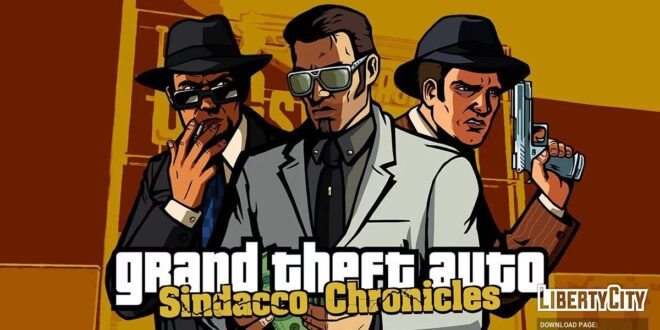
Grand Theft Auto Sindacco Chronicles Android Game APK – Full Gameplay Guide
Are you ready to return to Liberty City for another round of crime, rival gangs, dangerous missions, and classic GTA action? Grand Theft Auto: Sindacco Chronicles offers a fresh story built around the criminal families fighting for control of Liberty City. If you’ve played GTA Liberty City Stories before, this project gives you a different reason to revisit the city.
Unlike a standard GTA mobile game, Sindacco Chronicles is a fan-made total conversion based on GTA: Liberty City Stories. It introduces a new storyline, missions, characters, and gameplay changes. An Android edition was released by the mod’s developers, bringing this project to mobile players.
In this guide, we’ll cover the story, gameplay, features, Android installation considerations, offline play, and tips for getting the best experience on your phone.
What Is GTA Sindacco Chronicles?
Grand Theft Auto: Sindacco Chronicles is an unofficial modification created around the world of GTA: Liberty City Stories. Rather than simply changing a few cars or adding new outfits, the project introduces a substantial new criminal storyline.
The story takes place in 1998, when the Sindacco, Forelli, and Leone crime families struggle for control of Liberty City. Paulie Sindacco and his associates are central to the conflict, while Joseph Daniel O’Toole becomes involved in a dangerous plan connected to the Leone family. <Cite refs={[“turn705441search5″,”turn705441search7”]}/>
The result is a familiar GTA-style experience with new narrative content. You can explore the city, complete missions, drive vehicles, and get caught up in the rivalries that define Liberty City’s criminal underworld.
Important: Sindacco Chronicles is a fan-made modification, not an official standalone Rockstar Games release. The Android edition relies on the underlying GTA Liberty City Stories game assets.
GTA Sindacco Chronicles Android Gameplay
The main attraction is the combination of familiar GTA gameplay and a different story.
1. Open-World Exploration
Liberty City is the setting for the game’s criminal drama. Players can move around the city, travel between mission locations, and explore familiar urban environments.
The open-world format gives you room to experience the city beyond the main storyline. Between missions, you can drive around, learn the roads, and discover locations that help you understand the game’s layout.
If you enjoy classic GTA games, this familiar city-based design is part of the appeal.
2. New Story Missions
One of the biggest features of Sindacco Chronicles is its original mission content. The PSP edition’s published feature list describes 100 new missions, including 60 story missions and additional activities. <Cite refs={[“turn705441search5”]}/>
These missions expand the experience beyond the original Liberty City Stories campaign. The story centres on organised crime, shifting loyalties, rival families, and the struggle to gain influence across the city.
Instead of replaying exactly the same storyline, players get a different narrative built around the Sindacco family’s ambitions.
3. Multiple Playable Protagonists
The project includes multiple playable protagonists, giving the story more than one central character. <Cite refs={[“turn705441search5”]}/>
This can make the campaign feel broader, as different characters become involved in the conflict from different angles.
The exact content and behaviour can vary between editions, so check which build you’re using before assuming every version contains identical features.
4. Vehicles and Driving
Driving remains an important part of the classic GTA experience. You’ll travel through the city to reach mission locations, escape dangerous situations, and move between different parts of Liberty City.
For a better experience on a touchscreen, take corners carefully, avoid unnecessary collisions, and learn the routes around mission areas.
If you’re new to Liberty City Stories, spend a little time getting familiar with the map before rushing through the campaign.
5. Classic GTA Combat
Combat is another core part of the experience. Missions can involve hostile gang members, dangerous encounters, and situations where choosing the right approach matters.
Pay attention to your health, available weapons, and surroundings. Rushing into a group of enemies without a plan can make a straightforward mission much harder than necessary.
Main Features of GTA Sindacco Chronicles
The developers’ published feature list for the PSP version includes several additions beyond the original game. The Android edition is based on the updated 2.0 modification, with mobile-specific changes. <Cite refs={[“turn705441search5″,”turn705441search2”]}/>
A Redesigned Storyline
The campaign features a new story involving the Sindacco, Forelli, and Leone families. The updated project also revises parts of the narrative and mission content.
For players who already know the original Liberty City Stories plot, this is one of the strongest reasons to try the modification.
Additional Activities
The published PSP feature list includes activities beyond the main story, such as races, helicopter challenges, vendetta contracts, and other optional tasks. <Cite refs={[“turn705441search5”]}/>
Optional activities provide extra things to do after completing story missions. They also make the world feel more active than a campaign focused entirely on one objective.
Properties and Businesses
The project includes purchasable assets, safehouses, and a business takeover system. These features add a progression element to the criminal storyline. <Cite refs={[“turn705441search5”]}/>
Instead of focusing only on mission completion, you can work towards expanding your influence and gaining control of additional locations.
Extended Radio Content
Music and radio broadcasts are an important part of GTA’s atmosphere. The developers describe expanded radio content in the updated project, although the exact implementation can differ by edition. <Cite refs={[“turn705441search2″,”turn705441search5”]}/>
Driving through Liberty City with music playing helps maintain the distinctive atmosphere that fans expect from a classic GTA game.
Touchscreen Adjustments
The Android edition includes changes intended to make the game more suitable for mobile controls. Its published description mentions adjustments to the mobile script and menus, including changes to helicopter mission requirements for full completion. <Cite refs={[“turn705441search2″,”turn705441search8”]}/>
These adjustments matter because a mission designed for a handheld console can feel different when played on a phone.
GTA Sindacco Chronicles APK and Data Size
The Android edition has been distributed as separate installation and game-data files. One listing reports an APK of approximately 9.4 MB and a separate archive of roughly 938 MB. These are reported file sizes from a third-party listing, not guaranteed sizes for every release. <Cite refs={[“turn705441search2”]}/>
Keep enough free storage for the downloaded files, extracted data, and any temporary files created during installation.
Don’t assume that the small APK contains the entire game. The main game resources may be stored separately.
How to Install GTA Sindacco Chronicles on Android
Before installing, understand that this is an unofficial modification with specific compatibility requirements.
Step 1: Check Android Compatibility
The Android edition’s published notes warn that native installation may be problematic on Android 13 and newer, partly because of changes to the underlying GTA Liberty City Stories app and its game-data system. <Cite refs={[“turn705441search2″,”turn705441search8”]}/>
That warning is important. A file that worked on an older phone may fail on a newer device.
Check the mod’s documentation for compatibility information that matches your Android version before proceeding.
Step 2: Verify the Source
Look for information from the original mod team, Barcode Studia, and its project documentation.
The project has an official developer page:
https://barcode-studia.ru/mods/sindacco-chronicles/
You can also review the project discussion on GTAForums:
https://gtaforums.com/topic/983421-grand-theft-auto-sindacco-chronicles/
Avoid repackaged installers from websites that offer no information about the uploader or demand that you install unrelated applications.
Step 3: Understand the Base-Game Requirement
Sindacco Chronicles modifies GTA Liberty City Stories rather than being an independently developed GTA game. Its Android build depends on the underlying game’s assets and installation structure. <Cite refs={[“turn705441search2″,”turn705441search8”]}/>
Use a legitimate copy of the required base game and follow the mod creator’s documented installation instructions. I can’t guarantee that an arbitrary APK and data archive found elsewhere will work together.
Step 4: Follow the Project’s Instructions
The installation method depends on the Android version and the particular build. Follow the developer’s current documentation rather than mixing instructions from different releases.
If the mod requires replacing existing game files, make sure you understand what will be changed before proceeding. Back up any important save data first.
Step 5: Test the Game
After installation, launch the game and check that the menus, controls, audio, and missions work correctly.
If the game crashes, returns to the home screen, or fails to load its resources, stop and review the compatibility notes rather than downloading random replacement files.
Can You Play GTA Sindacco Chronicles Offline?
Sindacco Chronicles is designed around a single-player GTA-style campaign, but the exact offline behaviour of an Android installation can depend on its underlying game version and activation requirements.
The mod’s published Android notes mention that changes to the original game’s update and activation system can interfere with modding. <Cite refs={[“turn705441search2″,”turn705441search8”]}/>
For that reason, don’t assume that every APK advertised as “GTA Sindacco Chronicles Offline” will work without an internet connection from the first launch. Check the documented requirements and complete any legitimate setup needed for the base game.
Once the game is correctly installed and any required activation is complete, test its single-player functionality with your phone disconnected from the internet. Avoid unofficial patches that claim to bypass account or activation protections.
Recommended Android Performance Tips
Because this is a modification of an older game, performance depends on your device, Android version, and the exact installation.
- Keep sufficient storage free: The separate game-data archive can be substantial.
- Close unnecessary applications: This can help reduce memory pressure on devices with limited RAM.
- Keep your phone cool: Extended gaming can cause some phones to reduce performance.
- Use compatible game files: Mixing files from different versions may cause crashes.
- Back up saves: Preserve progress before changing installations or replacing game data.
- Check controls: Adjust your playing style to the touchscreen layout and practise driving and combat.
These are general troubleshooting recommendations, not a guarantee that the mod will run on every Android phone.
Common GTA Sindacco Chronicles Android Problems
The APK Won’t Install
Your Android version may be incompatible, the file may be incomplete, or the package may conflict with another installation. The project’s documentation specifically warns about compatibility problems on newer Android releases. <Cite refs={[“turn705441search2”]}/>
The Game Crashes After Launch
This can happen when the installed base game, mod files, and Android version do not match. Review the project’s installation instructions and confirm that all required resources are present.
The Game Cannot Find Its Data
The APK and game-data archive may need to be paired correctly. Files from different builds may not work together, so use the documentation for the exact release you installed.
The Game Conflicts With GTA Liberty City Stories
The Android edition’s published notes warn that it cannot be installed alongside the original Liberty City Stories app in the standard configuration. <Cite refs={[“turn705441search2”]}/>
Back up your existing progress and read the mod’s instructions before making changes to your original game installation.
The Game Runs on an Older Phone but Not a Newer One
Android compatibility is a known concern for this port. Don’t assume that a more powerful phone automatically solves an operating-system or activation issue.
Is GTA Sindacco Chronicles Worth Playing?
If you enjoy classic Grand Theft Auto games and want a different story set in Liberty City, Sindacco Chronicles is an interesting fan project to explore.
Its new missions, multiple protagonists, criminal-family storyline, extra activities, and mobile-oriented adjustments give it more substance than a basic visual modification. <Cite refs={[“turn705441search5″,”turn705441search2”]}/>
The biggest drawback is compatibility. The Android edition relies on a modified version of another game, and its published documentation warns about installation problems on newer Android versions.
If you decide to try it, use the original project documentation, verify your Android version, and avoid suspicious APK repacks.
Final Verdict
Grand Theft Auto: Sindacco Chronicles Android Game APK brings a substantial fan-made GTA storyline to mobile, with new missions, rival crime families, and additional activities in Liberty City.
It is not an official standalone Rockstar release, and it may not install properly on every Android device. Check the original developer’s page for the latest information, make sure you have the required legitimate base game, and follow the documented compatibility instructions.
If you enjoy classic GTA gameplay and story-driven missions, this modification may be worth exploring—provided your device and installation meet its requirements.


