 wapday Download Latest Pro Soccer Games
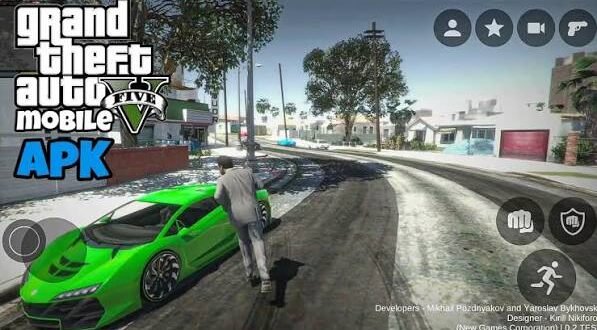
Looking for grand-theft-auto-gta-5-download-apk-data because you want to play GTA 5 on your Android phone? You’re definitely not alone. GTA 5 remains one of the biggest open-world games around, so naturally, Android gamers keep searching for a way to run it directly on their phones.
Here’s the part you need to know before downloading a suspicious 300MB file promising “GTA 5 Mobile Ultra Graphics.” Rockstar Games never released an official GTA 5 APK, OBB, or Data package for Android.
So what exactly do those GTA 5 APK + Data files online mean? Are they real? Can your phone run GTA 5? And what legitimate options can you use instead? Let’s clear everything up without the usual internet nonsense.
Is GTA 5 Available as an Official Android APK?
No. Grand Theft Auto V does not have an official native Android version from Rockstar Games.
Rockstar released GTA 5 for platforms such as PlayStation, Xbox and PC, but the company never launched an official Android APK with an accompanying OBB or Data folder.
That means any website advertising something like “official GTA 5 Android APK + OBB + Data” should immediately raise your eyebrows.
Why? Because Android games normally use an APK package for installation, while larger games can use additional files. GTA 5 never received an official Android package from Rockstar, so random APK websites cannot magically produce an official mobile version.
What About GTA 5 Mobile Videos?
You’ve probably seen YouTube videos showing GTA 5 running on Android.
Some videos demonstrate cloud gaming, remote PC streaming, emulation experiments, unofficial projects, or heavily edited footage. Others simply show a launcher or menu that looks convincing enough to attract clicks.
FYI, a thumbnail showing Franklin standing next to a supercar doesn’t automatically mean someone discovered a secret Rockstar Android release. 🙂
Always check the actual source before trusting the claim.
What Does “GTA 5 APK OBB Data” Mean?
The search phrase GTA 5 APK OBB Data comes from the way Android games traditionally package their files.
APK
An APK represents the Android application package. Android uses APK files to install applications.
For an official Android game, the APK normally contains the application and the resources required to launch it.
OBB
An OBB file stores additional game resources that can sit outside the main APK.
Large Android games sometimes use additional expansion files because the complete game would make the APK unnecessarily large.
Data
Gamers often use “Data” to describe additional folders containing game resources, configurations, textures, saves or other files.
However, having APK, OBB and Data folders does not turn GTA 5 into an official Android game.
That distinction matters because scammers can package almost anything into an APK and call it “GTA 5 Mobile.”
Why GTA 5 Needs So Much Power
GTA 5 gives players a huge open world, detailed environments, traffic systems, pedestrians, vehicles, physics, missions and a large amount of audio and visual content.
That workload requires considerably more processing power than many lightweight Android games.
What Makes GTA 5 Demanding?
The game has:
– A huge open-world map
– Detailed vehicles
– Large numbers of NPCs
– Dynamic traffic
– Advanced physics
– Weather effects
– Complex lighting
– High-resolution textures
– Extensive voice acting
– Large mission sequences
– A substantial amount of game data
Ever wondered why your phone can run a modern racing game smoothly but struggle with some large open-world titles? Game optimisation matters just as much as raw hardware.
Developers optimize games for specific hardware and operating systems. Without an official Android port, you cannot simply copy the PC or console game files onto your phone and expect Android to run everything perfectly.
Can Your Android Phone Run GTA 5?
Your phone might have impressive specifications, but native GTA 5 Android compatibility presents a different problem.
[10/4/2026 2:17 PM] Content store 4: Even if you own a powerful Snapdragon-powered device with plenty of RAM, hardware alone cannot solve the lack of an official Android version.
For example, a phone with:
– 8GB or 12GB RAM
– A modern Snapdragon processor
– Plenty of storage
– A high-refresh-rate display
might handle demanding Android games extremely well.
But that doesn’t automatically mean it can install and run a genuine GTA 5 Android APK.
Software compatibility matters.
Think of it like putting premium fuel into a car without an engine. The fuel might look impressive, but the car still needs the correct engine to use it.
Legitimate Ways to Play GTA 5 on Android
If you really want GTA 5 on your phone, you still have options. They simply don’t involve downloading a fake “GTA 5 Mobile APK 500MB.”
Cloud Gaming
Cloud gaming can stream a game from a remote server to your Android device.
The server handles the heavy processing while your phone receives the video stream and sends your controls back to the server.
This approach can let you play demanding PC or console games on hardware that could never render them locally.
However, your experience depends heavily on:
– Internet speed
– Network stability
– Server location
– Latency
– Streaming quality
– Controller support
A fast and stable connection makes a huge difference.
Remote Play
Another option involves streaming GTA 5 from a compatible PC or console that you already own.
Your main gaming machine runs GTA 5 while your Android phone acts as the display and controller interface.
This option makes more sense if you already have the game and suitable hardware at home.
What About GTA San Andreas on Android?
Now here’s where things get interesting.
Unlike GTA 5, Grand Theft Auto: San Andreas has an official Android release.
That makes it a much safer option for people who specifically want a classic GTA experience on their phone.
GTA San Andreas also brings many things Android gamers love:
– Large open-world gameplay
– Vehicles
– Weapons
– Missions
– Character customization
– Exploration
– Offline-style single-player gameplay
– Android compatibility
Sure, it doesn’t have GTA 5’s modern graphics. But it actually belongs on Android, which counts for a lot.
IMO, an official GTA game that runs properly beats a fake GTA 5 APK every single time.
GTA 5 APK vs Official GTA Mobile Games
Let’s compare the options honestly.
Feature| GTA 5 APK + Data| Official GTA Mobile Game
Official Rockstar Android release| No| Yes, for supported titles
Native Android support| No official version| Yes
Security| Depends on source| Much safer through official channels
Offline potential| Depends on the project| Depends on the specific title
GTA 5 graphics| Claimed by unofficial files| Depends on the official game
Updates| Unreliable| Developer-supported
Compatibility| Uncertain| Tested for supported devices
Risk of fake files| High| Much lower
The table explains why you should think twice before installing a mysterious GTA 5 APK.
Common GTA 5 Android APK Claims
Search around the internet and you’ll find some familiar phrases.
“GTA 5 Android 200MB”
A genuine modern open-world game like GTA 5 cannot realistically shrink into a tiny 200MB Android package while preserving the complete experience.
Compression can reduce file sizes, but it cannot perform magic.
“GTA 5 Mobile 500MB Offline”
Again, approach this claim carefully.
A 500MB file might contain a launcher, a modified game, a completely different game, a demo, or something malicious.
File size alone doesn’t prove authenticity.
“GTA 5 APK + OBB No Verification”
This phrase often appears on download pages trying to attract search traffic.
If the developer never released the Android version, removing verification cannot suddenly create an official port.
“GTA 5 Android Full Version”
Always ask one simple question:
Who created the Android version?
If the answer doesn’t point to Rockstar Games or a clearly documented legitimate project, don’t assume the file represents an official GTA 5 release.
How to Stay Safe When Searching for GTA 5 Android
[10/4/2026 2:17 PM] Content store 4: You don’t need to become a cybersecurity expert to avoid most dangerous APK downloads.
Follow a few basic rules:
– Avoid unknown APK websites that make unrealistic GTA 5 claims.
– Don’t disable Android security features just to install a file.
– Don’t give an APK unnecessary permissions.
– Avoid files that demand your banking information.
– Don’t install multiple “download managers” just to access one game.
– Scan unfamiliar files before opening them.
– Check the developer behind the application.
– Prefer official stores and legitimate game services.
– Avoid “unlimited money” or “mod menu” packages from suspicious sources.
A game should not require access to your contacts, SMS messages or banking applications. If an APK asks for ridiculous permissions, that’s your cue to leave.
GTA 5 Android Graphics and Performance
People often search for GTA 5 Android high graphics, expecting console-level visuals on their phones.
Modern smartphones can produce genuinely impressive graphics. However, developers still need to optimize a game specifically for Android hardware.
GTA 5 contains a huge amount of content, and Android devices use many different processors, GPUs and memory configurations.
That variety makes optimization much more complicated.
Why Performance Can Vary
Two phones can have similar RAM but deliver completely different gaming performance.
Performance depends on:
– CPU architecture
– GPU performance
– RAM
– Storage speed
– Android version
– Thermal management
– Game optimization
– Resolution
– Background applications
So don’t assume that “12GB RAM” automatically means your phone can run every PC game.
Can PPSSPP Run GTA 5?
No official GTA 5 PSP version exists, so PPSSPP cannot magically run the actual GTA 5 game.
PPSSPP emulates PSP software. GTA 5 never received a PSP release.
You might find videos titled “GTA 5 PPSSPP,” but those generally involve fan-made projects, visual modifications, homebrew experiments or misleading demonstrations.
If you want GTA-style gameplay through PPSSPP, explore legitimate PSP-era Grand Theft Auto releases instead.
Why Fake GTA 5 APKs Attract So Many Downloads
The reason becomes obvious when you think about the keyword.
Millions of gamers want GTA 5 on mobile. That demand creates a huge opportunity for websites to rank pages around terms like:
“GTA 5 APK,” “GTA 5 Android,” “GTA 5 OBB Data,” “GTA 5 Mobile Offline,” and “GTA 5 download APK.”
Unfortunately, some websites use those keywords to promote unrelated applications, aggressive advertisements or dangerous downloads.
That’s why you should separate the search keyword from the actual game.
Just because a page ranks for GTA 5 APK doesn’t mean Rockstar created the file.
What Should You Download Instead?
If your main goal involves playing GTA games on Android, choose an official mobile release whenever possible.
You can also explore legitimate streaming options if you already own GTA 5 on a compatible platform.
For players who specifically want offline open-world gameplay, official Android GTA releases offer a much more predictable experience than random APK packages.
And honestly, isn’t it better to spend your gaming time actually playing rather than fighting pop-ups, fake download buttons and suspicious “human verification” pages? :/
Final Thoughts
The search for grand-theft-auto-gta-5-download-apk-data makes sense because GTA 5 remains one of the most popular open-world games ever made. However, you should remember one important fact: Rockstar Games never released an official native GTA 5 APK, OBB or Data package for Android.
That means you should treat websites claiming to offer an “official GTA 5 Mobile APK” with serious caution.
If you want GTA 5 on your Android phone, consider cloud gaming or remote play when your hardware, internet connection and game ownership support those options. If you want a native Android GTA experience, choose an official GTA mobile release instead.
The golden rule remains simple: don’t let an exciting thumbnail convince you to install a suspicious APK. Your phone deserves better than that, and so does your gaming time.


