wapday Download Latest Pro Soccer Games
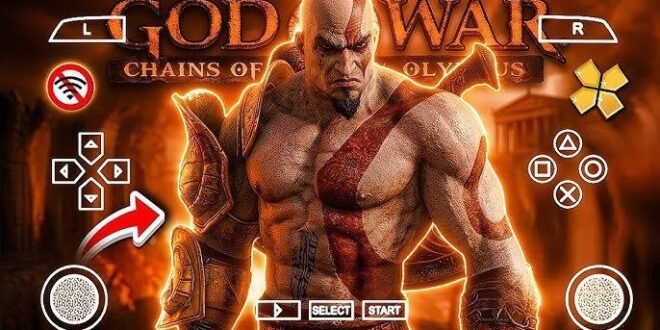
God of War: Chains of Olympus PPSSPP Game for Android – Gameplay, Graphics and Installation Guide
Ready to unleash the power of Kratos on your Android phone? God of War: Chains of Olympus PPSSPP brings one of the most memorable action-adventure games from the PlayStation Portable era to your smartphone. Expect brutal combat, epic Greek mythology, challenging bosses, and cinematic battles that make every encounter feel intense.
The best part? You can play this PSP classic on Android using the PPSSPP emulator, without needing to carry a PlayStation Portable console everywhere you go.
Whether you’re returning to the game after years away or discovering Kratos’s adventures for the first time, this guide covers its gameplay, story, graphics, Android requirements, emulator settings, and installation process.
What Is God of War: Chains of Olympus PPSSPP?
God of War: Chains of Olympus is an action-adventure game developed by Ready at Dawn in collaboration with Santa Monica Studio and published by Sony Computer Entertainment for the PSP.
The original game launched in 2008 and takes players into the world of Greek mythology. You control Kratos, a powerful Spartan warrior who serves the gods of Olympus while struggling with his own painful past.
The PPSSPP emulator allows compatible PSP games to run on Android devices, Windows computers, and other supported platforms.
God of War: Chains of Olympus PPSSPP is not a separate official Android release. It refers to playing the original PSP game through an emulator.
God of War: Chains of Olympus Storyline
The story follows Kratos during his service to the Olympian gods. When a mysterious threat plunges the world into darkness, he must confront dangerous enemies and uncover the forces behind the crisis.
The adventure takes Kratos through ancient Greek-inspired environments filled with mythical creatures, powerful enemies, and dangerous traps.
Unlike games that rely entirely on exploration or dialogue, Chains of Olympus keeps the action moving with a mixture of combat, platforming, puzzles, and cinematic sequences.
The story also explores Kratos’s emotional struggles, giving the adventure more depth than a simple journey from one boss fight to another.
If you enjoy mythology, dramatic storytelling, and larger-than-life battles, this PSP classic has plenty to offer.
God of War: Chains of Olympus Gameplay Features
Brutal Combat and the Blades of Chaos
Kratos’s signature Blades of Chaos remain central to the gameplay. Their chained attacks let you strike multiple enemies, launch opponents into the air, and unleash powerful combinations.
The combat system rewards good timing and smart movement. You can combine light and heavy attacks, dodge incoming strikes, and use special abilities to handle tougher enemies.
What makes the combat satisfying? The game encourages you to keep moving instead of standing in one place and repeatedly pressing the attack button.
Powerful Magic Abilities
Kratos can use magical abilities to deal additional damage and control dangerous encounters. These powers help you handle groups of enemies and create openings against stronger opponents.
You’ll need to manage your resources carefully, especially during longer battles. Using every ability immediately might feel satisfying, but saving magic for a difficult encounter can make a real difference.
Epic Boss Battles
Chains of Olympus features memorable encounters against powerful mythological enemies.
Boss fights often require more than simply attacking as quickly as possible. You need to observe enemy movements, avoid dangerous attacks, and strike when an opportunity appears.
These battles add variety to the adventure and provide some of its most dramatic moments.
Puzzles and Exploration
Although combat takes centre stage, the game also includes environmental puzzles, platforming sections, hidden rewards, and interactive objects.
You may need to move objects, activate mechanisms, find routes through ancient structures, or solve puzzles before progressing.
This balance helps the adventure avoid becoming one long sequence of fights.
Graphics and Visual Quality on Android
For a PSP game, Chains of Olympus delivers impressive environments, character animations, and cinematic presentation.
The original version designed its graphics around PSP hardware. PPSSPP can render the game at a higher internal resolution on capable Android phones, which may improve image clarity.
Depending on your device and settings, you can enjoy:
- Sharper character models and environmental details.
- Improved image clarity at higher rendering resolutions.
- Smoother presentation when the game maintains its intended frame rate.
- Customisable touchscreen controls.
- Support for compatible external controllers.
However, higher resolution does not turn the game into a modern remake. It enhances the original PSP visuals rather than replacing the underlying models, animations, or game engine.
For the best results, start with the default settings and increase the resolution gradually.
God of War: Chains of Olympus PPSSPP Android Requirements
You don’t necessarily need an expensive gaming phone to run this PSP classic. Performance depends on your processor, graphics hardware, Android version, and emulator settings.
Use these recommendations as a starting point rather than guaranteed minimum requirements.
| Component | Recommendation |
|---|---|
| Operating system | Android version supported by your PPSSPP release |
| Processor | A compatible modern Android processor |
| RAM | 2 GB may work on some devices; 3–4 GB offers more flexibility |
| Storage | Enough free space for the game image and emulator |
| Emulator | PPSSPP from an official source |
| Controls | Touchscreen or compatible gamepad |
| Internet | Usually unnecessary during gameplay after setup |
The original game image and emulator have different storage requirements, so check the available space on your device before installing anything.
How to Play God of War: Chains of Olympus on Android
Follow these steps to play a legitimate copy of the PSP game using PPSSPP.
Step 1: Install PPSSPP
Visit the official PPSSPP website at https://www.ppsspp.org/ or find its verified Google Play listing.
Install the emulator that matches your device. PPSSPP runs compatible PSP games, but it doesn’t automatically include commercial games.
Step 2: Obtain a Compatible Game Image
Use a game copy you legally own and create a compatible backup where local law permits. The game image typically uses the ISO or CSO format.
Avoid unfamiliar websites that advertise repackaged APK files containing supposedly complete commercial games. Such packages may include malicious software or files that don’t work.
Step 3: Locate the Game File
Place your compatible ISO or CSO file in a folder you can easily access, such as a dedicated PSP Games folder.
If you have a compressed archive, extract it with a suitable file manager before opening the emulator.
Remember, changing a ZIP extension to ISO doesn’t convert the file into a working game image.
Step 4: Open PPSSPP
Launch PPSSPP and browse to the folder containing your game image.
Select God of War: Chains of Olympus to start the game. If the emulator doesn’t recognise the file, verify its format and confirm that the extraction completed correctly.
Step 5: Configure Your Controls
PPSSPP offers virtual touchscreen controls, and compatible external controllers provide another option.
Position the buttons comfortably for your thumbs. Since God of War uses combinations of attacks, dodging, jumping, and special abilities, a comfortable control layout can make combat much easier.
Step 6: Adjust the Graphics
Start with the default settings and test the game. If your phone handles it smoothly, try increasing the rendering resolution.
If you experience lag, return to a lower resolution and test again. Small adjustments can provide a better balance between visual clarity and performance.
Best PPSSPP Settings for God of War: Chains of Olympus
God of War games can place more demands on a device than simpler PSP titles. The following settings offer a sensible starting point.
Graphics Settings
- Rendering resolution: Begin at 1x or 2x, depending on your device.
- Frameskipping: Keep it disabled initially; test it only if performance remains poor.
- Texture filtering: Start with the default option.
- Backend: Use the recommended graphics backend for your PPSSPP version and phone.
- Post-processing: Disable demanding effects if they cause slowdowns.
Don’t change every option at once. Adjust one setting, play for a few minutes, and compare the results.
Improve Performance and Battery Life
Close demanding background applications before launching the game. Keep your phone’s software updated, maintain sufficient free storage, and avoid playing while your device overheats.
If your phone becomes unusually hot, pause the game and let it cool down.
A higher rendering resolution may look sharper, but it can also increase battery consumption and graphics workload. Choose settings that keep the action responsive rather than chasing the highest possible resolution.
Common Problems and Their Solutions
Black Screen When Starting the Game
Confirm that your game image uses a supported format and that you selected the correct file. Update PPSSPP from an official source and test its default settings.
Lag During Combat
Reduce the rendering resolution and close background applications. If the problem continues, test another graphics backend supported by your device.
Game Crashes Unexpectedly
Check the emulator version and verify that the game image works correctly. Avoid mixing files from unrelated game versions or installing unknown emulator modifications.
Touchscreen Controls Feel Difficult
Adjust the virtual button layout and size. You can also try a compatible controller if you prefer physical buttons.
God of War: Chains of Olympus vs God of War: Ghost of Sparta
Both titles belong to the PSP’s God of War library, but each offers a different adventure.
| Feature | Chains of Olympus | Ghost of Sparta |
|---|---|---|
| Original platform | PSP | PSP |
| Main character | Kratos | Kratos |
| Genre | Action-adventure | Action-adventure |
| Setting | Greek mythology | Greek mythology |
| Combat | Chained blades, magic, and combos | Chained blades, magic, and expanded combat options |
| Story focus | Kratos’s service to the gods | Kratos’s personal past and family |
| Android play | Through compatible PSP emulation | Through compatible PSP emulation |
If you want to experience Kratos’s earlier adventures and a compact, cinematic story, Chains of Olympus makes a great starting point.
If you finish it and want another PSP adventure, Ghost of Sparta offers another substantial journey with its own story and combat encounters.
Is God of War: Chains of Olympus PPSSPP Worth Playing?
Absolutely, if you enjoy action games with challenging combat, mythological enemies, and cinematic storytelling.
The game demonstrates how developers delivered an ambitious God of War experience on the PSP. Its combat, boss battles, puzzles, and dramatic presentation still give players plenty of reasons to revisit it.
Playing through PPSSPP adds flexibility because you can customise the controls and adjust the rendering resolution to suit your phone.
Just remember that emulator performance depends on your device, and PPSSPP doesn’t transform the original game into an official Android remake.
Final Verdict
God of War: Chains of Olympus PPSSPP Android offers an excellent way to revisit Kratos’s classic PSP adventure on a compatible smartphone.
You get intense combat, magical abilities, challenging boss fights, exploration, and a story rooted in Greek mythology. With the right emulator settings, you can also improve image clarity and customise your controls.
Start by installing PPSSPP from an official source, use a legitimate compatible game image, and adjust the settings to match your device.
If you love action games that combine brutal battles with cinematic storytelling, this adventure deserves a place on your PSP gaming list. Now sharpen those blades, prepare for the next boss, and see whether you can survive the world of Greek mythology!