 wapday Download Latest Pro Soccer Games
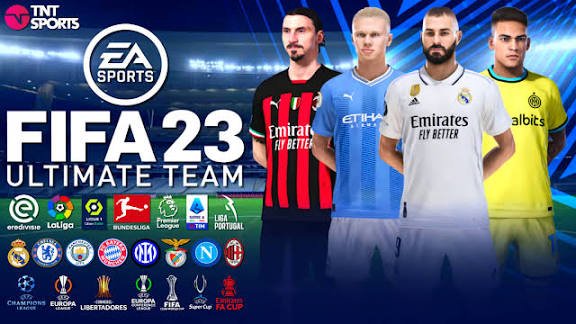
Still playing FIFA 16 on PC and wondering when the next big Patch 23 update will arrive? You’re definitely not alone. FIFA 16 has somehow refused to disappear, thanks to a huge modding community that keeps finding new ways to refresh the classic football game.
If you’ve searched for FIFA 16 Patch 23 PC released date, you’ve probably seen plenty of download pages, videos, and social posts promising the “latest version.” The tricky part? Not every Patch 23 project comes from the same developer, and some versions come from independent modders rather than EA.
So, before you hit that shiny download button, let’s clear things up. We’ll look at the FIFA 16 Patch 23 release date, what a modern patch can add, PC requirements, installation tips, and a few things you should check before replacing your existing game files.
FIFA 16 Patch 23 PC Released Date: Is There an Official Date?
Here’s the first thing you should know: EA Sports did not officially release a “FIFA 16 Patch 23” as an official EA update.
FIFA 16 launched years ago, and EA eventually moved its development attention toward newer FIFA and EA Sports FC titles. That means modern “Patch 23” releases usually refer to community-made modifications or unofficial updates rather than a new official EA Sports patch.
So, what does “released date” actually mean in this case?
It depends on the specific Patch 23 project you mean. Different modders can create different versions, and each developer can publish updates on their own schedule. One creator might release a version in one month while another creator uses the same “Patch 23” label for a completely different project.
FYI: Always check the creator’s original announcement before trusting a random release date listed on a download website.
What Is FIFA 16 Patch 23 for PC?
A FIFA 16 Patch 23 PC mod generally aims to bring older FIFA 16 closer to the current football season.
That can make a massive difference if you still enjoy FIFA 16’s gameplay but want modern teams, squads, kits, competitions, or graphics. Why abandon a game you already enjoy just because the official updates stopped?
Depending on the specific patch, a community update may include:
– Updated player transfers
– New or updated team squads
– Modern kits
– Updated club logos
– New leagues or competitions
– Updated player faces
– Improved stadiums
– New boots and balls
– Updated menus and graphics
– New scoreboards
– Gameplay adjustments
– Updated tournaments
– Career Mode improvements
– Updated databases
The exact features depend entirely on the mod. That distinction matters because “Patch 23” doesn’t describe one universal FIFA 16 modification.
FIFA 16 Patch 23 Features You Should Look For
Updated Squads and Transfers
One of the biggest reasons people install FIFA 16 mods involves updated squads.
Imagine starting a Career Mode with old squads when your favorite club has completely different players today. It can feel like opening an old newspaper and expecting breaking transfer news. 🙂
A good squad update can refresh player transfers, team lineups, player ratings, formations, and other database information.
Modern Kits and Club Branding
Kits can completely change the visual experience.
A strong FIFA 16 patch can replace older kits with newer designs and update club branding. Some mods also update national-team kits and competition graphics.
For players who care about authenticity, these details matter more than you might expect.
Updated Player Faces
Some FIFA 16 mods also introduce updated player faces.
This feature can make modern squads look much more believable. Instead of seeing an outdated version of a player, you may get a face model that better matches their current appearance.
Of course, quality varies between mods. Some creators produce excellent face updates, while others make changes that look… let’s just say “interesting.” That’s part of the modding adventure.
New Graphics and Visual Improvements
Many FIFA 16 PC patches focus heavily on presentation.
[10/8/2026 4:37 AM] Content store 2: You might find:
– Improved grass textures
– Updated lighting
– New stadium graphics
– High-resolution kits
– Updated broadcast packages
– New scoreboards
– Improved menus
– Updated adboards
These changes can make FIFA 16 feel surprisingly fresh despite its age.
FIFA 16 Patch 23 Gameplay Changes
Graphics attract attention, but gameplay decides whether you actually enjoy the patch.
Some community patches modify gameplay files to create a different football experience. Developers may adjust player movement, passing, shooting, ball physics, goalkeeper behavior, defensive positioning, or overall match tempo.
However, you should not assume every Patch 23 includes gameplay changes.
Some mods concentrate almost entirely on squads and graphics. Others aim for a complete overhaul. Before installing anything, read the creator’s feature list carefully.
Why Gameplay Still Matters
FIFA 16 already has gameplay that many longtime players enjoy. Some fans prefer its feel to newer releases because it offers a different balance between pace, passing, defending, and physical play.
That creates an interesting choice.
Do you want classic FIFA 16 gameplay with modern squads, or do you want a heavily modified experience?
IMO, the first option often makes the most sense for players who love the original game but simply want fresh content.
FIFA 16 Patch 23 PC System Requirements
Because FIFA 16 runs on older hardware, many PCs can handle the base game comfortably.
However, large graphical mods can increase the demands on your computer. High-resolution textures, updated stadiums, faces, lighting, and other visual modifications can consume additional storage and memory.
Before installing a large patch, check that your PC has:
– A compatible Windows installation
– Enough free storage
– Adequate RAM
– A graphics card that can handle the modified assets
– A working FIFA 16 installation
– Backup space for your original files
Do not judge requirements only by the original FIFA 16 requirements. A heavily modded installation can behave differently from the untouched game.
How to Install FIFA 16 Patch 23 on PC
Installation methods vary depending on the patch, so you should always follow the instructions from the specific creator.
Still, most FIFA 16 modifications follow a basic process.
Step 1: Back Up FIFA 16
Before changing anything, create a backup of your important FIFA 16 files.
This step takes a few minutes and can save you hours of frustration later. Trust me, reinstalling everything because one file went missing gets old very quickly.
Step 2: Read the Patch Instructions
Do not skip the instructions.
Some patches require specific tools, database files, installers, or previous versions. Others may require you to remove older mods first.
Step 3: Install the Required Files
Follow the creator’s installation order exactly.
If the developer says you need a particular tool or database version, use the required version rather than improvising.
Step 4: Regenerate Game Files if Required
Some FIFA 16 mods require you to regenerate game data after installation.
The exact process depends on the tools used by the mod. Follow the included instructions rather than copying random settings from another patch.
Step 5: Launch and Test
Start FIFA 16 and check several areas before beginning a new Career Mode.
Test:
– Kick-Off
– Teams
– Kits
– Player squads
– Career Mode
– Menus
– Stadiums
– Gameplay
If something looks wrong, close the game and check the installation instructions again.
FIFA 16 Patch 23 vs Older FIFA 16 Mods
So, should you replace your existing FIFA 16 mod with Patch 23?
Not automatically.
A newer patch can provide better squads and graphics, but your current setup might already work perfectly. You should compare the features before making the switch.
[10/8/2026 4:37 AM] Content store 2: Feature| Older FIFA 16 Mod| Newer Patch 23 Mod
Modern squads| Depends on mod| Usually a major focus
New kits| Often available| Common feature
Player faces| Varies| Often updated
Graphics| Basic to advanced| Usually improved
Gameplay| Usually preserved| Depends on creator
Career Mode| Varies| Depends on creator
Installation| Often simpler| Can require more tools
The key lesson? Newer does not automatically mean better.
A stable mod that works perfectly can beat a newer mod that crashes every time you enter Career Mode. What good is a shiny new scoreboard if the game refuses to load? :/
Is FIFA 16 Patch 23 Safe to Download?
This question deserves serious attention.
Because community patches do not necessarily come from EA, you should treat download sources carefully. Avoid suspicious websites that force you through endless redirects, unknown executable files, or strange browser extensions.
Look for:
– A recognizable modding community
– Clear installation instructions
– A detailed feature list
– User feedback
– Screenshots or videos
– A known developer or team
– A trustworthy download source
Never disable your antivirus simply because a random download page tells you to.
If a website makes you jump through ten questionable links before reaching a download, that should raise a red flag.
Why Players Still Love FIFA 16 Mods
You might wonder why people still spend time modifying an older FIFA game when newer football titles exist.
The answer comes down to control.
PC modding gives players the ability to customize an experience that official games may no longer support. You can update squads, kits, graphics, stadiums, and other elements while keeping the FIFA 16 foundation you already enjoy.
There’s also something satisfying about keeping an old favorite alive.
You install a modern kit, update your favorite club, start a Career Mode, and suddenly FIFA 16 feels less like an old game and more like a customized football simulator built specifically for you.
FIFA 16 Patch 23 PC Released Date: What Should You Expect?
If you’re searching for a specific FIFA 16 Patch 23 PC release date, remember that the answer depends on the particular mod project.
There isn’t one universal official EA release date for “FIFA 16 Patch 23.”
Instead, look for the original announcement from the mod creator and verify the version number, update date, features, compatibility, and installation requirements.
That approach will help you avoid outdated files and misleading download pages.
Final Thoughts
FIFA 16 Patch 23 can give the classic PC game a fresh lease on life, especially if you want updated squads, kits, graphics, player faces, and other modern content.
Just remember that Patch 23 usually refers to a community-made modification rather than an official EA Sports release. That means different projects can carry different features and release dates.
Before installing anything, back up your FIFA 16 files, check the creator’s instructions, verify compatibility, and use a trustworthy source.
And honestly, isn’t that part of the fun of PC football gaming? You start with an old FIFA game, add a few mods, spend far too long fixing one tiny installation problem, and eventually sit down for a match thinking, “Okay… this actually looks incredible.” 🙂


