 wapday Download Latest Pro Soccer Games
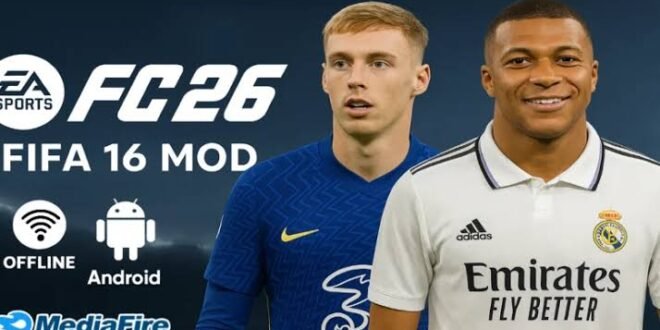
FIFA 16 Mod EA Sports FC 26 Looking for FIFA 16 Mod EA Sports FC 26 Android Offline because you want updated football action without needing an internet connection every five minutes? You’re definitely not alone. FIFA 16 still has a surprisingly strong following on Android, especially among players who enjoy offline career-style gameplay, familiar controls, and lightweight football games.
The interesting part comes from community mods that update FIFA 16 with newer teams, kits, players, graphics, competitions, and branding inspired by EA Sports FC 26. FYI, these mods don’t turn FIFA 16 into an official EA Sports FC 26 Android release. They modify the older FIFA 16 experience to create something that feels much more current.
So, what can you realistically expect from a FIFA 16 Mod EA Sports FC 26 Android Offline version? Let’s talk about the features, graphics, gameplay, requirements, installation structure, common problems, and the things you should check before trusting any random file online.
What Is FIFA 16 Mod EA Sports FC 26 Android Offline?
FIFA 16 Mod EA Sports FC 26 refers to a community modification built around the Android version of FIFA 16. Mod creators can replace or adjust parts of the original game to give players a newer football experience.
Depending on the particular mod, creators may update squads, kits, player appearances, menus, competitions, logos, commentary elements, and other visual details.
The important distinction matters: EA never released an official “FIFA 16 Mod EA Sports FC 26” game. EA Sports FC 26 also represents a much newer football generation than FIFA 16.
That means you should treat these versions as unofficial fan modifications rather than official EA products. If a website claims that EA officially released “FIFA 16 FC 26 Android,” raise an eyebrow. Maybe both eyebrows. 🙂
Why Do Players Still Mod FIFA 16?
Lightweight Football Gameplay
One major reason comes down to performance.
Modern football games can demand a lot from Android hardware, storage, RAM, and internet connectivity. FIFA 16 can offer a simpler alternative, especially when a community mod focuses on updating content rather than rebuilding the entire game engine.
Players with older or mid-range Android phones may appreciate that approach.
Offline Football
Another big attraction involves offline gameplay.
Many players simply want to start a match without waiting for servers, updates, matchmaking, or a stable connection. You choose your team, select your opponent, and get into the match.
Who doesn’t enjoy football without a loading screen asking for another 2GB update?
A properly configured offline mod can provide that classic pick-up-and-play experience, although individual modifications can introduce different requirements.
FIFA 16 Mod EA Sports FC 26 Features
The exact features depend on the modification you find, but many community projects focus on bringing newer football content into the older FIFA 16 framework.
Updated Teams and Squads
One of the first things players usually look for involves updated squads.
A modern football mod may include:
– Newer player transfers
– Updated team rosters
– New clubs
– Updated player ratings
– New formations
– Updated competition structures
– New football kits
However, don’t assume every mod includes every current transfer. Mod creators work independently, so one version may contain recent squads while another may rely on older data.
Updated Kits
Kits can make a surprisingly big difference.
A good modification can replace older shirts with designs inspired by newer seasons. Home, away, and goalkeeper kits can receive visual updates, making the game feel considerably fresher.
You might start the match and think, “Okay, this actually looks different.”
That small visual change can make an old football game feel much newer.
Player Faces
Some mods also improve or replace player faces.
[10/4/2026 1:49 PM] Content store 2: Creators can add updated textures for popular footballers, although quality varies considerably. You might get a fantastic-looking star player next to another player who looks like he missed the entire face-update meeting.
That’s the reality of community modifications.
Updated Menus and Branding
Modders can also change:
– Main menus
– Team selection screens
– Scoreboards
– Logos
– Competition graphics
– Loading screens
– Fonts
– Background images
These details don’t change the fundamental gameplay engine, but they help create the EA Sports FC 26-inspired atmosphere many players want.
Graphics and Visual Quality
FIFA 16 still has respectable football visuals for an older mobile game.
A well-made modification can improve the overall presentation through better textures, kits, player faces, stadium graphics, and menus.
However, don’t expect the visual quality of a native modern console or PC football game. The underlying FIFA 16 technology still determines much of what the game can do.
What Usually Looks Better?
Depending on the mod, you may notice improvements in:
– Player textures
– Football kits
– Pitch details
– Scoreboards
– Menus
– Boots
– Balls
– Stadium visuals
– Lighting adjustments
IMO, updated kits and player faces often create a bigger visual difference than flashy menu screens.
Gameplay Experience
The gameplay remains one of FIFA 16’s strongest points.
You get familiar football controls, passing, shooting, defending, dribbling, crosses, through balls, and goalkeeper interactions.
The modification can change the game’s content, but it doesn’t magically transform FIFA 16 into a completely different football engine.
That distinction matters.
If you expect FC 26-level gameplay mechanics, advanced animations, or the exact physics from a modern EA Sports FC title, you may feel disappointed. But if you want classic FIFA 16 gameplay with newer football content, the concept makes much more sense.
Can You Play It Offline?
Yes, community modifications can support offline matches, depending on how the particular version works.
Offline gameplay represents one of the biggest reasons people search for terms such as FIFA 16 Mod FC 26 Android Offline, FIFA 16 FC 26 offline Android, and FIFA 16 updated squads offline.
Offline play works particularly well when you simply want quick matches without depending on mobile data.
You can potentially enjoy:
– Exhibition matches
– Tournament-style gameplay
– Career-style modes where supported
– Local football gameplay
– Single-player matches
Keep in mind that some features from modern football games require online services, so a FIFA 16-based modification cannot reproduce every online feature from current EA Sports FC titles.
Android Requirements
Before installing anything, check your phone’s specifications.
A typical FIFA 16-based Android modification may require reasonable storage and RAM because the game can use large additional data files.
General Requirements
Look for a device with:
– Android smartphone or tablet
– At least 2GB RAM, although more RAM can improve multitasking
– Several gigabytes of available storage
– A compatible processor
– Sufficient graphics performance
– Enough free space for game files and temporary installation data
The exact requirements vary depending on the modification.
A phone with 4GB or 6GB RAM should generally offer more breathing room than an entry-level device with 2GB RAM.
FIFA 16 Mod APK, OBB and Data Explained
If you search for these mods online, you’ll probably encounter terms like APK, OBB, Data, ZIP, ISO, and mod files.
What do they mean?
APK
The APK contains the Android application package. Android uses this file to install the application.
OBB
OBB files can contain large game resources such as graphics, audio, and other assets.
Data
Some Android games store additional resources inside a separate data folder.
ZIP or RAR
Mod creators often package multiple files inside ZIP or RAR archives to make distribution easier.
[10/4/2026 1:49 PM] Content store 2: The exact structure can vary between versions, so always follow the instructions supplied by the legitimate developer or creator of the modification.
Avoid random files that demand suspicious permissions or ask you to disable your phone’s security protections.
Common Problems With FIFA 16 FC 26 Mods
Not every modification works perfectly.
You might encounter problems such as:
Game Crashes
A crash can happen when your device doesn’t meet the mod’s requirements or when the game files don’t match.
Black Screen
A black screen can indicate missing or incompatible game resources.
Missing Kits or Players
This problem often comes from incomplete or mismatched files.
Lag and Frame Drops
Graphics-heavy modifications can push weaker phones harder than the original game.
Storage Problems
Large mods can consume several gigabytes.
Before installing anything, check your available storage. Your phone doesn’t care how badly you want to score a 90th-minute winner. If it runs out of space, that’s game over.
FIFA 16 Mod FC 26 vs Modern EA Sports FC
How does this kind of mod compare with an official modern football game?
Feature| FIFA 16 FC 26 Mod| Modern EA Sports FC
Official EA release| No| Yes
Updated kits| Often| Yes
Updated squads| Often| Yes
Offline gameplay| Often| Depends on mode
Modern graphics| Limited by FIFA 16 engine| Much more advanced
Modern animations| Limited| More advanced
Online services| Usually limited| Extensive
Hardware requirements| Generally lower| Generally higher
Community modifications| Yes| Limited/controlled
Classic FIFA gameplay| Yes| No
The comparison makes the target audience pretty clear.
If you want modern official football technology, choose a current EA Sports FC release that supports your platform. If you want classic FIFA gameplay with community-created modern content, a FIFA 16 modification can provide an interesting alternative.
How to Stay Safe When Searching for the Mod
This part matters more than fancy graphics.
Search engines can return websites offering modified APKs, compressed archives, or “one-click” installers. Some files may contain unwanted software, aggressive advertising, misleading download buttons, or other risks.
Before opening a file, check:
– Who created the modification
– Whether the source has a credible reputation
– Whether the file description matches the actual contents
– Whether your security software flags anything
– Whether the website uses suspicious redirects
– Whether the download asks for unnecessary permissions
Never provide sensitive information simply because a website promises an “FC 26 activation key.”
You don’t need to trade your personal information for a football game.
Is FIFA 16 Mod EA Sports FC 26 Worth Trying?
That depends on what you want.
If your priority involves offline football, classic FIFA 16 gameplay, updated squads, modern kits, and relatively modest hardware requirements, the concept makes plenty of sense.
If you want official FC 26 gameplay, current online services, modern physics, advanced animations, and EA’s full ecosystem, you should look toward the official EA Sports FC options available for your device.
Personally, I think the biggest attraction of these FIFA 16 modifications comes from nostalgia mixed with updated content. You get the familiar FIFA 16 foundation while community creators try to keep the football world feeling fresh.
Final Thoughts
FIFA 16 Mod EA Sports FC 26 Android Offline can give older FIFA fans an interesting way to enjoy updated football content without abandoning the classic FIFA 16 experience.
The key point remains simple: this represents a community-made modification, not an official EA Sports FC 26 Android release. Features such as squads, kits, player faces, graphics, and competitions can vary from one modification to another.
Before installing anything, check compatibility, storage requirements, file integrity, and the reputation of the source.
If you mainly want offline football with updated teams and a familiar FIFA experience, this type of mod can still be worth exploring. And honestly, sometimes you don’t need the newest football engine—you just need a good match, your favourite team, and someone to blame when the goalkeeper decides to become a statue. 🙂


