 wapday Download Latest Pro Soccer Games
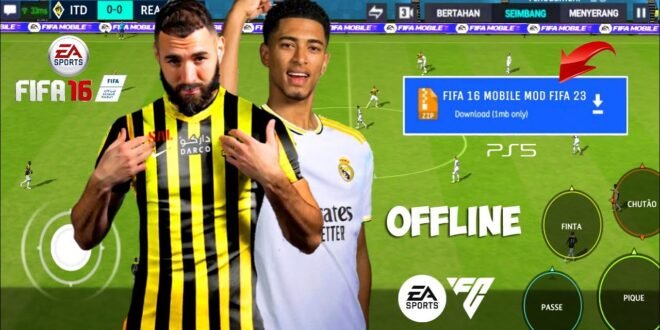
Want the classic feel of FIFA 16 with an EA Sports FC 24-style makeover? That combination explains why searches for FIFA 16 Mod EA Sports FC 24 keep attracting football gaming fans. Players love the older gameplay, but they also want modern squads, fresh kits, updated menus, and a newer visual style.
I understand the appeal. FIFA 16 still has a straightforward rhythm that many football fans enjoy, while EA Sports FC 24 brings newer football content and presentation. Why choose between nostalgia and modern features when a community-made modification tries to combine both?
Before you install anything, though, you need to understand what these mods actually change, what they cannot change, and how to avoid sketchy files. Let’s break it down without making things unnecessarily complicated.
What Is a FIFA 16 Mod EA Sports FC 24?
A FIFA 16 mod changes parts of the original game through community-created modifications. A mod that advertises an “EA Sports FC 24” update usually tries to give FIFA 16 a more modern appearance or football database.
Depending on the particular project, creators may modify kits, player faces, squads, menus, graphics, competitions, commentary, or other game assets.
The result can make an older football title feel much newer.
However, the phrase “FIFA 16 Mod EA Sports FC 24” does not describe one official EA release. Different creators can make completely different modifications while using similar names.
What Can a Mod Change?
A typical football-game mod may focus on:
– Updated kits
– Modern-style menus
– New player faces
– Updated squads
– Club badges
– Stadium graphics
– Scoreboards
– Boots and equipment
– Tournament branding
– Player ratings
– Career-mode databases
– Visual improvements
Some projects concentrate heavily on graphics, while others focus on squads and gameplay.
That difference matters. You shouldn’t assume that every FIFA 16 FC 24 mod includes every feature you see in a promotional screenshot.
Why Do Players Still Like FIFA 16?
FIFA 16 comes from an era when football games felt relatively simple to pick up. You could select a team, adjust your formation, and get into a match without spending half your evening navigating menus.
The gameplay also gives FIFA 16 a nostalgic advantage.
For players who enjoy older football games, that familiar feel can matter more than having the newest graphics. Have you ever returned to an older game and wondered why it somehow feels more fun than the latest release? That happens more often than people admit.
The Nostalgia Factor
FIFA 16 offers several qualities that keep older players interested:
– Familiar controls
– Classic FIFA presentation
– Offline-friendly modes
– Older gameplay mechanics
– Lower hardware requirements than many newer games
– A large modding community
A modern-looking mod can therefore create an interesting combination: classic gameplay with updated presentation.
What Does the “FC 24” Part Actually Mean?
This part causes plenty of confusion.
EA Sports FC 24 represents a newer generation of EA’s football franchise. A FIFA 16 modification cannot literally transform the underlying game into FC 24.
Instead, mod creators can imitate or adapt certain elements.
Common FC 24-Inspired Changes
A community modification might add:
– FC-style menus
– Modern kits
– Updated team squads
– Current-style scoreboards
– New graphics
– Modern player faces
– Updated competitions
– New boots
– Contemporary football branding
Think of it as a retro game receiving a modern makeover, not a magical conversion into the latest EA Sports FC engine.
That distinction matters when you evaluate download claims. If someone promises that FIFA 16 suddenly contains the complete FC 24 engine, you should probably raise an eyebrow.
FIFA 16 Mod vs EA Sports FC 24
So which experience makes more sense?
The answer depends on your priorities.
[10/7/2026 12:16 PM] Content store 1: Feature| FIFA 16 Mod| EA Sports FC 24
Original gameplay foundation| FIFA 16| Modern EA engine
Modern squads| Depends on mod| Official updates
FC-style presentation| Often| Native
Offline play| Often available| Depends on mode
Official support| No community mod support| Yes
Modding flexibility| High| More restricted
Hardware demands| Generally lower| Generally higher
Online ecosystem| Limited or unavailable| Official online services
IMO, FIFA 16 mods make the most sense for players who value nostalgia and customization. EA Sports FC 24 makes more sense for players who want official support and current-generation features.
Neither choice automatically wins.
Updated Squads and Player Ratings
One of the biggest attractions of a FIFA 16 FC 24 mod involves updated squads.
A mod creator can replace older player information with a newer database. That change can make familiar clubs feel much more current.
You might see:
– Updated transfers
– New squad numbers
– Changed player ratings
– New clubs
– Updated formations
– Modern team lineups
But remember that community databases require manual work.
Player ratings can also reflect the creator’s opinion rather than an official EA database. One creator might rate a striker generously, while another might decide that your favorite forward needs a reality check.
That’s part of the fun—and sometimes part of the argument.
Graphics and Visual Improvements
Graphics provide another major reason people search for FIFA 16 Mod EA Sports FC 24.
A well-made modification can refresh the appearance of an older game through updated textures and presentation assets.
Common Visual Updates
You may find changes to:
– Player faces
– Jerseys
– Stadiums
– Grass textures
– Menus
– Ad boards
– Scoreboards
– Lighting
– Boots
– Gloves
– Footballs
These changes can make a surprisingly big difference.
The underlying FIFA 16 engine still remains, but better assets can give the game a fresher appearance.
Do Graphics Mods Improve Gameplay?
Not necessarily.
A new scoreboard won’t improve your passing. A shiny new kit won’t make your goalkeeper stop conceding ridiculous goals. And a beautiful stadium certainly won’t help if you defend like you’ve forgotten which button tackles.
Visual upgrades improve presentation, while gameplay modifications affect how the match feels.
Keep those categories separate when evaluating a mod.
Performance on Older Devices
One advantage of using an older game as the foundation involves hardware requirements.
FIFA 16 generally requires less processing power than newer football games. That can make it attractive to players who use older or budget-friendly hardware.
However, heavy modifications can increase the game’s resource requirements.
A graphics-heavy mod might add larger textures, detailed faces, and additional assets. Those changes can affect storage space, memory usage, and loading times.
Before Installing a Mod, Check Your Device
Consider these factors:
1. Available storage
2. RAM
3. Processor performance
4. Graphics capability
5. Operating-system compatibility
6. Controller compatibility
7. Available installation space
Keep extra storage available for backups and updates.
FYI, installing a giant mod onto a phone or computer with almost no free space usually creates more frustration than fun.
Offline Gameplay and Mod Features
Many players specifically search for FIFA 16 Mod EA Sports FC 24 offline because they want football without a constant internet connection.
That makes sense.
Offline modes can provide a simple experience where you focus on matches, tournaments, career progression, or local gameplay.
However, an unofficial mod cannot recreate server-dependent services from modern EA Sports FC releases.
What Offline Mods Can Offer
Depending on the modification, you may get:
– Career mode
– Kick-off matches
– Tournaments
– Custom squads
– Local multiplayer
– Updated teams
– Modified presentation
But don’t confuse those features with official online services.
[10/7/2026 12:16 PM] Content store 1: A community mod does not provide access to EA’s private servers or official online infrastructure.
Safety: Think Before You Install
This part deserves serious attention.
Search engines can return many pages offering “FIFA 16 FC 24 APK,” “modded FIFA,” or “full unlocked” versions. Some files may contain unwanted software, misleading installers, or other security risks.
You should never trust a file simply because a website uses a convincing football-themed design.
Warning Signs
Watch out for downloads that:
– Ask you to disable security software.
– Request strange permissions.
– Demand your EA account password.
– Redirect you through many unrelated pages.
– Promise unlimited premium currency.
– Provide no identifiable creator.
– Offer suspiciously small or enormous files.
– Include several unrelated installers.
Never enter your gaming account credentials into an unfamiliar download page.
A football mod isn’t worth losing your account.
How to Evaluate a Mod Safely
If you decide to explore community modifications, research first.
Look for established gaming communities that discuss the project openly. Check comments from multiple users instead of trusting one promotional page.
Also keep a backup of your original game files before making changes.
A Simple Safety Checklist
Before installing anything, ask:
– Who created the modification?
– What exactly does the mod change?
– Does the creator provide version information?
– Does the file match my game version?
– Does my device support it?
– Can I restore the original installation?
– Does the download request unusual permissions?
– Does the source have a trustworthy reputation?
If you cannot answer those questions, stop and investigate further.
Common Problems With FIFA 16 Mods
Mods can breathe new life into old games, but they can also create technical headaches.
You might experience:
– Game crashes
– Missing textures
– Incorrect kits
– Player-face glitches
– Slow loading
– Database errors
– Compatibility problems
– Controller issues
– Corrupted saves
Why does this happen?
Mods alter files that the original developers designed to work together. If two modifications change the same resource, conflicts can occur.
Version Compatibility Matters
Always check whether the modification targets your exact FIFA 16 version.
A mod designed for one platform or release may not work correctly with another.
That simple detail saves a lot of frustration.
FIFA 16 Mod EA Sports FC 24: Is It Worth It?
For the right player, absolutely.
If you enjoy older FIFA gameplay and want modern-looking squads, kits, and presentation, a well-maintained community modification can make FIFA 16 feel surprisingly fresh.
However, you should understand the trade-offs.
Choose a FIFA 16 Mod If You Want:
– Classic FIFA gameplay
– Customization
– Lower hardware demands
– Updated community content
– Offline-friendly modes
– Nostalgic gameplay
Choose EA Sports FC 24 If You Want:
– Official current content
– Modern gameplay systems
– Official online services
– Publisher support
– Current-generation presentation
The choice really comes down to customization versus official support.
Final Thoughts
The FIFA 16 Mod EA Sports FC 24 concept works because it combines two things football gamers enjoy: classic gameplay and modern presentation.
A good modification can refresh kits, squads, player faces, menus, stadiums, and other visual elements. It can make an older football game feel much more current without throwing away the gameplay that made players enjoy FIFA 16 in the first place.
But keep your expectations realistic. A FIFA 16 mod cannot literally become EA Sports FC 24, and unofficial modifications cannot provide official EA online services.
Most importantly, think about security before installation. Research the creator, check compatibility, protect your original files, and avoid suspicious downloads that demand passwords or security bypasses.
Personally, I think the charm comes from that mix of old and new. You get the familiar FIFA 16 feel while giving the game a modern wardrobe. And sometimes that’s all a football fan needs: good gameplay, updated teams, and fewer excuses from the goalkeeper.
Now the real question is simple: would you rather play the newest football game, or give an old favorite a fresh life?


