wapday Download Latest Pro Soccer Games
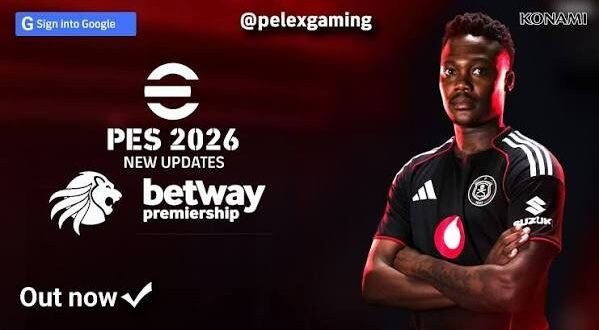
If you still enjoy PSP football games, you already know the appeal: small file sizes, quick matches, smooth controls, and that classic PES feeling. Now imagine taking that old-school experience and adding 2026-style squads, kits, player faces, graphics, and updated competitions. That idea explains why searches for eFootball PES 2026 PPSSPP ISO PSP keep attracting football fans.
The important part? PES 2026 does not represent an official new PSP release from Konami. Community creators use patches and option files to update older PES PSP games with newer football content. So, when you see “PES 2026 PPSSPP ISO,” think of it as a 2026-themed community update for a PSP PES game, not a brand-new official PSP title.
I’ve always liked the idea of keeping older football games fresh instead of throwing them away every time a new season arrives. Why replace a game you already enjoy when a good community update can give it a completely different look?
What Is eFootball PES 2026 PPSSPP?
The term eFootball PES 2026 PPSSPP usually describes a community-modified PES game designed to run through the PPSSPP emulator.
PPSSPP emulates PSP games on platforms such as Android, Windows, Linux, and other supported devices. The emulator itself doesn’t create PES 2026. Instead, modders update an existing PSP football game with newer football content.
That distinction matters when you search for a PES 2026 PSP ISO. Many websites use the “2026” label for search traffic even though the underlying game comes from an older PES PSP release.
What Does the 2026 Update Change?
A community patch can update several parts of the original game, including:
– 2026-style team kits
– Updated player squads
– Player transfers
– New player faces
– Updated boots
– Club logos
– Competition graphics
– Scoreboards
– Menus
– Stadium visuals
– Balls and other cosmetic elements
The exact features depend on the particular patch. One creator might focus on kits and transfers, while another might completely redesign the menus and graphics.
⭐ Game Features of PES 2026 ISO PSP
The most exciting part of any PES update involves the features. A good PES 2026 PSP update should refresh the classic gameplay without destroying what made the original enjoyable.
Updated Squads and Transfers
Football fans hate seeing their favourite players wearing the wrong shirt. A modern squad update can solve that problem.
Community creators can move players between clubs, update team selections, adjust player names, and refresh squad lists around the latest football season.
You might find updates covering:
– Major European clubs
– National teams
– Popular African teams
– South American clubs
– Asian teams
– International competitions
The quality depends on the patch creator, so always check the update description before expecting every club to receive the same level of attention.
Updated Kits
2026 kits represent another major attraction.
A fresh kit can completely change how a team looks during a match. Updated home, away, goalkeeper, and sometimes third kits can give the old PSP engine a surprisingly modern appearance.
Ever loaded an old football game and immediately noticed a shirt from three seasons ago? A kit update fixes that little immersion killer.
New Player Faces
Player faces can also receive attention.
Popular players often receive updated face textures, hairstyles, beards, and other visual details. Some patches focus heavily on famous players because those changes make the biggest difference during gameplay.
However, community face packs vary in quality. Some look excellent, while others make you wonder whether the editor created the face five minutes before kickoff. 🙂
Improved Graphics and Visual Presentation
Don’t expect PSP hardware to suddenly produce modern console graphics. The original hardware has obvious limits.
However, clever texture work can still make PES 2026 PPSSPP look much better.
Modders can replace or improve:
[10/6/2026 4:15 AM] Content store 2: – Menu backgrounds
– Team logos
– Kits
– Player faces
– Pitch textures
– Scoreboards
– Competition graphics
– Stadium elements
– Boots
– Footballs
PPSSPP can also offer graphical settings that improve the image on modern phones and computers.
HD Graphics on PPSSPP
If your device has enough power, you can increase the rendering resolution through PPSSPP settings.
A higher resolution can make the game look cleaner, especially on modern smartphone displays. However, pushing every graphics option to the maximum can increase the workload on your device.
Stable performance matters more than maximum graphics.
What’s the point of beautiful textures if your match stutters every few seconds?
PES 2026 PPSSPP Gameplay
The gameplay remains the heart of the experience.
A community patch can update graphics and squads, but the underlying gameplay still comes from the original PSP PES game. That gives the experience a familiar arcade-style football feel.
You can still expect classic mechanics such as:
– Passing
– Through balls
– Crossing
– Shooting
– Tackling
– Dribbling
– Player switching
– Set pieces
– Goalkeeping
– Formation changes
The controls also work particularly well with a physical controller. PPSSPP’s virtual controls can handle matches, but a gamepad usually provides better precision.
Why PPSSPP Still Works Well for Football Games
PPSSPP gives older PSP football games a second life.
The emulator can run PSP games on modern hardware while offering useful features such as graphical scaling, controller support, save states, and configurable controls.
That makes the combination attractive for players who want offline football gaming without huge modern game installations.
FYI, performance depends heavily on your device and the specific game configuration. A powerful phone can usually push higher rendering settings than an entry-level device.
PES 2026 PPSSPP Android Experience
Android remains one of the most popular platforms for PPSSPP football gaming.
A modern Android phone can provide a comfortable experience when you configure the emulator properly.
What Should You Look For?
Your phone should have:
– A reasonably capable processor
– Enough RAM
– Sufficient free storage
– Updated Android software
– Good thermal performance
– A comfortable control setup
You don’t need a flagship phone just to enjoy PSP football. However, a stronger processor can help when you increase rendering resolution or use heavier graphical modifications.
Storage Requirements
The base PSP game and a community patch can occupy different amounts of storage.
You may also need additional space for:
– Game files
– Texture packs
– Save data
– Backup files
– PPSSPP configuration files
Keep some free storage available instead of filling your phone completely. Android performs better when you give it breathing room.
PES 2026 PPSSPP ISO, CSO and Game Files
Search results often mention PES 2026 ISO, PSP ISO, or CSO.
An ISO represents a disc image that contains the contents of a game. PPSSPP can use compatible PSP game images, while CSO provides a compressed alternative for some PSP games.
However, PPSSPP does not provide copyrighted games. You should use game files that you legally own or have the right to use.
Community patches generally modify existing game assets rather than creating an entirely new official PSP game.
That distinction also explains why different websites may describe the same type of project with terms such as:
– PES 2026 ISO PSP
– PES 2026 PPSSPP
– PES 2026 PSP update
– eFootball PES 2026 PSP
– PES 2026 Android
– PES 2026 PPSSPP offline
These keywords often describe different versions of the same general community-modification concept.
PES 2026 PPSSPP Offline Gameplay
Offline gaming represents one of the biggest advantages of the PSP format.
Once you have a compatible game and configure PPSSPP correctly, you can play matches without needing a constant internet connection.
[10/6/2026 4:15 AM] Content store 2: That makes the setup useful when you’re travelling, dealing with limited mobile data, or simply want to play without online distractions.
What Can You Do Offline?
Depending on the original game and patch, offline gameplay can include:
– Exhibition matches
– League competitions
– Cup competitions
– Career-style modes
– Training
– Local multiplayer
– Custom tournaments
Not every community patch supports every feature equally, so check its documentation before expecting a particular mode.
PES 2026 PSP vs Modern eFootball
How does a patched PSP experience compare with modern eFootball?
They target completely different experiences.
Feature| PES 2026 PPSSPP Community Update| Modern eFootball
Platform| PSP emulation| Modern platforms
Graphics| Retro/updated PSP visuals| Modern graphics
Offline focus| Strong| More limited depending on mode
File size| Generally smaller| Generally larger
Modding| Large community| More restricted
Gameplay| Classic PES-style| Modern eFootball gameplay
Hardware demand| Lower| Higher
Controls| Simple and responsive| More advanced
IMO, the biggest advantage of the PSP option comes from simplicity.
You don’t need to wait for a massive update before every match. You can simply launch the game, choose your team, and start playing.
How to Improve PES 2026 PPSSPP Performance
If your game stutters, don’t immediately blame the patch.
Start by lowering the rendering resolution. Then experiment with frameskip and other PPSSPP performance settings if your device struggles.
You can also try:
1. Closing unnecessary Android apps.
2. Reducing rendering resolution.
3. Testing different graphics backends.
4. Avoiding excessive texture enhancements.
5. Keeping enough storage available.
6. Updating PPSSPP through its legitimate distribution channel.
7. Restarting your device if performance suddenly drops.
Don’t change ten settings at once. Make one adjustment, test a match, and then continue.
That approach makes it much easier to identify the setting causing the problem.
Common PES 2026 PPSSPP Problems
Community patches can introduce problems, especially when you combine files from different projects.
Common issues include:
– Game crashes
– Black screens
– Missing kits
– Incorrect player names
– Missing faces
– Slow gameplay
– Texture glitches
– Save-data errors
– Audio problems
How Can You Avoid These Problems?
Use a clean compatible base game and follow the patch creator’s instructions.
Don’t combine random texture packs, save files, and patches simply because they all carry the “PES 2026” label. Different projects can use different file structures.
Make a backup of your save data before experimenting with modifications. That small step can save you from losing hours of progress.
Is PES 2026 PPSSPP Worth Playing?
If you enjoy classic PES gameplay, yes.
The experience won’t replicate a modern console football game. The PSP hardware and original engine still define the gameplay.
But that’s also the charm.
A good eFootball PES 2026 PPSSPP update can combine familiar PSP gameplay with modern-looking kits, updated squads, refreshed player faces, and improved presentation.
For players who prefer lightweight offline football, that combination remains difficult to ignore.
Final Verdict
eFootball PES 2026 PPSSPP ISO PSP searches usually point toward a community-driven update rather than an official new PSP release from Konami.
The strongest features include updated squads, 2026-style kits, player faces, graphics, menus, scoreboards, and offline-friendly gameplay. PPSSPP then gives players a practical way to enjoy the PSP experience on Android and PC.
Just keep your expectations realistic. A patch can refresh an old football game, but it cannot magically transform PSP hardware into a PlayStation 5.
If you already enjoy classic PES, grab your controller, configure PPSSPP properly, and give a reputable community update a try using game files you have the right to use.
And remember: you only planned to play one match. We both know how that story ends. 🙂