 wapday Download Latest Pro Soccer Games
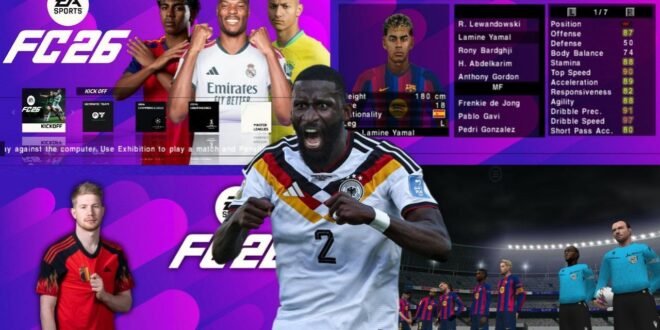
EA Sports FC 26 Android Game APK Offline – Gameplay, Features and Installation Guide
Football gaming on Android keeps getting more exciting, and EA Sports FC 26 is a name that attracts plenty of attention from mobile football fans. If you enjoy controlling your favourite players, scoring long-range goals, building a competitive squad, and playing football wherever you go, you’re probably interested in trying it on your phone.
But there’s one important detail to understand before downloading anything: EA Sports FC 26 for consoles and PC is not the same thing as an unofficial Android APK claiming to be the full game. Third-party websites sometimes advertise modified versions with updated kits, player faces, or offline gameplay, even when those features haven’t been verified.
In this guide, we’ll look at the mobile options, gameplay features to expect, offline availability, Android installation, and tips for getting a smoother football gaming experience.
What Is EA Sports FC 26?
EA Sports FC 26 is part of EA Sports’ football video game series, which continued after EA and FIFA ended their long-running licensing partnership.
The game focuses on football matches, teams, players, tactical decisions, and different ways to compete. Depending on the platform and edition, players can enjoy modes centred on team management, competitive matches, and football progression.
However, you should distinguish the official console or PC release from mobile football games and fan-made modifications that use similar names.
If you see a website advertising EA Sports FC 26 Android APK + OBB + DATA Offline, verify exactly what it offers before downloading. The title alone does not prove that the file is an official Android version of the full console game.
EA Sports FC 26 Android Gameplay
Football fans generally look for responsive controls, convincing animations, realistic ball movement, and challenging opponents. These elements make a football game enjoyable beyond its graphics.
1. Realistic Football Animations
Player animations help bring a match to life. Running, turning, passing, shooting, and tackling should feel responsive rather than stiff.
Modern football games aim to make movement look natural, but the available animation quality depends on the specific game and platform.
If you’re watching a video claiming to show FC 26 running natively on Android, check whether it is actual mobile gameplay, cloud streaming, remote play, or footage captured from a different platform.
2. Passing and Ball Control
Good passing separates a thoughtful football player from someone who simply presses buttons and hopes for the best.
Use short passes to maintain possession, switch the ball across the pitch when one side becomes crowded, and look for opportunities to play attackers through the defensive line.
Here are some useful techniques:
- Short passing: Maintain possession and control the tempo.
- Through balls: Create chances by passing into open space.
- Wing attacks: Use wide areas to stretch the defence.
- Quick combinations: Move the ball rapidly around opponents.
- Patient build-up: Wait for openings instead of forcing risky passes.
These techniques are useful in most football games, including mobile alternatives.
3. Shooting and Goal Scoring
Scoring a goal is satisfying, especially when you’ve created the chance with a clever passing move.
Instead of shooting every time your player approaches the penalty area, pay attention to the angle, the goalkeeper’s position, and whether a teammate is in a better position.
Practise one-on-one situations, shots across goal, and attempts from outside the box. Learning the controls can make a bigger difference than simply choosing a team with highly rated attackers.
4. Defensive Positioning
A strong defence requires patience. Chasing the ball with every defender can create spaces that opponents will exploit.
Try to block passing lanes, keep your defensive line organised, and pressure attackers when your teammates can provide support.
If you’re conceding too many goals from counterattacks, consider keeping more players behind the ball when attacking.
Main Features Football Fans Look For
The exact features available depend on the version and platform you’re playing. These are some of the key elements that make modern football games appealing.
Updated Teams and Player Squads
Many players want current squads, recognisable football stars, and updated team line-ups.
Be careful with unofficial Android downloads that promise every latest transfer. Fan-made patches may alter player names, ratings, kits, or team selections, but those changes do not establish that the game is officially licensed or that every transfer is accurate.
High-Quality Graphics
Detailed stadiums, player faces, realistic kits, and smooth animations can make football matches feel more immersive.
However, screenshots advertised as “FC 26 Android ultra graphics” may be edited, taken from console gameplay, or captured from a different game.
Always confirm the source of the footage before assuming your Android phone will deliver the same visual quality.
Team Management and Tactics
Football strategy involves more than choosing the strongest starting eleven. Formations, player roles, substitutions, and defensive balance can all affect your results.
A formation with several attacking players may create more chances, but it can also leave your defence exposed. Choose a setup that matches your playing style and the players available.
Multiple Ways to Play
Football games can include career-style progression, online competitions, team-building modes, and quick matches. Availability differs by title and platform.
Before downloading, check the official product description to confirm which modes are actually included.
Can You Play EA Sports FC 26 Offline on Android?
This is the most important question for players who want to enjoy football without mobile data or Wi-Fi.
Do not assume that an APK advertised as “EA Sports FC 26 Offline” is an official, fully offline Android version of the console game. An unofficial download may be a modified older football game, a fan-made project, a streaming shortcut, or something unrelated.
Offline availability depends on the specific game and mode. Some mobile football games provide certain offline matches, while account services, online competitions, updates, or other features require internet access.
Before installing a game, check its official listing and test its offline functionality after completing the initial setup.
If your main priority is playing football without an internet connection, choose a mobile game that clearly identifies its supported offline modes rather than relying on an unverified download-page claim.
How to Download EA Sports FC 26 Safely
For the safest installation, use official app stores and publisher websites.
Option 1: Check the Official Google Play Store
- Open the Google Play Store on your Android phone.
- Search for EA SPORTS FC Mobile.
- Check the publisher information and official game description.
- Review device compatibility and the available features.
- Install the game through the official listing if it is available for your device.
EA SPORTS FC Mobile is a separate mobile game. Its features and internet requirements should not be assumed to match the console or PC version of EA Sports FC 26.
Option 2: Check EA’s Official Website
Visit the official EA website for information about EA Sports FC and its available platforms:
https://www.ea.com/games/ea-sports-fc
For mobile football, you can also search the official Google Play Store:
Security warning: Avoid unknown APK files that request unnecessary permissions, require you to disable device protection, or promise unlimited coins and unlocked premium content. Such files can put your device and personal information at risk.
Android Requirements and Performance Tips
Requirements vary by game, version, and device. Check the official listing for the minimum supported Android version and other specifications.
For a smoother gaming experience, follow these general tips:
- Free up storage: Keep sufficient space available for the game and its updates.
- Close background apps: This may help if your phone has limited memory.
- Keep your system updated: Install compatible Android and game updates.
- Avoid overheating: Long gaming sessions can reduce performance on some phones.
- Use stable settings: If the game offers graphics options, choose settings your device can handle smoothly.
- Download from trusted sources: Avoid modified installers from unknown websites.
A phone with a powerful processor can improve performance, but it cannot turn an unsupported console game into a native Android application.
EA Sports FC 26 vs EA Sports FC Mobile
If you want football on your Android phone, understanding the difference between these options will save you time.
| Feature | EA Sports FC 26 | EA SPORTS FC Mobile |
|---|---|---|
| Main platform | Console and PC versions | Mobile devices |
| Native Android APK of the full console game | Do not assume one exists | Official mobile app |
| Gameplay | Depends on platform and edition | Designed for mobile controls |
| Offline availability | Depends on platform and mode | Depends on the mode and current version |
| Installation | Official platform storefronts | Official mobile app store |
The mobile game is the more direct option if you want a football title designed for Android. If you’re looking for the full console experience, check EA’s official platform information rather than trusting an APK website.
Best Alternatives for Offline Football Gaming on Android
If offline gameplay matters more to you than having the exact FC 26 name, consider researching established Android football titles and their currently supported modes.
Dream League Soccer
Dream League Soccer combines football matches with squad development and club management. Check the current version’s description and confirm which features work without internet access.
eFootball
Konami’s eFootball offers a different football experience on supported platforms, including mobile. Check the current Android listing for device requirements and connection requirements, because not every mode necessarily works offline.
Older Licensed Football Games
Some players prefer older football titles or community-created patches because they want familiar gameplay, updated kits, or offline matches. Be aware that unofficial patches may require files from a legally obtained original game, and downloads from unknown sources can be unsafe.
Always verify the game’s identity, licensing, compatibility, and offline support before installing it.
Common Problems With Unofficial FC 26 APKs
The APK Does Not Install
The file may be incompatible with your Android version, corrupted, or not intended for your device. Avoid downloading several replacement files from random websites to solve the problem.
The Game Shows a Black Screen
This can happen with incompatible files, missing game resources, or unsupported devices. If the download is unofficial, its contents and reliability may be uncertain.
The Game Requests Internet Access
An “offline” label does not guarantee that every feature works without a connection. The game may require initial setup, account verification, or an update.
The Graphics Look Different From Videos
The video may show console footage, a different mobile game, edited graphics, or a modified version. Compare the actual gameplay with footage from a trustworthy source before downloading.
The Download Requests Extra Applications
Stop if a website insists that you install unrelated apps, complete suspicious surveys, or provide sensitive account information to unlock the file.
Tips for Better Football Gameplay on Android
Want to improve your results in football games? Start with these basics.
- Learn the controls: Practise passing, shooting, tackling, and switching players.
- Choose a balanced formation: Avoid leaving your defence exposed.
- Build attacks patiently: Use short passes and wait for openings.
- Defend with discipline: Don’t pull defenders out of position unnecessarily.
- Practise finishing: Learn when to shoot and when to pass to a teammate.
- Use a suitable camera angle: Choose a view that helps you see passing options and defensive spaces.
These fundamentals can improve your results regardless of which football game you choose.
Final Verdict
EA Sports FC 26 is an attractive name for football fans looking for modern football gameplay, updated teams, and an immersive match experience. However, be cautious with websites claiming to offer the complete EA Sports FC 26 console game as an offline Android APK. A third-party download’s title does not prove that it is official or safe.
For Android, start by checking EA SPORTS FC Mobile through the official Google Play Store. If you specifically want offline matches, verify which modes work without an internet connection before installing the game.
Choose a trusted source, confirm your phone’s compatibility, and enjoy football without risking your device just to try an APK with a convincing name.


