 wapday Download Latest Pro Soccer Games
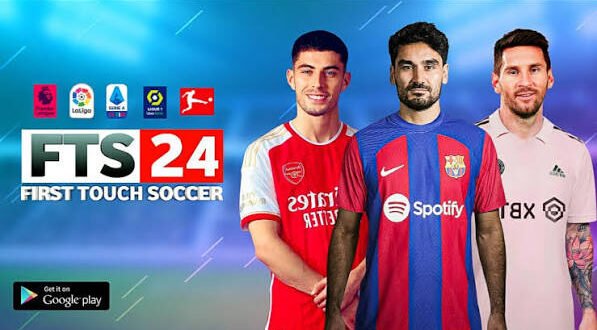
Looking for a football game that feels simple, fast, and fun without demanding half your phone’s storage? First Touch Soccer 2024, commonly called FTS 24, continues to attract Android football fans for exactly that reason.
FTS 24 usually refers to an unofficial fan-made update built around the older First Touch Soccer experience. Modders refresh the squads, kits, player appearances, menus, graphics, and other content to give the classic game a newer football feel.
But what makes FTS 24 worth playing when Android has plenty of newer football games? That’s the interesting part.
Let’s look at the features that give FTS 24 its appeal and why the classic formula still works so well.
What Is FTS 24 for Android?
FTS 24 isn’t an official 2024 release from First Touch Games. Instead, independent modders create different versions that update older First Touch Soccer content with newer football themes.
These modifications can include modern teams, transfers, kits, player faces, competitions, menus, and graphics.
The exact features depend on the particular mod. One release might focus heavily on transfers, while another might concentrate on graphics and presentation.
Always check the specific version before installing it, because the name “FTS 24” doesn’t guarantee identical content across different releases.
Why FTS 24 Still Feels Fun
The biggest attraction comes from its simple football gameplay.
Modern football games sometimes throw so many systems at you that you need a short training course before you can enjoy a friendly match. FTS takes a more straightforward approach.
You control your players, pass the ball, attack, defend, score goals, and manage your team without an overwhelming interface.
That’s exactly why the game can feel refreshing.
Simple Controls
FTS works particularly well for players who prefer uncomplicated controls.
You can focus on basic football actions such as:
– Passing
– Shooting
– Crossing
– Sprinting
– Tackling
– Player movement
– Through passes
– Switching players
The controls don’t require you to memorize a dozen combinations before you can create an attack.
Want to pick up your phone and play a quick match? That’s where the simplicity helps.
Updated Teams and Squads
One of the biggest reasons players search for FTS 24 Android comes from updated squads.
The original First Touch Soccer games come from an older football era. Fan-made updates attempt to refresh the team databases with newer players and transfers.
Depending on the mod, you may find:
– Updated team squads
– New player transfers
– Updated squad numbers
– New player additions
– Revised team lineups
– Updated player ratings
Imagine launching an old football game and finding the players and clubs you currently follow. That simple database change can make an older game feel surprisingly fresh.
Transfer Updates
Football transfers change constantly, so modders often prioritize them.
A good FTS 24 mod may move players to newer clubs and update team rosters.
However, don’t assume every version contains every transfer.
Transfer accuracy depends on the modder and the particular release.
If a download page claims “100% latest transfers,” check the actual details before you expect perfection.
Modern Kits and Club Designs
Want your team to look modern while you play?
That’s where updated kits become important.
FTS 24 mods often replace older uniforms with newer fan-created designs inspired by recent football seasons.
You might find:
– Home kits
– Away kits
– Third kits
– Goalkeeper kits
– Updated club colours
– New sponsors
– Updated badges
Kits may sound like a small detail, but they immediately change the visual identity of a team.
Would you rather play with a shirt from an older football season or a modern-looking kit that matches the era you’re trying to recreate?
Most players already know the answer.
Updated Player Faces
Player faces add another layer of realism.
[10/7/2026 2:11 AM] Content store 2: Older football games obviously cannot represent how every modern player looks today. Modders can update player textures and appearances to make popular players look more current.
A particular FTS 24 mod might include:
– Updated star-player faces
– New hairstyles
– Revised facial textures
– Updated skin details
– Improved player appearances
The quality can vary between releases.
Some modders focus on famous players, while others update a larger portion of the database.
IMO, a few accurate faces can make a bigger visual difference than simply increasing every texture’s resolution.
Improved Graphics
Graphics represent another major feature of many FTS 24 modifications.
Modders can replace older textures and visual elements with updated designs.
Depending on the version, you might see:
– Sharper kits
– Improved player textures
– New pitch designs
– Updated stadium graphics
– Better menus
– New backgrounds
– Updated scoreboards
– Modern competition graphics
However, more graphics don’t automatically mean better gameplay.
A heavily modified version can demand more from your phone, especially when modders add larger textures.
Smooth gameplay should always come before fancy graphics.
Updated Menus and Interface
The menu system can make an older game feel much newer.
Many FTS 24 mods replace original backgrounds, icons, buttons, and other interface elements with modern football designs.
You might notice:
– New main menus
– Modern backgrounds
– Updated fonts
– New icons
– Revised team-selection screens
– New loading screens
– Competition-themed menus
These changes don’t necessarily affect gameplay, but they improve the overall presentation.
And let’s be honest: opening a modern-looking menu feels much better than staring at an interface that looks like it escaped from your old phone.
Updated Scoreboards
Scoreboards provide another small but useful visual upgrade.
FTS 24 mods can introduce new scoreboard designs that resemble modern football broadcasts.
Depending on the version, you might see:
– Updated team abbreviations
– Modern scoreboard layouts
– Competition branding
– New colours
– Match timers
– Revised logos
These details can make matches feel more like a modern football broadcast.
Better Stadium and Pitch Presentation
Some FTS 24 versions also update stadium environments.
Modders can change different textures and visual elements around the pitch.
Potential improvements include:
– New pitch textures
– Updated grass patterns
– Advertising boards
– Stadium banners
– Crowd graphics
– Competition branding
– Stadium backgrounds
These additions won’t transform the underlying game engine, but they can improve the atmosphere.
A modern kit looks much better when the stadium around it also gets some attention.
Career and Team Management
Team management adds another reason to keep playing.
Depending on the particular FTS version, you may have access to career-style features involving your squad and club.
You can spend time:
– Managing your team
– Choosing lineups
– Developing players
– Competing in matches
– Building a stronger squad
– Working through competitions
This feature gives the game more longevity.
After all, scoring five goals in one friendly feels nice. Building a team and winning an entire competition feels much better.
Offline-Friendly Gameplay
Offline gameplay remains one of the biggest attractions for fans of classic Android football games.
A compatible FTS modification can let you play matches without needing a constant internet connection.
That can help when you have:
– Limited mobile data
– Poor network coverage
– Long journeys
– No Wi-Fi
– An older secondary phone
However, individual versions can handle installation and online requirements differently.
Don’t assume every FTS 24 package offers exactly the same offline functionality.
Lightweight Gameplay
Compared with some modern football games, older FTS-based modifications can feel relatively lightweight.
That’s one reason people with modest Android phones continue to explore them.
[10/7/2026 2:11 AM] Content store 2: A smaller and simpler football game can offer a different experience from a massive modern title that consumes huge amounts of storage.
FTS 24 vs Modern Football Games
How does the experience compare?
Feature| FTS 24 Mod| Modern Football Games
Simple controls| Yes| Varies
Updated fan-made squads| Often| Usually official databases
Offline potential| Often| Varies
Graphics| Mod-dependent| Generally higher
Storage demand| Often lower| Often higher
Online features| Limited| Usually extensive
Gameplay complexity| Simple| Often deeper
Official 2024 release| No| Depends on game
FTS 24 wins on simplicity and nostalgia.
Modern football games usually win on graphics, online features, licensing, and advanced gameplay systems.
So which one should you choose?
It depends on what you actually want from a football game.
Why FTS 24 Can Suit Low-End Android Phones
Not everyone owns a flagship smartphone.
If your phone has limited hardware, a simpler football game may provide a more comfortable experience than a massive modern title.
Still, you shouldn’t assume every FTS 24 modification will run perfectly on every low-end phone.
Heavy texture packs can increase memory usage.
For a smoother experience, consider:
– At least 2–4 GB RAM
– A reasonably capable processor
– Enough free storage
– Updated Android software
– Adequate graphics performance
Your actual experience will depend heavily on the specific mod and your phone.
APK, OBB and DATA Files
Many FTS 24 releases use an APK + OBB + DATA structure.
The APK generally contains the Android application itself.
The OBB package can contain larger game resources, while DATA files may contain additional assets or modification files.
You should always use files that belong to the same release.
Mixing files from different versions can create problems such as:
– Crashes
– Missing graphics
– Black screens
– Missing kits
– Loading errors
– Incorrect player data
Think of the package as a complete puzzle.
If you grab random pieces from three different boxes, don’t blame the puzzle when the picture looks strange.
Safety When Looking for FTS 24
Because FTS 24 modifications come from independent sources, you should take care when searching for APK files.
First Touch Games does not officially publish “FTS 24” as a 2024 Android release.
That distinction matters.
Avoid websites that promise suspicious extras such as unlimited money, hacked features, or strange “verification” applications.
Before installing an unfamiliar APK:
1. Check the source carefully.
2. Scan the file with a trusted security tool.
3. Avoid suspicious permissions.
4. Don’t install unrelated applications from download pages.
5. Keep your Android security features active.
A football game shouldn’t need access to half your phone.
What Makes FTS 24 a Must-Play?
So, after all that, why do fans still search for it?
The answer comes down to simplicity, customization, nostalgia, and updated football content.
The strongest features include:
– Simple and enjoyable gameplay
– Updated squads
– New transfers
– Modern kits
– Updated player faces
– Improved graphics
– New menus
– Updated scoreboards
– Stadium improvements
– Offline-friendly play
– Career-style team management
– Relatively lightweight gameplay
These features don’t make FTS 24 superior to every modern football game.
They make it different.
And sometimes different is exactly what you want.
Final Thoughts
First Touch Soccer 2024, or FTS 24, remains popular because fan-made modifications can give a classic football game a surprisingly fresh identity.
Updated squads, transfers, kits, player faces, menus, graphics, scoreboards, stadiums, and offline-friendly gameplay can transform the old experience without completely changing its simple gameplay style.
The biggest thing to remember involves expectations.
FTS 24 isn’t an official 2024 release from First Touch Games. Different modders create different versions, so features, compatibility, graphics, and squad updates can vary considerably.
If you enjoy straightforward football gameplay and don’t need the enormous online systems found in newer football titles, FTS 24 can still provide plenty of fun on Android.
Just choose your files carefully, match the APK with its corresponding data, and don’t expect a ten-year-old football engine to suddenly become a PlayStation 5. That’s not a mod; that’s wizardry. 🙂



One comment
Pingback: Mogul Cloud APK – Play PC Games on Mobile Android Device - wapday