 wapday Download Latest Pro Soccer Games
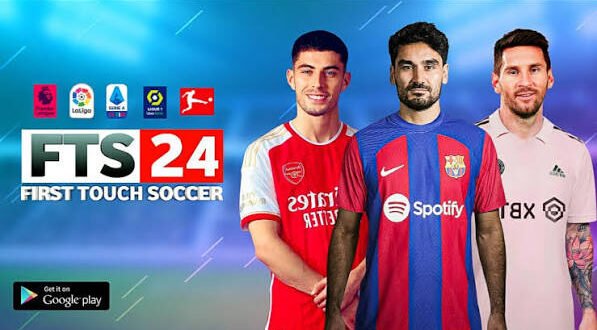
Looking for First Touch Soccer 2024 (FTS 24) for Android and wondering what the game actually offers? You’re in the right place. FTS 24 has become a popular name among Android football fans who enjoy classic football gameplay without the massive storage demands that some modern football games bring.
But let’s clear up one thing first. FTS 24 usually refers to an unofficial fan-made update based on an older First Touch Soccer game, not an official 2024 release from First Touch Games. That distinction matters when you start searching for APK, OBB, or DATA files online.
So, what makes FTS 24 interesting? Let’s break down the game, its features, performance, installation files, gameplay, and what you should know before putting it on your Android phone.
What Is First Touch Soccer 2024 FTS 24?
FTS 24 is an unofficial Android football modification inspired by the classic First Touch Soccer series. Mod creators typically update an older FTS version with newer teams, players, kits, competitions, graphics, menus, and other football content.
Why does that matter? Because the original First Touch Soccer games earned plenty of fans through their simple controls and straightforward football experience.
FTS 24 attempts to keep that classic feeling while giving the game a more modern appearance. You might see updated squads, current-style kits, refreshed player faces, new menus, and other visual changes depending on the particular mod version.
FYI, different websites may label their versions differently. One “FTS 24” package can look completely different from another because independent modders create and distribute these updates.
FTS 24 Android Description
The biggest attraction of FTS 24 for Android comes from its classic gameplay style. Instead of throwing dozens of complicated systems at you, the game focuses heavily on the actual football match.
You can pass, shoot, sprint, defend, build attacks, manage your team, and compete against opponents without spending hours learning complicated menus.
That simplicity gives FTS 24 a certain charm. Sometimes you just want to start a match and play football instead of downloading a 10 GB update before the main menu even loads. 🙂
Classic Football Gameplay
FTS 24 keeps the gameplay relatively straightforward.
You can control players using familiar touchscreen controls and focus on basic football mechanics such as:
– Passing
– Shooting
– Sprinting
– Tackling
– Crossing
– Through balls
– Player switching
– Defensive positioning
The controls may feel old-school compared with modern football games, but that can actually work in its favour.
Ever played a football game that makes you spend more time configuring buttons than actually playing? FTS takes a different approach.
Updated Teams and Players
One major reason people search for FTS 24 updated squads involves the team and player updates that mod creators add.
Depending on the version you find, the mod may include updated:
– Team squads
– Player transfers
– Player ratings
– Team names
– Club lineups
– National teams
– Player appearances
– Competition structures
These updates can make an older football game feel considerably newer.
However, you should check the specific version before downloading anything. Mod creators release different editions, and one version might contain transfers or squads that another version lacks.
Updated Kits and Football Graphics
What good is a squad update if your favourite club still wears an ancient-looking kit?
That’s where FTS 24 kits and graphics updates come into play.
Many fan-made versions update club jerseys, national-team kits, boots, footballs, menus, scoreboards, and other visual elements. Some versions also add improved textures to give the game a fresher appearance.
Player Faces and Appearance Updates
Some FTS 24 mods also update player faces and appearances.
Popular players may receive:
[10/7/2026 2:15 AM] Content store 3: – Updated hairstyles
– New face textures
– Improved skin textures
– Updated boots
– New accessories
– More recognizable appearances
The quality depends heavily on the individual mod. Some updates look surprisingly good, while others look like someone edited them at 2 a.m. with one eye open. That’s the nature of fan-made mods.
FTS 24 APK, OBB, and DATA Explained
If you search for FTS 24 APK OBB DATA, you’ll probably encounter several files. Understanding them can save you from a lot of unnecessary frustration.
APK
The APK file contains the Android application itself.
Think of the APK as the part that installs the actual game application on your phone.
OBB
The OBB file usually contains larger game resources such as graphics, audio, stadium assets, and other data.
That explains why some football games require additional files after installing the APK.
DATA
The DATA folder can contain additional configuration and game resources. Some FTS modifications use DATA files to store specific mod content or settings.
Not every version uses the same structure, though.
That means you should always follow the instructions provided with the specific version you use rather than mixing files from different releases.
Is FTS 24 Offline?
One of the biggest reasons Android gamers look for FTS 24 involves offline football gameplay.
Many fan-made FTS versions focus on offline matches, which makes them attractive to players who don’t want to depend on a constant internet connection.
You can potentially play matches without worrying about:
– Daily login requirements
– Online matchmaking
– Constant server connections
– Large live-service updates
– Spending mobile data during every match
That offline-friendly approach makes a lot of sense if you live somewhere with inconsistent internet access or simply want to conserve mobile data.
FTS 24 Graphics and Performance
FTS 24 doesn’t try to compete directly with the latest high-end football games in terms of graphical complexity.
Instead, it aims for a lighter and simpler Android football experience.
Your experience will depend on the particular mod and your phone, but older hardware may handle a lightweight FTS modification more comfortably than some modern football titles.
What Affects Performance?
Several factors can affect how smoothly FTS 24 runs:
– Android version
– RAM capacity
– Processor performance
– Available storage
– Graphics settings
– Background applications
– The specific FTS 24 mod
A phone with 4 GB of RAM or more should generally provide a comfortable starting point for many lightweight football games, although the exact requirements vary between modifications.
If your phone struggles, close background applications and reduce demanding graphics options where the mod provides those settings.
Why Do Players Still Like FTS?
That’s a fair question. Newer football games offer more advanced graphics, online modes, licensed content, and sophisticated mechanics.
So why would anyone still choose an older-style football game?
The answer comes down to simplicity.
FTS gives players a more direct football experience. You launch the game, select your team, enter a match, and start playing.
IMO, that simplicity represents the strongest reason people continue searching for updated FTS versions.
FTS 24 vs Modern Mobile Football Games
Feature| FTS 24 Mods| Modern Football Games
Gameplay| Simple and classic| More advanced
Graphics| Older-style with mod improvements| Usually more detailed
Storage| Often relatively lightweight| Can require substantial storage
Offline play| Common in fan versions| Depends on the game
Controls| Straightforward| Often more complex
Updates| Community/mod dependent| Developer controlled
Internet| Often less dependent| Frequently important
Customization| High in some mods| Varies
Neither approach automatically wins.
If you want modern graphics and online competition, a current football game may suit you better. If you prefer straightforward offline football, FTS 24 can still make sense.
What Should You Check Before Downloading FTS 24?
[10/7/2026 2:15 AM] Content store 3: Searching for “FTS 24 download” can lead you to plenty of websites. Unfortunately, not every file deserves a place on your phone.
Before installing anything, check:
– The Android compatibility
– The file size
– Whether the APK matches the OBB/DATA files
– The mod version
– The required Android version
– Whether the files come from a trustworthy source
– Whether the package contains suspicious additional applications
Avoid websites that force you through endless redirects or ask you to install unrelated applications.
You should also scan unfamiliar files with reputable security software before opening them.
Common FTS 24 Problems on Android
Even when you use compatible files, you might encounter problems.
Game Crashes Immediately
A crash can happen when your APK doesn’t match the accompanying game files.
Try using the exact APK, OBB, and DATA combination intended for the same release.
Black Screen
A black screen can indicate incompatible resources, incorrect file placement, or an issue with the specific modification.
Check the mod’s instructions and make sure you have enough free storage.
Game Runs Slowly
If FTS 24 stutters, close background applications and lower graphics settings when available.
You can also restart your phone before launching the game. Simple solution? Yes. Surprisingly useful? Also yes.
Missing Textures or Kits
Missing kits, player faces, or other textures can occur when the modification doesn’t include all required resources.
Avoid mixing files from different FTS mods because you may create additional compatibility problems.
Is FTS 24 an Official 2024 Game?
This point deserves extra attention.
First Touch Soccer 2024 does not represent an official 2024 First Touch Games release simply because a website uses the “FTS 24” name.
Most FTS 24 versions circulating online come from fan-made modifications of older First Touch Soccer builds.
That doesn’t automatically make the modifications bad. It simply means you should understand what you’re installing.
If you want official football games, check the developer’s official distribution channels and app stores rather than assuming every “FTS 24 APK” listing represents an official release.
Who Should Play FTS 24?
FTS 24 makes the most sense for Android players who enjoy:
– Classic football gameplay
– Offline matches
– Lightweight football games
– Updated fan-made squads
– Custom kits and graphics
– Simple touchscreen controls
– Team management
– Older football game mechanics
It may not satisfy players who expect cutting-edge graphics, official licensing, or large online communities.
And that’s perfectly fine.
Not every football game needs to become a giant live-service monster with enough menus to qualify as a second job.
Final Thoughts on FTS 24 for Android
FTS 24 remains interesting because it combines classic First Touch Soccer gameplay with fan-made modern updates. Updated squads, kits, player faces, graphics, and offline-friendly gameplay can give an older football experience a fresh feel.
However, remember that FTS 24 generally refers to an unofficial fan-made modification, not an official 2024 release from First Touch Games. Different versions can also offer completely different features, so check the specific mod details before installing it.
If you enjoy simple football games and don’t need the latest high-end graphics, FTS 24 deserves a look. Just keep your expectations realistic, use compatible files, protect your Android device, and avoid suspicious download pages.
At the end of the day, football games should get you onto the pitch quickly. FTS understood that idea years ago—and fans clearly haven’t forgotten it. 🙂


