 wapday Download Latest Pro Soccer Games
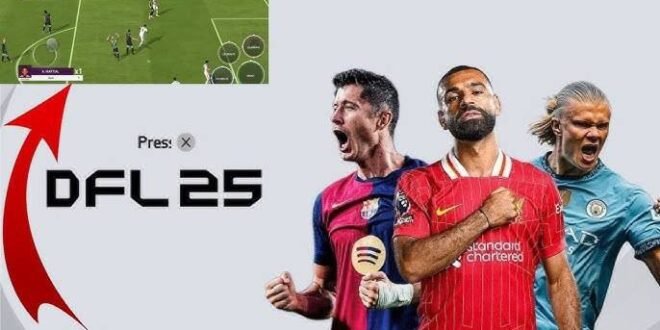
Want to play DFL 25 Mod FIFA 16 APK OBB Data on Android without dealing with a massive modern football game? You’re probably looking for updated teams, fresh kits, better graphics, and a football experience that still works on a modest phone.
There’s a catch, though. DFL 25 refers to an unofficial FIFA 16 modification, not an official EA release. So before you install anything, you need to understand how APK, OBB, data, and mod files work together—and how to avoid the suspicious downloads that seem to multiply every time a football mod becomes popular.
Let’s break everything down in simple terms.
What Is DFL 25 Mod FIFA 16?
DFL 25 is commonly used online to describe a modified version of FIFA 16 for Android. Mod creators can update the original game with newer football content while keeping much of the underlying FIFA 16 gameplay structure.
Depending on the particular modification, you might find changes such as:
– Updated squads
– New kits
– Updated player faces
– Modern menus
– New competitions
– Updated club names
– New commentary
– Updated transfers
– Improved textures
– New stadium designs
The exact features vary between different DFL 25 builds. That detail matters because two websites can advertise “DFL 25” while offering completely different files.
Ever downloaded a football mod expecting one thing and received something completely different? Yeah, that happens far too often.
Is DFL 25 an Official EA Game?
No. DFL 25 is not an official EA Sports release.
EA developed and published FIFA 16, while independent modders create modifications based on existing football games.
That means you should treat websites claiming “official DFL 25 by EA” with caution.
A fan-made modification can still provide an enjoyable experience, but it doesn’t become an official EA product simply because someone puts the EA logo on a download page.
What Does APK + OBB + Data Mean?
This part confuses many Android gamers.
An APK contains the Android application itself. Think of it as the package that installs the game.
An OBB file contains additional game resources that the application needs to operate. Large games often store graphics, audio, maps, and other resources outside the main APK.
A data folder can contain additional files such as configuration files, saved information, textures, or modification-specific resources.
So when a website advertises:
DFL 25 APK + OBB + Data
it usually means the download contains several components that work together.
APK
The APK installs the application.
OBB
The OBB can contain large game assets that the application loads during gameplay.
Data
The data package can provide additional resources or configuration files required by a particular modification.
Always follow the installation instructions that match the specific build you obtain legally. Different Android versions and mod packages can use different folder structures.
What You Need Before Installing
Before attempting any installation, prepare your phone.
You should have:
– Sufficient free storage
– A compatible Android version
– A file manager
– The required game files from a legitimate source
– Enough battery power
– A stable installation environment
Storage deserves special attention.
You may need additional space while extracting compressed archives. If your phone has only a few hundred megabytes available, don’t expect a large football game to install happily.
Keep several gigabytes of free space available when possible.
How to Install a Compatible FIFA 16 Mod
Because unofficial modifications can package their files differently, installation steps can vary. However, the general process looks like this.
Step 1: Obtain the Game Legally
Start with a legally obtained copy of the underlying game and any modification files you have permission to use.
Avoid random download pages that force you through endless redirects or ask you to install unrelated applications.
Step 2: Extract the Files
[10/7/2026 1:47 AM] Content store 1: If your files arrive inside a ZIP, RAR, or 7Z archive, use a reliable Android file manager or archive utility to extract them.
Don’t launch random APK files simply because the filename contains “DFL 25.”
Step 3: Install the APK
If the package comes from a source you trust and you have the necessary rights to install it, install the APK according to your Android version’s security settings.
Android may warn you about applications from outside the Play Store. Take that warning seriously.
Don’t disable security protections blindly just to install a game.
Step 4: Place Additional Files Correctly
If the modification legitimately requires OBB or data files, place them in the directory specified by the mod’s documentation.
Android versions can handle storage differently, so an installation method that worked on an older phone may not work exactly the same way on a newer device.
Step 5: Launch the Game
Open the game after completing the installation.
Give it some time during the first launch because the game may need to initialize files.
If it crashes immediately, don’t keep reinstalling the same package repeatedly. Check compatibility and file integrity first.
DFL 25 Features You May See
Different DFL 25 modifications can offer different features, but football mods often focus on updating the older FIFA experience.
Updated Squads
Modders can update team rosters and transfers to reflect more recent seasons.
This feature appeals to players who enjoy older gameplay but want modern squads.
New Kits
Updated kits can give the game a much fresher appearance.
Some mods include home, away, and goalkeeper kits for major clubs.
Updated Faces
Player-face modifications can improve the visual appearance of popular footballers.
The quality varies significantly between mod projects, though.
New Menus
A redesigned interface can make an older football game feel much newer.
Modders can change:
– Menu backgrounds
– Logos
– Fonts
– Buttons
– Loading screens
– Tournament graphics
Updated Competitions
Some modifications add or rename competitions to create a more current football experience.
Again, the exact implementation depends on the particular build.
DFL 25 vs FIFA 16
So why would someone play DFL 25 instead of standard FIFA 16?
The answer depends on what you want.
Feature| FIFA 16 Android| DFL 25 Mod
Original release| Yes| No
Modern squads| No| Often
Updated kits| Limited| Often
Modded graphics| No| Often
Original FIFA gameplay foundation| Yes| Usually
Official EA support| Yes for original release| No
Offline potential| Yes| Depends on the build
IMO, the biggest attraction involves combining familiar FIFA 16 gameplay with newer football content.
If you already enjoy the original gameplay, a good modification can make the experience feel considerably fresher.
Can DFL 25 Run on Low-End Android Phones?
That depends on the underlying game, modification, and phone.
Because FIFA 16 comes from an older generation of football games, some devices can handle it comfortably.
However, modifications can increase resource requirements through larger textures, higher-resolution graphics, additional audio, and other changes.
If you experience lag, try:
– Closing background apps
– Restarting your phone
– Lowering graphics settings
– Freeing storage
– Reducing unnecessary visual enhancements
– Keeping the device cool
Don’t assume that a smaller download automatically means better performance.
Common DFL 25 Installation Problems
Game Crashes After Launch
A missing or incompatible resource file can cause crashes.
Check that you have the correct files for the same modification version.
Black Screen
A black screen can indicate compatibility problems, incorrect files, or graphics issues.
Restart the application and verify the installation before making random changes.
Missing Kits or Faces
If the game runs but certain graphics don’t appear, the modification may require additional resources.
Check the documentation associated with the exact build.
“App Not Installed”
Android may reject the APK because of:
[10/7/2026 1:47 AM] Content store 1: – Incompatible architecture
– Conflicting package signatures
– Insufficient storage
– Android compatibility issues
– A corrupted installation package
Don’t immediately assume your phone can’t run the game.
How to Avoid Fake DFL 25 Downloads
This might matter more than the installation itself.
Football mods attract huge search traffic, and scammers know it.
Watch out for pages that promise:
– “Official EA DFL 25”
– Unlimited coins
– Free premium currency
– Tiny APK files claiming to contain the entire game
– Password-protected archives with suspicious instructions
– Random apps disguised as download managers
Never install an APK just because a website calls it DFL 25.
Check the source, inspect the file type, scan suspicious files, and avoid giving unknown websites unnecessary permissions.
FYI, a file named “DFL25.apk” doesn’t automatically make it a football game. Android filenames don’t possess magical truth powers.
Is DFL 25 Worth Trying?
If you enjoy classic FIFA gameplay and want updated football content, a reputable fan modification can provide an interesting experience.
However, you should keep your expectations realistic.
You won’t suddenly transform FIFA 16 into a modern console football engine. The underlying technology still comes from an older game.
You may get:
– Updated squads
– Fresh kits
– New graphics
– Modern menus
– Familiar FIFA gameplay
– Offline football action
But you shouldn’t expect the full technology, physics, animations, or licensing of a modern EA Sports FC release.
Final Thoughts
DFL 25 Mod FIFA 16 APK OBB Data remains an interesting search topic because Android football fans enjoy getting newer squads and graphics without needing a powerful gaming device.
Just remember that DFL 25 represents an unofficial modification, not an official EA Sports release. The exact features and installation requirements can also differ between builds.
If you decide to use a compatible modification, prioritize legitimate game ownership, trustworthy files, device compatibility, and safe installation practices.
And don’t forget the golden rule of Android gaming: if a random website promises a 200 MB download that somehow contains every football league, every stadium, ultra-realistic graphics, and “unlimited coins,” maybe raise one eyebrow before tapping Download. 🙂


