 wapday Download Latest Pro Soccer Games
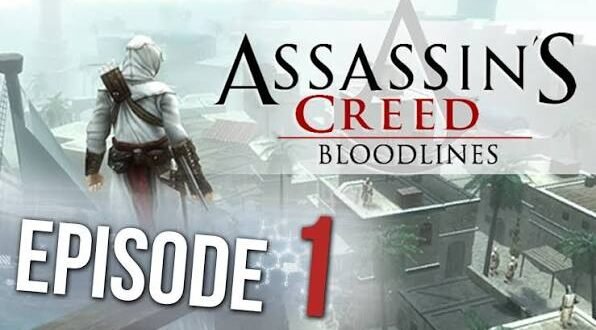
Looking for Assassin’s Creed Bloodlines PPSSPP ISO because you want to experience one of the series’ older handheld adventures on Android? You’re in good company. Bloodlines brings the Assassin’s Creed formula to the PSP with stealth, sword fights, exploration and a familiar hooded assassin who apparently never learned how to take a quiet day off.
Assassin’s Creed Bloodlines originally targeted the PSP, so PPSSPP gives modern Android players a convenient way to run their own legally obtained PSP game files. The emulator can also improve the experience with features such as higher internal resolution, controller support and customizable graphics settings.
So, is Bloodlines still worth playing? What does the PPSSPP version offer? And what should you know before looking for an Assassin’s Creed Bloodlines ISO download? Let’s break it down.
What Is Assassin’s Creed Bloodlines?
Assassin’s Creed Bloodlines is a PSP entry in Ubisoft’s Assassin’s Creed series. The game connects to the broader Assassin’s Creed storyline while adapting the series’ stealth-focused gameplay for Sony’s handheld hardware.
You play as Altaïr Ibn-La’Ahad, the protagonist from the original Assassin’s Creed. The story continues his journey after the events of the first game and takes him into a new conflict involving Templars and other familiar elements from the franchise.
Bloodlines doesn’t offer the enormous open-world scale of modern Assassin’s Creed games. Instead, it focuses on a more compact handheld experience.
And honestly, that approach makes sense. The PSP didn’t exactly have the hardware to casually recreate a giant modern open world while your battery begged for mercy.
Why Play Assassin’s Creed Bloodlines on PPSSPP?
PPSSPP lets you play PSP games on compatible devices, including Android phones, Windows PCs and other platforms.
For Android gamers, the biggest attraction comes from the ability to experience PSP games on a modern touchscreen device.
With the right setup, PPSSPP can offer:
– Higher internal rendering resolution
– Customizable controls
– External controller support
– Save states
– Graphics enhancements
– Texture filtering
– Different performance options
– Widescreen options on supported games
Ever wondered why older PSP games can look surprisingly sharp on a modern phone? Rendering at a higher internal resolution makes a huge difference.
Assassin’s Creed Bloodlines Gameplay
Bloodlines keeps the basic Assassin’s Creed formula but scales it down for handheld gameplay.
You’ll spend your time moving through environments, fighting enemies, completing missions and using stealth when the situation allows.
Stealth and Assassinations
Stealth remains an important part of the experience.
You can approach enemies carefully rather than charging directly into every fight.
That means you can:
– Sneak around enemies
– Use assassination attacks
– Avoid unnecessary combat
– Explore areas strategically
– Choose different approaches to objectives
Of course, sometimes stealth goes completely wrong.
You carefully sneak behind one guard, accidentally alert another guard and suddenly half the map wants to fight you. Classic Assassin’s Creed behavior. 🙂
Sword Combat
When stealth fails, combat takes over.
Bloodlines gives Altaïr a range of melee attacks and defensive options. You can fight enemies directly and use timing to survive encounters.
The combat doesn’t offer the complexity of newer Assassin’s Creed titles, but it works within the limitations of the PSP.
The simpler system also makes the game easier to pick up on an emulator.
Story and Characters
The story connects Bloodlines to the original Assassin’s Creed experience.
Altaïr remains central to the narrative, and the game explores events that expand his character and the conflict between the Assassins and Templars.
If you enjoy Assassin’s Creed lore, Bloodlines becomes more interesting because it provides another piece of Altaïr’s story.
[10/6/2026 4:08 AM] Content store 2: The handheld format also means the game keeps the narrative more focused than many modern open-world entries.
You won’t spend hours collecting 500 random objects while wondering why your character suddenly decided to become a professional basket weaver.
Graphics on PPSSPP
The original PSP hardware had clear limitations, but PPSSPP can make Bloodlines look much cleaner on modern displays.
The biggest improvement comes from increasing the internal rendering resolution.
Recommended Graphics Options
Your exact settings should depend on your phone, but you can experiment with:
– 2x or 3x rendering resolution for moderate devices
– Higher resolution for powerful phones
– Texture filtering for smoother surfaces
– Frameskip only when performance requires it
– Hardware rendering where compatible
Don’t automatically choose the highest setting.
A smooth game at 2x resolution usually feels better than a beautiful game that struggles to maintain consistent performance.
Assassin’s Creed Bloodlines PPSSPP Controls
Touchscreen controls can take some time to adjust to.
The original PSP used physical buttons, so PPSSPP recreates those controls on your screen.
You can customize the virtual buttons to make them more comfortable.
Better Control Setup
Try placing frequently used buttons where your thumbs naturally rest.
If you prefer physical controls, you can also connect a compatible Bluetooth or USB controller.
For action games like Bloodlines, a physical controller can make combat and movement feel much more natural.
I personally prefer physical controls for games designed around handheld buttons. Touch controls work, but nothing beats pressing an actual button when a guard suddenly discovers your hiding spot.
Assassin’s Creed Bloodlines Android Requirements
The game itself comes from the PSP era, so modern Android phones can often handle PSP emulation comfortably. However, PPSSPP performance depends heavily on your phone’s processor and graphics hardware.
Before trying to run the game, consider:
– Android version
– Processor performance
– GPU capabilities
– Available RAM
– Free storage
– PPSSPP version
– Rendering resolution
A newer mid-range or high-end Android phone should generally provide more room for graphical enhancements.
Older budget phones may need lower rendering settings.
PPSSPP Settings for Better Performance
If Bloodlines runs slowly, don’t panic.
You can adjust PPSSPP settings before deciding that your phone has declared war on gaming.
Try These Adjustments
1. Lower the rendering resolution.
2. Disable demanding graphical enhancements.
3. Keep frameskip disabled unless you actually need it.
4. Test Vulkan and OpenGL where available.
5. Close unnecessary background apps.
6. Keep your phone from overheating.
7. Use a stable PPSSPP release.
Performance can change significantly between devices.
One phone might handle 4x rendering comfortably while another struggles at 2x. That’s normal.
Assassin’s Creed Bloodlines ISO and PPSSPP
If you search for download Assassin’s Creed Bloodlines PPSSPP ISO, you’ll find many websites offering PSP files.
Here’s the important part: an ISO contains copyrighted game content, so you should use a copy that you legally own or have permission to use.
PPSSPP itself functions as an emulator. It doesn’t provide copyrighted games.
For safer emulation, use your own legitimate game dump and keep your emulator software from trusted sources.
Avoid Suspicious ISO Websites
Random download pages can create security problems.
Be careful with websites that advertise:
– Password-protected archives
– Suspicious executable files
– “Unlimited money” versions
– Fake emulator updates
– Aggressive pop-ups
– Unnecessary APK installations
– Strange permissions
If a website asks you to install three unrelated applications before giving you a PSP game, something has probably gone sideways.
Common Assassin’s Creed Bloodlines PPSSPP Problems
Game Runs Slowly
Lower the rendering resolution first.
If you use 4x or 5x rendering on a weaker phone, your device may struggle.
[10/6/2026 4:08 AM] Content store 2: Start with a lower setting and increase it gradually.
Black Screen
A black screen can result from incompatible graphics settings or an incorrect game file.
Try switching between available rendering backends and restoring PPSSPP’s default graphics settings.
Also verify that your game file works correctly.
Controls Feel Awkward
Customize the touchscreen layout.
Move the buttons closer to your thumbs and adjust their size.
Alternatively, connect a controller if your phone supports one.
Game Crashes
Crashes can come from several causes, including problematic files, incompatible settings or device limitations.
Try resetting graphics settings and testing the game again.
You should also keep enough free storage and close unnecessary applications.
Assassin’s Creed Bloodlines vs Assassin’s Creed on Mobile
Bloodlines has an interesting advantage over many modern mobile adaptations: it delivers a traditional PSP Assassin’s Creed experience.
Here’s a simple comparison:
Feature| Bloodlines PPSSPP| Modern Mobile Assassin’s Creed
Platform origin| PSP| Mobile
Main character| Altaïr| Varies
Gameplay| Stealth + combat| Depends on title
Offline potential| Strong for local PSP gameplay| Depends on game
Graphics| PSP-era| Modern mobile
Controls| PSP-style| Touch/mobile controls
Emulator required| Yes| Usually no
If you want Altaïr’s PSP adventure specifically, Bloodlines offers something different from newer mobile experiences.
Assassin’s Creed Bloodlines vs Other PSP Games
The PSP library contains plenty of action games, but Bloodlines stands out because it brings a recognizable console franchise into a handheld format.
Games like God of War: Ghost of Sparta emphasize fast combat, while Bloodlines focuses more heavily on stealth and assassination.
That difference matters.
If you enjoy planning an approach before attacking, Bloodlines may suit you better. If you want nonstop combat, another PSP action game might provide a faster pace.
Is Assassin’s Creed Bloodlines Still Worth Playing?
Yes, especially if you enjoy the older Assassin’s Creed style.
Modern Assassin’s Creed games offer enormous worlds, elaborate progression systems and much more advanced visuals. Bloodlines obviously cannot compete with those areas.
But it doesn’t need to.
Its appeal comes from delivering a compact Assassin’s Creed adventure designed around PSP hardware.
The game also gives fans more time with Altaïr, which alone makes it interesting for players who enjoy the series’ earlier lore.
Tips for a Better PPSSPP Experience
Want to get the most from Bloodlines?
Try these simple tips:
– Start with moderate rendering settings.
– Customize your touchscreen controls.
– Use a controller if possible.
– Keep your phone cool during long sessions.
– Save regularly.
– Experiment with graphics settings instead of copying someone else’s configuration.
– Use legitimate game files.
– Keep PPSSPP updated through a trusted source.
FYI, the “best PPSSPP settings” don’t exist as one universal configuration. Your phone determines what works best.
Final Verdict
Assassin’s Creed Bloodlines PPSSPP ISO remains an interesting search for gamers who want to revisit Altaïr’s handheld adventure on modern Android hardware.
The game combines stealth, assassination missions, exploration and melee combat in a compact PSP package. PPSSPP can improve the presentation with higher rendering resolutions, customizable controls and other useful emulator features.
The key thing to remember involves the game file itself. Use a legitimate copy that you own or have permission to use, and avoid suspicious download pages that bundle unknown software with copyrighted game files.
Compared with modern Assassin’s Creed releases, Bloodlines feels smaller and simpler. But that simplicity gives it a certain charm.
So, if you already have a legal copy of the game and a capable Android phone, why not revisit Altaïr’s PSP adventure?
Just keep your blade sharp, your controls comfortable and your expectations realistic. After all, even an Assassin can’t perform a 4K texture pack miracle on a potato phone. 🙂



4 comments
Pingback: FIFA 23 Mod APK OBB Data Download: Features, Gameplay, Requirements & Android Guide - wapday
Pingback: FIFA 16 Mod EA Sports FC 24: Features, Gameplay, Kits, Squads & Android Guide - wapday
Pingback: Download EA Sports FC 24 APK for Android Device: Features, Gameplay, Requirements & Tips - wapday
Pingback: Download Dream League Soccer DLS 24 for Android: Features, Gameplay, Requirements & Tips - wapday