wapday Download Latest Pro Soccer Games
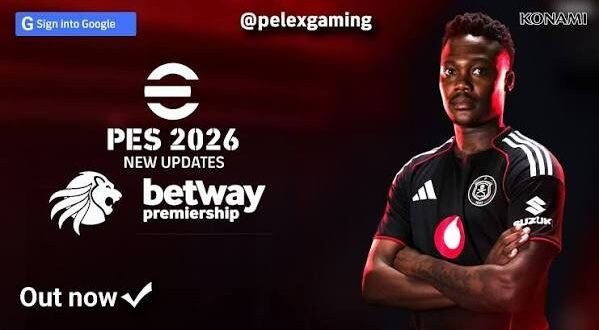
Looking for eFootball PES 2026 PPSSPP ISO because you want modern football on your Android phone without needing a powerful console? You’re in the right place. Community PES updates can give an older PSP football game a surprisingly fresh look with updated squads, kits, player faces, menus, and other seasonal changes.
But let’s clear up one thing before we get too excited: Konami did not release an official PSP game called eFootball PES 2026. When you see “PES 2026 PPSSPP ISO” online, the name usually refers to a community-made modification of an older PES PSP title.
So, what can you expect from these updates? How does the gameplay compare with modern eFootball, and can your Android phone handle it? Let’s break it down.
What Is eFootball PES 2026 PPSSPP ISO?
The term eFootball PES 2026 PPSSPP ISO usually describes a modified PSP football game designed to represent the 2025/26 football season.
Modders can take an existing PES PSP game and update its content. They can replace kits, edit squads, add player faces, redesign menus, modify scoreboards, and change other visual elements.
The result can look much newer than the original PSP game.
However, the underlying game engine still comes from the older PES PSP title. A mod can refresh the experience, but it cannot magically transform PSP hardware into a modern PlayStation 5.
What Does the “2026” Label Mean?
The 2026 label usually represents the season or update theme.
Depending on the creator, an eFootball PES 2026 update may include:
– Updated club squads
– Recent player transfers
– 2025/26-style kits
– New player faces
– Updated boots
– Modern footballs
– New menus
– Updated scoreboards
– Stadium texture changes
– Competition updates
– New graphics and loading screens
Not every version includes every feature. Different modders create different editions, so always check the feature list for the specific version.
eFootball PES 2026 PPSSPP Gameplay
Let’s talk about the part that actually matters: playing football.
PES PSP still offers a straightforward football experience. You can pass, shoot, cross, tackle, dribble, defend, and build attacks without dealing with the complexity of some modern football games.
That’s one reason these mods remain popular.
The graphics may receive a major makeover, but the core gameplay still carries the feel of classic PES. If you’ve played older PES games before, you’ll probably recognize the controls almost immediately.
Passing and Possession
Passing forms the foundation of a good PES match.
You can move the ball around midfield, use short combinations, switch play to the wings, or send the ball forward quickly.
Why force a risky through ball when you can patiently move the defence around?
A few useful approaches include:
– Short passing
– Through balls
– Long passes
– Wing attacks
– Quick counter-attacks
– One-touch combinations
I generally prefer mixing these styles instead of relying on one tactic for the entire match.
Shooting and Finishing
Shooting still feels satisfying when you create a good opportunity.
You can shoot from inside the box, try long-range attempts, attack crosses, or create one-on-one chances.
Of course, smashing the shoot button from 40 metres doesn’t automatically make you a football genius. We’ve all tried it. 🙂
Good positioning and timing usually matter more than raw power.
New Graphics in PES 2026 PPSSPP
The new graphics often provide the most obvious difference between a standard PES PSP game and a 2026-style community update.
Modders can replace textures and presentation elements to make the game feel much more modern.
Depending on the update, you might see:
– Updated player faces
– New club kits
– Improved stadium textures
– Modern scoreboards
– New menus
– Updated competition graphics
– New boots
– Updated football textures
– Modern loading screens
– Edited team logos
The visual improvement can make an older PSP football game feel surprisingly fresh.
[10/6/2026 4:56 AM] Content store 5: Still, keep your expectations realistic. PES 2026 PPSSPP won’t suddenly look identical to modern eFootball on PS5 or PC.
The PSP engine still sets the limits.
Updated Teams and Transfers
One of the biggest reasons players search for eFootball PES 2026 PPSSPP updated squads involves transfers.
Nobody wants to start a supposedly modern football season and discover that a player still plays for a club he left years ago.
Community updates can refresh squad databases with newer transfers, formations, player numbers, and ratings.
A typical update might include:
– Current-style club squads
– Player transfers
– Updated squad numbers
– New formations
– Player rating adjustments
– New player faces
– Updated national teams
However, transfer accuracy depends entirely on the creator.
One mod might have an excellent database, while another might leave several players in outdated clubs. That’s why checking the update date and feature list matters.
eFootball PES 2026 PPSSPP Features
The exact features vary between mods, but several additions appear frequently.
Updated Kits
New kits instantly change the appearance of a team.
Home, away, goalkeeper, and sometimes third kits can receive new designs inspired by current football seasons.
Player Faces
Face updates can make famous players much easier to recognize.
A well-made face pack can add plenty of personality to the game, especially when you use popular clubs and national teams.
Modern Menus
Modders can replace the old PES menus with newer designs inspired by current football branding.
You might see redesigned backgrounds, loading screens, icons, and team selection screens.
Updated Scoreboards
Scoreboards add another layer of presentation.
Some community updates create modern scoreboard designs that match the tournament or league theme.
Small changes like these can make a bigger difference than you’d expect.
eFootball PES 2026 PPSSPP Offline Gameplay
Offline football remains one of the strongest reasons to try a PSP-based PES update.
Not everyone wants to rely on an internet connection every time they want to play a match.
With a suitable offline setup, you can enjoy classic football gameplay when:
– Your data runs out
– Your network connection becomes unstable
– You’re travelling
– You want to save mobile data
– You simply prefer offline gaming
Ever tried playing an online football game when your network suddenly decides to take a holiday? Exactly.
The offline approach avoids many of those problems.
PPSSPP Settings for PES 2026
Your PPSSPP configuration can significantly affect performance.
You don’t need to max out every setting. Start with moderate settings and increase them gradually.
Recommended Starting Configuration
Try these as a general starting point:
– Rendering backend: Vulkan when your device supports it well
– Rendering resolution: 2x PSP initially
– Frameskipping: Off unless you experience serious slowdown
– Texture filtering: Moderate settings
– Post-processing: Disable unnecessary effects
– Frame limit: Keep normal speed enabled
– Performance: Close demanding background apps
Why start at 2x resolution?
Because smooth gameplay matters more than screenshots. A beautiful football match that stutters every few seconds won’t impress anyone for long.
If your phone handles 2x easily, try 3x or higher and see how the game responds.
Android Performance and Requirements
The performance of PES 2026 PPSSPP on Android depends on your device and the specific modification.
The original PSP game has relatively modest hardware demands compared with modern mobile football titles. However, high-resolution textures and additional graphical modifications can increase the workload.
Your:
– Processor
– GPU
– RAM
– Android version
– Storage
– PPSSPP version
– Graphics settings
can all affect performance.
A modern mid-range phone should generally have a much easier time with PSP emulation than older budget devices.
Still, don’t judge performance purely by RAM. A phone with plenty of RAM can still struggle if its processor or GPU performs poorly.
[10/6/2026 4:56 AM] Content store 5: PES 2026 PPSSPP vs Modern eFootball
How does a community PES 2026 update compare with official eFootball?
The differences are pretty obvious.
Feature| PES 2026 PPSSPP Mod| Modern eFootball
Platform| PSP through PPSSPP| Android, iOS, PC, consoles
Game engine| Older PES PSP engine| Modern engine
Graphics| Community-updated| Official modern graphics
Offline focus| Strong| More limited
Online ecosystem| Limited| Extensive
Squad updates| Community| Official
Customization| Often extensive| More controlled
Hardware demand| Generally lower| Generally higher
Modern eFootball wins for graphics, online services, and official support.
However, PES 2026 PPSSPP wins for simplicity and classic offline gameplay.
If you just want to grab your phone and play a few matches without depending heavily on an internet connection, the PSP approach has a real advantage.
How to Use PES 2026 With PPSSPP
If you legally own the underlying PSP game, you can create a compatible backup for use with PPSSPP.
The general setup looks like this:
1. Install PPSSPP from a trusted source.
2. Prepare your legally obtained PSP game backup.
3. Add the game to PPSSPP’s library.
4. Apply a compatible community update if you have one.
5. Start the game.
6. Adjust graphics and controls for your phone.
Some community modifications use additional save data or texture files. Follow the instructions provided with the particular modification.
Avoid mixing files from unrelated versions. That shortcut often creates more problems than it solves.
Is eFootball PES 2026 PPSSPP Official?
No.
This deserves a clear answer because search results can create confusion.
Konami did not release an official PSP title called eFootball PES 2026.
The “PES 2026 PPSSPP” versions you find online generally represent fan-made or community modifications based on older PES PSP games.
That doesn’t automatically make the mod bad. Some community projects add impressive updates.
Just understand what you’re downloading and avoid websites that misrepresent unofficial files as official Konami releases.
Common PES 2026 PPSSPP Problems
Even a well-made modification can cause technical problems.
Lag or Frame Drops
Lower the rendering resolution and disable demanding graphical effects.
Game Crashes
Try a clean configuration and make sure the mod matches the underlying game version.
Missing Textures
Check whether the modification requires separate texture files or specific settings.
Outdated Transfers
Look at the mod’s update information before expecting completely current squads.
Controls Feel Wrong
Customize PPSSPP’s touchscreen buttons or connect a compatible controller.
Black Screen
Try a different rendering backend and test conservative graphics settings.
Is PES 2026 PPSSPP Worth Playing?
If you enjoy classic PES gameplay, yes, it can be worth trying.
The biggest attraction comes from the combination of familiar PSP gameplay and modern community updates.
You can get:
– Updated squads
– New kits
– Player face updates
– Modern menus
– New scoreboards
– Improved textures
– Offline matches
– Low-to-moderate hardware requirements
But you should understand its limitations.
You won’t get the same online ecosystem, official support, licensing structure, or modern graphics engine that official eFootball provides.
That’s the trade-off.
Final Thoughts on eFootball PES 2026 PPSSPP ISO
eFootball PES 2026 PPSSPP ISO gives classic PES fans a way to enjoy a modern-season-inspired football experience through PSP emulation. Community modders can refresh older PES games with updated squads, transfers, kits, player faces, menus, stadium textures, and other visual changes.
The biggest advantage remains offline gameplay. You can enjoy football without depending heavily on an internet connection, while PPSSPP lets compatible PSP games run on modern devices.
Just remember that PES 2026 PPSSPP represents a community modification rather than an official Konami PSP release. Use legally obtained game files, choose trustworthy software sources, and check the exact features of each update before installing it.
For pure modern football technology, official eFootball wins. For nostalgic gameplay, offline convenience, and the fun of seeing an old PES game receive a fresh coat of paint, PES 2026 PPSSPP still has plenty of appeal.
And honestly, sometimes that’s all you need: your favourite club, a decent controller, one offline match—and a goalkeeper who doesn’t suddenly forget his entire career in the 90th minute. :/