 wapday Download Latest Pro Soccer Games
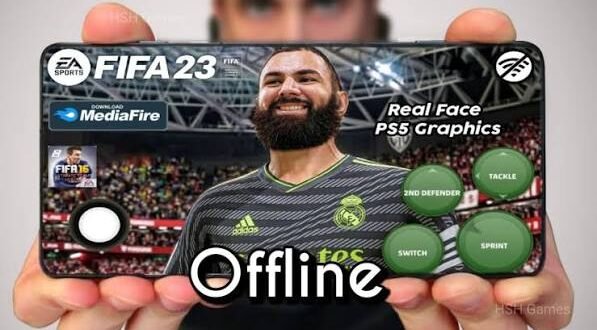
Still looking for a football game that feels more like classic FIFA and less like a menu simulator? FIFA 16 Mod 23 Mobile Offline continues to attract Android football fans because it combines the familiar FIFA 16 gameplay with updated squads, kits, graphics, and other community-made changes.
I understand the appeal. FIFA 16 already had responsive gameplay, and community mods can give an older football game a fresh look. But what exactly does a FIFA 16 Mod 23 APK offer, and can you actually play it offline? Let’s break it down without the usual “100% working!!!” download-page nonsense.
What Is FIFA 16 Mod 23 Mobile?
FIFA 16 is a football game from EA Sports that originally launched for mobile platforms during FIFA 16’s release cycle.
A FIFA 16 Mod 23 usually refers to a community-modified version of the original game. Mod creators can change visual assets, squads, kits, menus, player databases, commentary, and other elements.
The “23” usually refers to the season or update theme that the modification tries to reproduce. It doesn’t mean EA officially released a product called FIFA 16 Mod 23.
That distinction matters. FIFA 16 Mod 23 is generally a fan-made modification rather than an official EA release.
Why Do Players Still Like FIFA 16 Mods?
You might wonder why gamers keep modifying an older FIFA game when newer football titles exist.
The answer comes down to gameplay.
FIFA 16 gives players a more traditional football experience. You control movement, passing, shooting, defending, and attacking directly instead of spending most of your time navigating menus and collecting cards.
For players who prefer classic mobile football, that simplicity can feel refreshing.
Classic FIFA Gameplay
The original gameplay remains one of FIFA 16’s biggest attractions.
You can:
– Pass between teammates
– Build attacks
– Dribble around defenders
– Shoot from different positions
– Defend manually
– Change formations
– Take set pieces
– Control your goalkeeper in certain situations
Ever played a modern mobile football game and thought, “I just want to play a match”? That’s exactly where older FIFA-style gameplay can still appeal.
What Does FIFA 16 Mod 23 Change?
The exact features depend on the particular mod. Different creators modify different parts of the game, so you shouldn’t assume that every FIFA 16 Mod 23 Android release contains the same content.
Common modifications can include:
– Updated player squads
– New football kits
– Updated team logos
– New menus
– Updated player faces
– Improved textures
– New boots
– Updated stadium graphics
– New scoreboards
– Updated competition branding
– Gameplay adjustments
– Updated commentary in some versions
Some mods focus heavily on visuals, while others concentrate on squads and databases.
Updated Squads
One of the biggest reasons people search for FIFA 16 Mod 23 mobile offline involves updated teams.
A mod creator can replace older squad information with newer player transfers and lineups.
That can make an older game feel much fresher.
However, remember that community databases can contain mistakes. A player might appear at the wrong club, have an incorrect rating, or miss from a squad entirely.
FIFA 16 Mod 23 Graphics
Graphics form another major part of the modding scene.
Community creators can replace textures and visual assets to give FIFA 16 a newer appearance.
Depending on the modification, you may notice:
– Sharper player textures
– Updated kits
– Improved menus
– New pitch textures
– Updated advertising boards
– New scoreboards
– Improved lighting
– Updated stadium elements
The visual upgrade can make an older game feel surprisingly fresh.
Still, don’t expect a community mod to transform FIFA 16 into a completely new game engine. A new jersey texture cannot magically turn an older engine into a modern console title. 🙂
FIFA 16 Mod 23 Offline Gameplay
The phrase “offline” appears heavily in searches for FIFA 16 mods.
[10/6/2026 3:50 AM] Content store 1: The appeal makes sense. Offline football means you can play matches without depending on a server connection.
A compatible offline setup can allow you to:
– Play matches without mobile data
– Continue career-style gameplay where supported
– Practice your skills
– Play local game modes supported by the release
– Save progress on your device
However, offline functionality depends on the specific modification and installation.
Some modified releases may still request an internet connection for certain features or verification. Always check the requirements for the particular version you use.
FIFA 16 Mod 23 Gameplay Experience
The gameplay remains the most important part for me.
Fancy kits look nice, but if passing feels terrible, none of that matters. Thankfully, FIFA 16’s basic football mechanics still provide a solid foundation.
Passing
Passing works best when you think about space rather than simply passing toward the nearest player.
Short passes can help you control possession. Longer passes can switch play or create counter-attacking opportunities.
Try to avoid forcing passes through crowded areas. How many times have you lost the ball because you tried a pass that clearly had no business existing? We’ve all done it.
Dribbling
Dribbling can help you create space around defenders.
Instead of holding sprint constantly, combine movement with controlled touches. That approach can give you better control around the penalty area.
Shooting
Timing matters when you shoot.
Try to create space before taking your shot instead of shooting immediately whenever you approach the box.
Different angles and shot types can produce different results, so experimentation helps.
Defending
Good defending requires patience.
Rather than constantly charging toward the ball, control your defender and block passing lanes.
Positioning often matters more than aggressive tackling.
FIFA 16 Mod 23 Teams and Competitions
Community modifications can update teams to represent newer football seasons.
Depending on the mod, you might find updated versions of major clubs, national teams, leagues, and competitions.
Possible updates include:
– New club squads
– Transfer updates
– New kits
– Updated badges
– Player ratings
– Competition branding
– Updated team names
The exact lineup depends entirely on the mod creator.
If a website advertises a specific league or squad update, check screenshots and version information before downloading anything.
FIFA 16 Mod 23 vs eFootball Mobile
How does FIFA 16 Mod 23 compare with modern mobile football games such as eFootball?
The biggest difference comes from the overall structure.
eFootball focuses heavily on live services, online matches, modern updates, and an evolving football ecosystem.
A FIFA 16 mod focuses more on offline gameplay and customization.
FIFA 16 Mod 23 Advantages
– Offline-friendly gameplay
– Classic FIFA mechanics
– Community customization
– Updated kits and squads
– Lower dependence on online servers
– Familiar FIFA presentation
eFootball Advantages
– Modern gameplay systems
– Regular official updates
– Online competition
– Current football content
– More modern presentation
Which one should you choose?
If you want offline classic FIFA gameplay, FIFA 16 mods can make sense. If you want current online football and official live content, eFootball offers a stronger option.
FIFA 16 Mod 23 vs EA SPORTS FC Mobile
EA Sports FC Mobile represents EA’s modern mobile football direction.
It offers current football content, live events, online systems, and modern progression mechanics.
FIFA 16 Mod 23 takes a different approach.
You get an older football engine with community-created updates.
Personally, I think the choice comes down to gameplay preference. If you dislike constantly needing an internet connection, an offline-focused football game can feel much more relaxing.
FIFA 16 Mod 23 Android Requirements
Before installing any FIFA 16 Mod 23 APK, check your device specifications.
[10/6/2026 3:50 AM] Content store 1: Modifications can require more storage than the original game because creators may add high-resolution textures, updated audio, player faces, and other files.
Pay attention to:
– Android version
– Available RAM
– Processor
– GPU
– Free storage
– Screen resolution
– Installation requirements
You should also keep extra storage available for installation and temporary files.
Why Storage Matters
A mod package might look small when you first download it, but additional game resources can take considerably more space.
Keep several gigabytes of free storage when possible.
Nothing feels worse than reaching 99% of an installation and watching Android announce that you need more storage. :/
How to Install FIFA 16 Mod 23 on Android
Because community mods can use different file structures, installation steps can vary.
If you obtain a legitimate or properly authorized release, follow the installation instructions supplied with that release.
A typical setup may involve:
1. Downloading the compatible game package.
2. Checking your Android version.
3. Installing the APK if the package provides one.
4. Extracting additional game resources when the creator provides them.
5. Placing files in the locations specified by the legitimate installation instructions.
6. Launching the game.
7. Adjusting graphics and controls.
Don’t mix files from different FIFA 16 mods.
A squad database from one modification may conflict with another mod’s game files. That can lead to crashes, missing textures, or startup errors.
Common FIFA 16 Mod 23 Problems
Community mods can sometimes produce technical problems.
Game Crashes
Check whether your device meets the requirements. Also make sure the APK and additional resources belong to the same release.
Black Screen
A black screen can indicate incompatible files, missing resources, or Android compatibility issues.
Try reinstalling the matching game package and checking the creator’s installation instructions.
Missing Kits or Faces
Missing graphics usually point toward incomplete or mismatched resources.
Make sure you installed every required component from the same release.
Game Runs Slowly
Reduce graphical settings if the modification allows it.
You can also close background applications and make sure your phone has enough free storage.
Is FIFA 16 Mod 23 Safe?
You should approach FIFA 16 Mod 23 APK download searches carefully.
Because fan-made modifications come from third parties, you cannot assume that every file online remains safe.
Avoid suspicious packages that promise things like:
– Unlimited coins
– Unlimited money
– Automatic wins
– Secret cheat menus
– Unnecessary permissions
– “Premium” unlocks
Never provide your banking information, passwords, or OTP codes to a game installer.
If an APK asks for unrelated sensitive information, close it.
Tips for the Best Offline Experience
If you want to get the most from FIFA 16 Mod 23, focus on stability rather than installing every graphical enhancement you can find.
Keep Your Device Clean
Close unnecessary apps before playing.
Don’t Overload the Game
Too many high-resolution textures can increase storage and performance demands.
Keep a Backup
If you find a stable configuration, back up your important game data where your device and the game’s terms allow it.
Choose One Mod
Don’t install multiple modifications over the same FIFA 16 installation.
One stable mod usually beats five broken ones.
Is FIFA 16 Mod 23 Still Worth Playing?
For fans of classic mobile football, yes.
The biggest attraction doesn’t come from pretending FIFA 16 has suddenly become a brand-new game. Instead, the appeal comes from combining classic FIFA gameplay with updated community content.
You get familiar mechanics, offline-friendly play, and the ability to experience newer-looking squads and kits.
It won’t replace modern football games for everyone. But if you prefer straightforward offline matches, FIFA 16 Mod 23 can still offer plenty of entertainment.
Final Verdict
FIFA 16 Mod 23 Mobile Offline gives Android football fans a way to experience classic FIFA gameplay alongside community-created updates such as newer squads, kits, graphics, menus, and player assets.
The exact features vary from one modification to another, so check the version carefully before installing it. Pay attention to Android compatibility, storage requirements, installation instructions, and file safety.
If you prefer modern online football, games like eFootball and EA SPORTS FC Mobile offer more current official ecosystems. But if you want classic FIFA gameplay that you can enjoy offline, FIFA 16 mods remain an interesting option.
And honestly, there’s something satisfying about launching an old FIFA game, picking your favourite club, and playing a full match without waiting for a server to decide whether you’re allowed to have fun. Sometimes offline football is all you need. 🙂


