 wapday Download Latest Pro Soccer Games
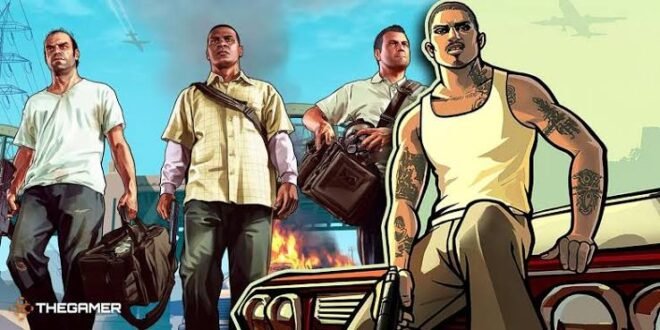
Looking for GTA San Andreas APK OBB free download for Android? You’re definitely not the only one. GTA: San Andreas remains one of those games people keep returning to years after its original release, and honestly, Los Santos still has more personality than some brand-new open-world games.
The important part comes first: Rockstar Games officially released GTA: San Andreas for Android, so you don’t need some mysterious 300 MB package from a random website to experience the game. Unofficial APK and OBB files can also come with modified content, malware, broken saves, or missing game assets.
So, what should you know before installing GTA San Andreas on Android? Let’s break down the gameplay, APK and OBB files, graphics, requirements, offline features, performance, and the safest way to approach the game.
What Is GTA San Andreas on Android?
Grand Theft Auto: San Andreas follows Carl “CJ” Johnson as he returns to Los Santos after several years away. CJ quickly gets pulled back into family problems, gang conflicts, corruption, rivalries, and plenty of criminal chaos.
Rockstar originally launched the game for consoles and PC, but the company later brought it to mobile platforms. The Android version lets you experience the classic open-world adventure directly on a smartphone or tablet.
The mobile version keeps the core San Andreas experience intact while adding touch controls and mobile-friendly improvements. So, yes, you can still steal a car, ignore traffic laws completely, and somehow spend twenty minutes looking for the right mission marker. 🙂
GTA San Andreas APK and OBB Explained
If you searched for GTA San Andreas APK OBB free download, you probably noticed that many websites mention two separate files. But what exactly do APK and OBB mean?
What Does APK Mean?
An APK file contains the Android application itself. Android uses APK packages to install applications outside the normal app-store installation process.
Think of the APK as the part that launches the game and handles the application framework.
What Does OBB Mean?
An OBB file usually contains large additional game assets, such as:
– 3D models
– Textures
– Audio
– Maps
– Animations
– Other large game resources
Large Android games sometimes separate these assets from the main APK because keeping everything in one package can create unnecessary complications.
However, you should not assume that every GTA San Andreas APK OBB package online represents an official Rockstar release. Some websites modify, compress, repack, or redistribute files without Rockstar’s permission.
GTA San Andreas Android Features
Why does San Andreas still attract Android gamers after all these years?
The answer comes down to freedom. The game gives you a huge map, multiple cities, vehicles, missions, weapons, side activities, and a story that still holds up remarkably well.
Huge Open World
San Andreas gives you three major cities and large areas between them.
You can explore:
– Los Santos
– San Fierro
– Las Venturas
– Countryside areas
– Mountains
– Desert regions
– Highways and smaller towns
You don’t need to follow the main story every minute. Sometimes the best part involves grabbing a fast car and simply seeing where the road takes you.
Story-Driven Gameplay
The campaign follows CJ as he rebuilds his family and gang while dealing with enemies and corrupt authorities.
The story includes memorable characters, betrayals, alliances, missions, and plenty of classic GTA humor.
IMO, the story remains one of San Andreas’ biggest strengths because CJ’s journey feels much larger than a simple crime-game storyline.
Vehicles
San Andreas offers a massive collection of vehicles.
You can drive:
– Cars
– Motorcycles
– Bicycles
– Boats
– Helicopters
– Planes
– Trains
– Emergency vehicles
Different vehicles handle differently, so driving around the map never feels completely identical.
Graphics on Android
[10/4/2026 2:34 PM] Content store 5: Let’s be realistic: GTA San Andreas does not look like GTA V, and your phone won’t magically turn it into a modern AAA game.
Still, the game’s art style works surprisingly well on mobile devices. Rockstar optimized the Android version for touchscreen hardware while retaining the recognizable San Andreas world.
Depending on your device and game version, you can adjust graphical options such as:
– Resolution
– Draw distance
– Shadow quality
– Visual effects
– Reflection quality
– Frame-rate settings
A powerful phone can generally push higher graphical settings than an entry-level device.
Can Low-End Phones Run GTA San Andreas?
That depends on the Android version, device hardware, and game edition.
Older phones may struggle with:
– Frame-rate drops
– Long loading times
– Texture problems
– Overheating
– Random crashes
A newer mid-range phone should provide a much smoother experience.
If your phone starts sounding like a tiny helicopter after ten minutes, don’t blame CJ. Your hardware probably needs lower graphics settings. :/
GTA San Andreas Offline Gameplay
One major reason people search for GTA San Andreas Android offline involves the game’s single-player experience.
The main story doesn’t require you to play against other people online. Once you have the legitimate game installed and configured correctly, you can enjoy the single-player campaign without relying on multiplayer servers.
That makes San Andreas especially useful for gamers who want something to play while travelling, commuting, or dealing with unreliable internet connections.
FYI, offline does not mean “free from every installation requirement.” Your device still needs enough storage, compatible Android software, and the legitimate game files.
GTA San Andreas Android Requirements
Before installing the game, check your phone’s hardware and available storage.
Your exact requirements can vary depending on the specific Android version of the game, but you should consider these areas:
– Android version: Use a compatible modern Android release.
– RAM: More RAM generally helps with stability and multitasking.
– Storage: Keep plenty of free space for the game and installation files.
– Processor: A capable multi-core chipset improves performance.
– Graphics: A reasonably capable GPU helps maintain smoother frame rates.
– Battery: Open-world games can consume significant power.
Don’t look only at RAM. A phone with more RAM can still perform poorly if it uses a weak processor or GPU.
GTA San Andreas Controls on Android
Touchscreen controls create one obvious challenge: you’re controlling an open-world game without a physical controller.
Rockstar adapted the controls for mobile screens, allowing you to control movement, driving, combat, and other actions through touchscreen buttons.
You can also improve the experience with a compatible external controller on supported devices.
Touch Controls vs Controller
Feature| Touchscreen| Controller
Movement| Good| Excellent
Driving| Good| Excellent
Shooting| Moderate| Better
Comfort| Depends on screen size| Excellent
Portability| Excellent| Good
For casual play, touchscreen controls work fine. For long sessions, I personally prefer physical controls because driving and aiming feel more natural.
Common GTA San Andreas Android Problems
Even legitimate mobile installations can occasionally produce problems.
Game Crashes
Crashes can happen because of incompatible Android software, insufficient resources, corrupted files, or conflicting modifications.
Try:
– Restarting the device
– Closing background applications
– Updating the game through an official source
– Checking available storage
– Removing problematic modifications
Black Screen
A black screen can indicate a compatibility or installation issue.
If you installed an unofficial package, corrupted or incomplete files can also cause the problem.
Missing Textures
Missing buildings, roads, vehicles, or textures often point toward damaged or incomplete game data.
[10/4/2026 2:34 PM] Content store 5: Don’t immediately download another random “fixed OBB.” That strategy can turn one problem into three new ones.
Poor Performance
If the game runs slowly, reduce graphics settings and close unnecessary applications.
You can also:
– Lower resolution
– Reduce visual effects
– Disable unnecessary background processes
– Keep adequate free storage
– Avoid excessive device overheating
Official GTA San Andreas vs Unofficial APK Mods
This distinction matters.
Feature| Official Android Version| Unofficial APK/OBB
Rockstar release| Yes| Usually no
Safety| Generally safer| Varies significantly
Updates| Official support| Depends on creator
Modifications| Limited unless you modify it yourself| Often modified
Reliability| Generally consistent| Can vary
Malware risk| Lower from official channels| Potentially higher
Unofficial versions may advertise features such as unlimited money, improved graphics, new cars, updated maps, or other modifications.
That sounds attractive, but where did the file come from? Who modified it? What else did they put inside?
Those questions matter more than a flashy download button.
Is GTA San Andreas Free on Android?
This question causes plenty of confusion.
The official GTA San Andreas Android release is a commercial game, so you should not assume that websites offering a “free full APK + OBB” provide a legitimate free copy.
Some legitimate promotions or subscription services may provide access under specific conditions, but availability can change.
If a website promises a completely free premium game while displaying ten fake download buttons, three suspicious pop-ups, and a warning saying your phone has seventeen viruses, that’s probably your cue to leave.
Can You Install GTA San Andreas Mods?
Yes, players have created many modifications for GTA San Andreas.
Mods can change things such as:
– Vehicles
– Character models
– Textures
– Weather
– Weapons
– Maps
– Visual effects
– Gameplay mechanics
Mods can make the game feel fresh, especially if you’ve already completed the main story several times.
However, only use modifications from sources you trust and understand what each modification changes. Avoid modified packages that demand strange permissions or attempt to install unrelated applications.
GTA San Andreas vs GTA 5 on Android
People frequently compare the two games because they both belong to the GTA series.
Feature| GTA San Andreas| GTA 5
Official native Android release| Yes| No
Main protagonist| CJ| Michael, Franklin & Trevor
World| San Andreas| Los Santos & Blaine County
Graphics| Older-generation| Modern
Offline story| Yes| Yes on supported official platforms
Android APK/OBB| Official mobile version exists| No official native APK/OBB
Hardware demands| Lower| Much higher
If you specifically want a native Android GTA experience, San Andreas makes far more sense than searching for a supposed GTA 5 APK.
A genuine GTA 5 Android APK/OBB package should immediately raise questions because Rockstar has not released GTA 5 as a native Android game.
Why GTA San Andreas Still Deserves Your Time
San Andreas has something many modern games struggle to create: personality.
The world feels memorable. The characters feel distinct. The radio stations add atmosphere. The missions range from serious to completely ridiculous.
And then there’s the freedom.
You can follow the story, explore the countryside, customize CJ, collect vehicles, complete side activities, or simply cause chaos for absolutely no productive reason.
That’s classic GTA.
Final Thoughts
If you’re searching for GTA San Andreas APK OBB free download, focus on getting the legitimate Android release rather than chasing suspiciously small or heavily compressed packages.
The official game delivers the full San Andreas experience with its huge open world, memorable story, vehicles, missions, exploration, and offline single-player gameplay.
Check your Android compatibility, keep enough storage available, use trusted sources, and avoid suspicious APK/OBB packages. If you want modifications, treat them as optional extras rather than necessities.
After all, San Andreas already gives you enough chaos. You don’t need a mystery APK adding malware to the gang. 🙂



2 comments
Pingback: eFootball 2022 Java - wapday
Pingback: Download Grand Theft Auto V PC Game Free – What You Need to Know Before Playing - wapday