 wapday Download Latest Pro Soccer Games
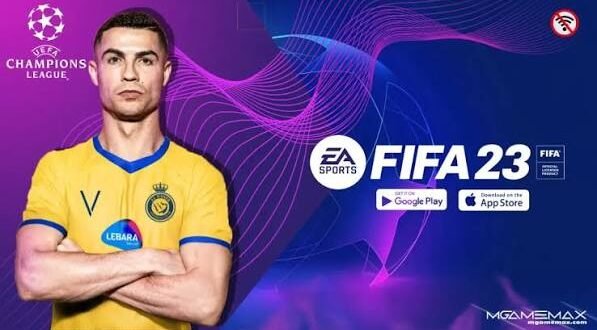
Still holding onto FIFA 16 because you prefer its gameplay but wish it had newer teams, kits, transfers, and players? That’s exactly where FIFA 16 Mod 23 comes into the picture. Community modders have kept the older football game interesting by updating its database and visuals for players who don’t want to abandon the classic FIFA 16 experience.
But let’s clear up one thing before we go any further: FIFA 16 Mod 23 is not an official EA Sports game. The name usually describes a community modification of FIFA 16 that attempts to recreate a more modern football season.
If you’re searching for FIFA 16 Mod 23 APK OBB + Data, you’ll usually encounter packages that combine an Android application with additional game resources. Understanding what those files do can save you from a lot of unnecessary headaches.
What Is FIFA 16 Mod 23?
FIFA 16 Mod 23 is a fan-made modification based on FIFA 16, with community creators updating parts of the original game to reflect the 2022/2023 football season.
The original FIFA 16 launched years before the 2023 season. Naturally, its squads, kits, transfers, ratings, and presentation don’t match modern football.
Modders can change many of those elements.
A typical FIFA 16 Mod 23 project may include:
– Updated player squads
– 2022/2023 transfers
– New club kits
– Updated national-team kits
– Player faces
– Club logos
– Updated competitions
– Scoreboards
– Menus
– Boots and balls
– Stadium graphics
– Updated player ratings
The exact features vary between mods. Some creators focus on the database, while others make much larger graphical changes.
Is FIFA 16 Mod 23 Official?
No. EA Sports did not release an official “FIFA 16 Mod 23.”
EA released FIFA 16 as its own football game. Community creators later modified the game and gave it newer-season names.
That distinction matters because you may see websites describing a modified game as if EA officially developed it.
They didn’t.
The modding community deserves credit for keeping older football games alive, but we should still distinguish a fan project from an official EA product.
Why Do Players Still Like FIFA 16?
You might ask yourself: why bother with an old FIFA game when newer titles exist?
For many players, gameplay comes first.
FIFA 16 offers a familiar football experience without the hardware demands of some newer games. Players with older PCs or Android devices can sometimes enjoy it more comfortably than modern football titles.
The game also has a large modding community. That flexibility allows creators to refresh the experience with new content.
And honestly, there’s something satisfying about turning an old football game into something that feels much newer.
FIFA 16 Mod 23 Features
Updated squads and transfers
One of the biggest reasons people search for FIFA 16 Mod 23 APK involves updated teams.
A community mod can move players to clubs where they played during the 2022/2023 season. That gives career modes and exhibition matches a more familiar feel.
Depending on the version, creators may update:
– Player transfers
– Squad numbers
– Player positions
– Player ratings
– Club names
– National teams
– Competition databases
Don’t assume every mod contains the same roster. Different creators can use different databases.
New kits
Old FIFA kits can make the game look dated quickly.
A good FIFA 16 Mod 23 can replace older uniforms with 2022/2023 designs. Some modifications include home, away, third, and goalkeeper kits.
You may also find updated international kits.
Player faces
Player faces can add another layer of realism.
Modders can replace old textures with newer faces for popular players. They may also improve hairstyles, beards, skin textures, and other visual details.
However, nobody should expect every player in a community mod to receive a perfect face. Creating hundreds of accurate faces takes serious work.
FIFA 16 Mod 23 Graphics
Graphics provide another major reason to install a community patch.
[10/4/2026 2:15 PM] Content store 4: The original FIFA 16 already delivers decent visuals for its age. Modders can push the presentation further through updated textures and graphical assets.
Depending on the mod, you might see:
– HD player faces
– Updated kits
– Improved stadium textures
– New adboards
– Updated scoreboards
– New menus
– Better pitch textures
– Updated balls
– New boots
– Competition graphics
– Custom loading screens
Some mods focus heavily on realism.
Others prioritize performance.
IMO, the second approach makes more sense for budget Android phones. Beautiful textures don’t help much when the game runs at slideshow speed.
FIFA 16 Mod 23 Gameplay
The gameplay usually remains based on the original FIFA 16 engine.
That means you should expect familiar passing, shooting, defending, movement, and match mechanics rather than a completely new football engine.
Some modifications may adjust gameplay files to change things such as:
– Ball physics
– Player speed
– Shooting
– Passing
– Goalkeeper behaviour
– AI movement
– Match tempo
– Tactical behaviour
These changes can make the experience feel newer, but they can also create compatibility problems.
If you already enjoy FIFA 16’s gameplay, I recommend choosing a mod that focuses primarily on squads, kits, graphics, and database updates rather than completely rebuilding the gameplay.
What Do APK, OBB, and Data Mean?
If you search for FIFA 16 Mod 23 APK OBB + Data, you’ll encounter these terms constantly.
So what do they mean?
APK
APK stands for Android Package Kit.
The APK contains the Android application that installs the game.
OBB
An OBB file can store additional game resources.
Those resources can include graphics, audio, maps, textures, and other large assets.
Data
Some older Android games use separate data directories for additional resources.
A particular FIFA 16 modification may use APK and OBB files, separate data files, or another structure depending on how the creator built the mod.
This explains why different FIFA 16 Mod 23 versions may have different file sizes and installation requirements.
FIFA 16 Mod 23 Android Requirements
Your phone doesn’t necessarily need flagship hardware to run an older FIFA 16-based modification.
However, graphical modifications can increase the workload.
A reasonable setup may include:
– Android 7 or newer
– At least 2GB RAM
– A compatible ARM processor
– Several GB of free storage
– A modern enough GPU for the graphical modifications
For better performance, 3GB or 4GB RAM gives you more breathing room.
You should also keep extra storage available because extracted game files can occupy considerably more space than a compressed package suggests.
FIFA 16 Mod 23 Offline Gameplay
Offline gameplay remains one of the strongest reasons people search for this type of modification.
Once a compatible game installation works correctly, you can generally play supported offline modes without relying on an active internet connection.
That makes the game useful when you’re travelling or dealing with limited mobile data.
You can enjoy modes such as:
– Career-style gameplay
– Friendly matches
– Tournament matches
– League matches
– Local multiplayer, where supported
However, specific features depend on the modification.
Common FIFA 16 Mod 23 Problems
Community mods can introduce technical problems, especially when creators combine files from different projects.
Game crashes
A crash can occur when files conflict or when the modification doesn’t match your game version.
Black screen
A black screen can indicate missing resources or compatibility issues.
Missing kits
Missing kits usually point toward incomplete graphics files.
Missing player faces
Face packs may require additional files that you haven’t installed correctly.
Lag
High-resolution graphics can push weaker devices harder than the original game.
Installation errors
Modern Android versions can restrict older APK installations.
[10/4/2026 2:15 PM] Content store 4: When something goes wrong, don’t immediately download five different “fix” packages from random websites. Check the modification’s documentation first.
FIFA 16 Mod 23 vs Modern Football Games
How does the mod compare with modern football games?
Feature| FIFA 16 Mod 23| Modern Football Games
Official EA release| No| Depends on title
Updated squads| Community-created| Usually official
Graphics| Older/modded| More advanced
Hardware demand| Lower| Usually higher
Offline gameplay| Strong| Varies
Modding| Extensive| Varies
File size| Often smaller| Usually larger
Gameplay engine| FIFA 16| Newer engines
Modern football games obviously win when it comes to graphics, animations, presentation, and current features.
But FIFA 16 Mod 23 has one major advantage: it can give an older game a fresh identity without demanding the same hardware as newer titles.
Is FIFA 16 Mod 23 Safe?
Safety deserves attention because unofficial APK websites can contain more than just games.
Some pages advertise:
“FIFA 16 Mod 23 unlimited money.”
Others promise tiny downloads, instant installations, or “100% official” packages.
Don’t trust every claim.
Before installing an unfamiliar APK:
– Check the source carefully.
– Scan files with security software.
– Avoid suspicious APKs.
– Don’t disable Android security features.
– Check requested permissions.
– Avoid files that ask for unnecessary sensitive information.
– Back up your existing game files.
– Use legitimate game software where possible.
Also remember that community modifications can contain copyrighted assets. Respect the original developers and publishers.
How to Choose a Good FIFA 16 Mod 23
If you decide to explore community modifications, don’t choose one based only on the title.
Look for:
Updated database
Make sure the mod actually includes the season information it claims.
Quality kits
Check screenshots for real gameplay rather than edited promotional images.
Good player faces
Look for examples from multiple teams.
Stable performance
A good mod should run consistently on compatible hardware.
Clear documentation
The creator should explain requirements and compatibility.
Active community
A community can help identify bugs and compatibility problems.
Remember, the biggest file isn’t automatically the best mod.
Final Thoughts
FIFA 16 Mod 23 gives classic FIFA fans an interesting way to refresh an older football game with newer content.
A good community modification can add 2022/2023 squads, transfers, kits, player faces, logos, competitions, scoreboards, and graphical improvements while keeping the familiar FIFA 16 gameplay underneath.
Just remember that FIFA 16 Mod 23 is a fan-made modification, not an official EA Sports release. The quality, compatibility, file structure, and features can vary depending on the creator.
If you’re searching for FIFA 16 Mod 23 APK OBB + Data, focus on understanding what each file does and whether the modification matches your device and game version. Don’t blindly install every package that promises “ultimate HD graphics” or unlimited everything.
The beauty of these mods comes from their ability to give an old football game another life. And honestly, watching a classic FIFA game walk onto the pitch with modern kits and transfers can feel like finding an old jersey that suddenly fits perfectly again. 🙂



2 comments
Pingback: PES 2017 Patch 2023 PC - wapday
Pingback: WWE 2K23 Highly Compressed PPSSPP ISO - wapday