wapday Download Latest Pro Soccer Games
Trying to run an eFootball PES 24 PPSSPP ISO on your Android phone but not sure whether your device can handle it? You’re in the right place. Before you blame PPSSPP for stuttering gameplay, freezing menus, or players moving like they’re running through syrup, check your hardware first.
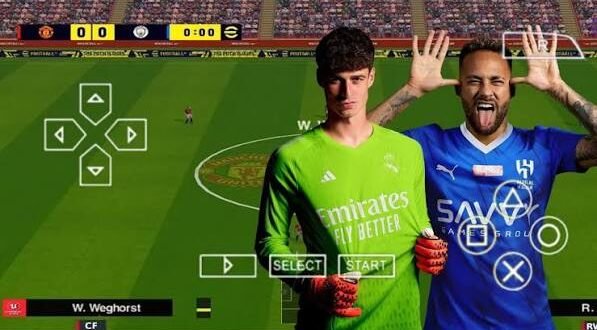
eFootball PES 24 PPSSPP refers to unofficial fan-made modifications that adapt newer football content to the PSP version of PES for use with the PPSSPP emulator. These mods can add updated teams, kits, player faces, stadiums, menus, and other visual changes.
So, what phone do you actually need? Let’s break down the eFootball PES 24 PPSSPP ISO system requirements without making things unnecessarily complicated.
What Is eFootball PES 24 PPSSPP?
First, let’s clear up one important point. Konami did not release an official PSP version called eFootball PES 2024. The versions you find online under names such as PES 24 PPSSPP usually come from fan-made modifications of older PSP football games.
These modifications can make an older PES game look and feel much newer. Developers and modders often update:
– Player transfers
– Club squads
– Football kits
– Player faces
– Stadium graphics
– Scoreboards
– Menus
– Boots and balls
– Commentary or audio
– Gameplay settings
The PPSSPP emulator then runs the underlying PSP game on Android, Windows, iOS, and other supported platforms.
That sounds simple enough, right? Well, the tricky part comes when you start adding large HD textures and graphical enhancements. Suddenly, that cheap phone that handled the original PSP game perfectly starts begging for mercy. 🙂
eFootball PES 24 PPSSPP Minimum System Requirements
You don’t need a flagship smartphone just to run a PES PPSSPP modification. However, your device needs enough processing power and memory to handle both the emulator and the additional game textures.
Minimum Android Requirements
For a basic experience, I would look for something around these specifications:
Component| Minimum Requirement
Operating System| Android 7.0 or newer
RAM| 2 GB
Processor| Quad-core ARM processor
GPU| Adreno, Mali, PowerVR or equivalent
Storage| 3–5 GB free space
Emulator| Recent PPSSPP version
Architecture| ARM64 recommended
A phone with 2 GB RAM can potentially run a lightweight PES 24 PPSSPP modification, but don’t expect perfect performance from every mod.
Why? The modification itself matters.
One PES 24 mod might use lightweight textures, while another might throw enormous HD player faces, stadium textures, menus, and other files at your phone. Both may carry the same title, but they can behave completely differently.
Recommended System Requirements for PES 24 PPSSPP
If you want smoother gameplay, I recommend aiming higher than the minimum specifications.
A better target looks like this:
Component| Recommended
Operating System| Android 10 or newer
RAM| 4 GB or more
Processor| Snapdragon 6-series/7-series or equivalent
GPU| Adreno or Mali equivalent
Storage| 6–8 GB free space
Architecture| 64-bit
PPSSPP| Recent stable version
With 4 GB RAM, your phone gets considerably more breathing room.
You’ll also benefit from a reasonably modern processor. PPSSPP relies heavily on CPU and GPU performance, especially when you increase rendering resolution or activate graphical enhancements.
IMO, 4 GB RAM should be your practical target if you want a comfortable PES 24 PPSSPP experience rather than simply trying to make the game launch.
Does RAM Really Matter?
Yes, but RAM doesn’t tell the whole story.
Many players see a phone with 4 GB RAM and assume it will automatically run every PPSSPP game smoothly. Unfortunately, phones don’t work that way.
Your processor and GPU also play major roles.
For example, a modern phone with 4 GB RAM can outperform an older phone with 6 GB RAM in some gaming situations. Manufacturers also use different processors, storage technologies, and thermal designs.
When checking your phone, look at:
[10/7/2026 2:00 AM] Content store 2: – RAM
– CPU performance
– GPU performance
– Android version
– Available storage
– Device temperature
– Background applications
So, don’t buy a phone simply because someone slapped “8 GB RAM” on the box. The processor still has something to say about it.
Best Processor for eFootball PES 24 PPSSPP
The processor can make a huge difference to your gameplay.
You don’t necessarily need a flagship Snapdragon processor. Mid-range chips can handle many PSP games quite well when you configure PPSSPP properly.
Entry-Level Processors
Entry-level chips can run lighter PES PPSSPP modifications, especially at native or modest rendering resolutions.
You may need to reduce:
– Rendering resolution
– Texture scaling
– Texture filtering
– Post-processing effects
– Anisotropic filtering
If the game starts dropping frames, don’t immediately assume the ISO has a problem. Your graphics settings might simply push your phone beyond its comfortable limit.
Mid-Range Processors
This category offers the sweet spot for most players.
A modern mid-range Snapdragon, Dimensity, Exynos, or comparable chipset can provide enough performance for smooth PPSSPP gameplay with moderate enhancements.
If you’re buying a phone mainly for PPSSPP games, I’d rather choose a balanced mid-range processor than chase a huge RAM number.
High-End Processors
Flagship processors give you much more freedom.
You can increase rendering resolution, experiment with texture scaling, and enable additional enhancements without worrying as much about frame drops.
Of course, using a powerful phone for a PSP game feels slightly ridiculous.
But hey, if you enjoy crisp graphics and smooth gameplay, who am I to complain?
How Much Storage Does PES 24 PPSSPP Need?
Storage often causes confusion because people focus only on the ISO size.
The actual space requirement can become much larger once you add supporting files.
Depending on the particular modification, you may need space for:
– ISO or CSO game file
– Save data
– Texture packs
– Camera files
– Game patches
– Graphics files
– Backup files
– Extracted archives
I recommend keeping at least 6 GB of free storage if you plan to experiment with different files and texture packs.
If you have plenty of storage, you can also keep backups of your original files. That saves you from downloading or extracting everything again after something goes wrong.
Android Requirements for Low-End Phones
Can a low-end Android phone run PES 24 PPSSPP?
Sometimes, yes.
You simply need realistic expectations.
If your phone has around 2 GB RAM and a basic processor, start with conservative PPSSPP settings.
Try:
– 1x PSP rendering resolution
– Frameskip off initially
– Lower texture scaling
– Simple texture filtering
– Disable expensive effects
– Close background apps
– Keep your phone cool
Why start at 1x resolution?
Because 1x closely matches the original PSP rendering resolution. Increasing the resolution makes the game sharper, but it also increases the workload on your GPU.
If the game runs smoothly at 1x, gradually increase the resolution and test again.
Requirements for 4 GB RAM Phones
A 4 GB phone gives you a much better starting point.
You can usually experiment with:
– 2x rendering resolution
– Texture filtering
– Moderate texture scaling
– Improved graphics settings
– Higher-quality fan-made texture packs
However, don’t activate every enhancement at once.
Change one setting, play a match, and check performance. If everything runs smoothly, move to the next setting.
This method takes a little longer, but it helps you identify exactly which option causes performance problems.
Requirements for 6 GB and 8 GB Phones
Phones with 6 GB or 8 GB RAM can provide an excellent PPSSPP experience when paired with a capable processor.
However, RAM alone won’t magically improve frame rates.
A powerful GPU matters more when you increase rendering resolution and graphical effects.
With a capable 6 GB or 8 GB phone, you can experiment with:
[10/7/2026 2:00 AM] Content store 2: – 2x–4x rendering resolution
– HD texture packs
– Texture filtering
– Higher-quality texture scaling
– Additional PPSSPP enhancements
Your exact settings still depend on the processor and the specific PES modification.
FYI, two phones with the same RAM capacity can produce noticeably different results.
Windows PC Requirements
You don’t need a gaming PC to run a PSP football game through PPSSPP.
A basic modern computer can usually handle PSP emulation comfortably.
Minimum PC Specifications
A practical minimum target looks like:
– Dual-core or better CPU
– 4 GB RAM
– Integrated graphics
– Windows 10 or newer
– Several GB of free storage
Recommended PC Specifications
For higher resolutions and graphical enhancements, consider:
– Modern Intel Core or AMD Ryzen processor
– 8 GB RAM or more
– Dedicated or capable integrated graphics
– SSD storage
– Windows 10/11
A PC usually gives you more room to experiment with graphics because desktop hardware offers more cooling and processing power than many budget smartphones.
Why Does PES 24 PPSSPP Lag?
Your phone might meet the recommended specifications and still experience lag.
So what’s happening?
Several factors can cause poor performance.
1. High Rendering Resolution
Running at 4x or 5x resolution can put significant pressure on your GPU.
Drop the resolution if you notice frame drops.
2. Heavy Texture Packs
Some unofficial PES modifications use large textures for players, stadiums, menus, and kits.
Those textures can look fantastic, but they can also increase memory and GPU usage.
3. Background Apps
Social media apps, browsers, downloads, and other processes can consume memory and processor resources.
Close unnecessary apps before launching PPSSPP.
4. Overheating
Your phone may perform well for the first few minutes and then slow down.
Why?
Thermal throttling.
When your device gets too hot, the system can reduce processor performance to control temperatures.
If that happens, give the phone a break.
5. Poor PPSSPP Configuration
Sometimes the hardware isn’t the problem.
Your settings might simply need adjustment.
Recommended PPSSPP Settings for Better Performance
For a balanced experience, start with:
– Rendering resolution: 2x PSP
– Frameskip: Off
– Texture filtering: Auto or basic
– Texture scaling: Off or moderate
– Anisotropic filtering: 2x–4x
– Post-processing: Off
– VSync: Test according to your device
– Performance mode: Enabled if your phone provides one
Don’t treat these settings as universal rules.
Every phone behaves differently. Test your game and adjust accordingly.
Can 2 GB RAM Run PES 24 PPSSPP?
Yes, but with limitations.
A 2 GB RAM Android phone may run a lightweight modification if the processor can handle it. You should avoid massive HD texture packs and aggressive graphics settings.
Keep the rendering resolution around 1x and close background applications.
If the game still struggles, don’t keep pushing the settings higher. Your phone already told you what it thinks about that idea. :/
Can 3 GB RAM Run PES 24 PPSSPP?
A 3 GB RAM device sits in a more comfortable position than a 2 GB device.
You can potentially use:
– 1x–2x rendering
– Moderate graphics settings
– Lightweight HD textures
– Standard PPSSPP enhancements
Your processor still matters, though.
A weak chipset with 3 GB RAM can struggle more than a stronger chipset with 2 GB RAM in certain situations.
Can 4 GB RAM Run PES 24 PPSSPP Smoothly?
Yes, in many cases.
A 4 GB phone with a decent modern processor provides a good balance for PPSSPP.
You can usually target:
– Smooth gameplay
– 2x rendering
– Better textures
– Updated graphics
– Stable menus
– Faster loading
For most players, I consider 4 GB RAM plus a decent processor the practical starting point for a comfortable experience.
Common PES 24 PPSSPP Problems
Even when your phone meets the requirements, you might encounter problems.
Here are some common ones:
Black Screen
Try changing the graphics backend or lowering rendering settings.
Game Crashes
[10/7/2026 2:00 AM] Content store 2: Check whether the modification requires specific supporting files. Also make sure you have enough free storage.
Slow Gameplay
Lower the rendering resolution and disable demanding enhancements.
Missing Kits or Faces
The mod may rely on separate texture or save files. Check that the files match the modification.
Audio Problems
Try switching audio settings or checking whether the modification includes its required audio files.
Controls Don’t Respond
Open PPSSPP’s control configuration and check your button mapping.
Final Verdict: What Phone Do You Need?
You don’t need an expensive flagship phone to enjoy an eFootball PES 24 PPSSPP modification.
For a basic experience, aim for:
2 GB RAM + quad-core processor + Android 7 or newer.
For a much better experience, I recommend:
4 GB RAM + modern mid-range processor + Android 10 or newer.
For high-resolution graphics and heavier texture packs, aim for:
6–8 GB RAM + strong CPU/GPU + plenty of free storage.
Remember that the modification itself also affects performance. A lightweight PES 24 PPSSPP mod can run comfortably on modest hardware, while an aggressively modified HD version can push much stronger phones.
So before blaming PPSSPP, check your hardware, reduce demanding graphics settings, and test the game at 1x or 2x resolution first.
The best setup isn’t necessarily the most powerful phone. It’s the setup that gives you stable frames, responsive controls, good graphics, and enough battery left to actually finish the match.
And honestly, what good is having ultra-HD graphics if your striker freezes right before an open goal? 🙂