 wapday Download Latest Pro Soccer Games
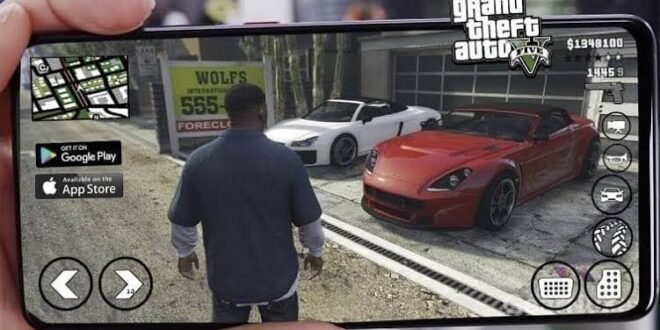
Searching for download GTA 5 APK OBB-data because you want Los Santos on your Android phone? I get it. The idea sounds perfect: install a few files, launch the game, and start causing chaos from your phone without needing a console or PC.
But there’s an important catch before you start downloading a mysterious 3 GB file from a website with twelve pop-ups. Rockstar Games never released an official native GTA 5 Android APK with OBB or data files. That means most “GTA 5 APK OBB-data” packages you find online come from unofficial sources, and some can create serious security or performance problems.
So, what can Android users actually do? Let’s separate the real options from the internet nonsense and look at what you should know before putting GTA 5 anywhere near your phone.
Is GTA 5 Available as an Official Android APK?
Let’s clear up the biggest question first.
GTA 5 does not have an official Android APK or OBB-data package. Rockstar Games released Grand Theft Auto V for PC and consoles, but the company never created a native Android version that you can install through an official GTA 5 APK.
That distinction matters because plenty of websites use titles such as “GTA 5 Mobile APK + OBB + Data” to attract searches. A fancy thumbnail and a download button don’t magically turn an unofficial modification into an official Rockstar release.
Why Do People See GTA 5 APK Files Online?
Several types of files and projects can create confusion:
– Unofficial fan-made projects
– Modified Android games
– Game streaming applications
– Remote-play solutions
– Fake APK packages
– Repackaged or unrelated Android games
– Older GTA mobile titles renamed as GTA 5
Some projects may attempt to recreate the GTA 5 experience on Android, but they don’t represent an official Rockstar Android release.
FYI, the word “OBB” doesn’t prove anything. Anyone can put “APK + OBB + Data” in a title.
What Does APK + OBB + Data Actually Mean?
If you have downloaded older Android games, you probably already know the basic idea.
An APK contains the Android application. Additional data or OBB files can contain large resources such as textures, audio, maps, models, and other game assets.
A traditional Android game package might look something like this:
– APK: Application package.
– OBB: Large game resource files.
– Data: Additional game resources or configuration files.
– Save files: Player progress and settings.
But Android developers don’t always use this structure anymore. Modern games can download their resources through the application or use different packaging systems.
So when somebody says “GTA 5 APK OBB-data download,” they’re describing a file structure that sounds familiar to Android gamers, not pointing to an official GTA 5 mobile release.
Can GTA 5 Run on Android?
This question gets interesting.
Your Android phone cannot simply install the official PC or console version of GTA 5 as an APK. GTA 5 relies on a completely different platform architecture and expects hardware, operating-system support, and game files that native Android doesn’t provide.
However, Android users can access GTA 5 through supported streaming or remote-play methods when their hardware, network, game ownership, and chosen service meet the requirements.
Remote Play
Remote play lets your phone display and control a game running on another compatible device, such as a PC or console.
Instead of asking your Android phone to run the entire GTA 5 game, the more powerful device handles the game.
Your phone essentially becomes the screen and controller.
That approach can provide a much more authentic GTA 5 experience than downloading a suspicious “GTA 5 Mobile 900MB” APK.
GTA 5 Mobile APK vs Remote Play
Which option makes more sense?
For someone who wants genuine GTA 5 gameplay, I would choose a legitimate streaming or remote-play method over an unknown APK every time.
[10/4/2026 1:42 PM] Content store 2: Feature| Unofficial GTA 5 APK| Remote/Cloud Play
Official GTA 5 Android release| No| Depends on platform
Native Android game| Usually no| No
Original GTA 5 experience| Uncertain| Much closer
Internet requirement| Often advertised as offline| Usually required
Security| Source-dependent| Safer with reputable services
Graphics| Varies wildly| Depends on host/device
Updates| Uncertain| Depends on official platform
Storage requirement| Can look smaller| Less local game storage
The biggest advantage of remote play comes from authenticity. You don’t need a developer to squeeze a massive PC/console game into an Android APK.
What About GTA San Andreas on Android?
If you specifically want an official GTA game that runs natively on Android, Rockstar has released mobile versions of several Grand Theft Auto titles.
GTA San Andreas remains one of the strongest choices for Android players who want an open-world GTA experience without relying on remote play.
It gives you:
– A large open world
– Story missions
– Vehicles
– Weapons
– Character customization
– Side activities
– Offline-style single-player gameplay
– Android-native controls
IMO, GTA San Andreas makes far more sense for someone who wants a legitimate GTA game that actually belongs on a phone.
GTA 5 APK OBB-Data Features People Expect
When players search for download GTA 5 APK OBB-data, they usually want more than just the name.
They want the features associated with the original GTA 5.
Open-World Gameplay
GTA 5 gives players access to Los Santos and Blaine County, with roads, businesses, countryside, beaches, military areas, and countless activities.
That huge world creates one of the biggest challenges for unofficial Android projects.
How would a phone APK reproduce everything from GTA 5 without the original Android release? Exactly. That’s where many suspicious claims start falling apart.
Vehicles
GTA 5 includes a huge range of vehicles.
Players expect cars, motorcycles, boats, aircraft, and other transportation options.
An unofficial Android game might advertise similar vehicles, but that doesn’t mean it contains the original GTA 5 assets or gameplay.
Story and Characters
Another major attraction comes from GTA 5’s three protagonists:
– Michael De Santa
– Franklin Clinton
– Trevor Philips
Their interconnected stories form one of the game’s strongest features.
A random Android APK that only gives you a small driving map doesn’t suddenly become GTA 5 because somebody added Franklin’s picture to the thumbnail.
GTA 5 Android Graphics and Performance
Graphics create another huge problem for unofficial mobile versions.
GTA 5 delivers detailed environments, vehicles, characters, lighting, animations, and a large open world. Running that type of experience locally requires significantly more than simply installing a large APK.
What Determines Performance?
If you use a legitimate remote-play method, performance depends heavily on:
– Your host PC or console
– Android phone
– Wi-Fi quality
– Internet speed
– Network latency
– Controller
– Streaming settings
For a native Android game, performance depends more directly on:
– CPU
– GPU
– RAM
– Android version
– Storage speed
– Thermal performance
A powerful Snapdragon phone can handle demanding Android games well, but powerful hardware doesn’t create an official GTA 5 Android port.
How Much Storage Would GTA 5 Need?
This question often appears alongside searches for GTA 5 APK OBB download.
The original GTA 5 requires substantial storage on supported platforms. Therefore, claims about a complete “GTA 5 Android APK OBB” that takes only a few hundred megabytes should immediately raise your eyebrows.
A tiny APK cannot magically contain the entire GTA 5 world, models, audio, animations, missions, and other assets.
Some websites advertise extremely small packages and then require users to download additional files through questionable links. Others simply provide unrelated applications.
If the size sounds ridiculously small, investigate before installing.
Common Problems With Fake GTA 5 APK Downloads
[10/4/2026 1:42 PM] Content store 2: People who search for unofficial APKs can encounter several problems.
1. Fake Download Buttons
Some websites place multiple fake buttons around the page. One click can send you through several advertisements or unwanted downloads.
2. Malware
Unknown APK files can contain malicious software.
A game shouldn’t require access to things such as your contacts, SMS messages, or banking information.
3. Endless Verification
Some websites claim that you need to complete surveys or install unrelated applications before accessing the supposed GTA 5 download.
That doesn’t prove anything about the game.
4. Crashes and Black Screens
Even when an APK launches, it may crash because the application doesn’t actually contain a compatible GTA 5 engine.
5. Fake Offline Claims
Some pages advertise “GTA 5 APK offline” but require an internet connection, an unknown server, or another application to function.
That’s not the offline experience most players expect.
How to Stay Safe When Looking for GTA 5 Android Games
You don’t need to become a cybersecurity expert to avoid most dangerous APKs.
Follow these simple rules:
1. Check whether Rockstar officially released the game for Android.
2. Avoid websites that promise impossible versions.
3. Don’t disable security features just to install an APK.
4. Don’t grant unnecessary permissions.
5. Scan unfamiliar files before opening them.
6. Avoid installers that demand unrelated applications.
7. Never provide banking or personal information to unlock a game.
8. Prefer official stores and reputable streaming platforms.
Why risk your phone just to save yourself a few minutes of searching?
Best Alternatives to GTA 5 APK OBB-Data
If you want an actual GTA experience on Android, consider legitimate options.
GTA San Andreas
GTA San Andreas offers a huge open world and classic GTA gameplay directly on Android.
It’s probably the easiest recommendation for someone who wants a traditional GTA experience without dealing with suspicious APK packages.
GTA Vice City
If you prefer an older-school atmosphere, GTA Vice City delivers a colorful open world inspired by 1980s Miami.
It also works far better as a genuine mobile game than any fake GTA 5 APK.
GTA III
GTA III offers another classic open-world experience with a smaller scope than GTA 5.
That smaller scope makes it a more realistic fit for mobile hardware.
Remote Play
If you already own GTA 5 on a compatible PC or console, remote play can provide a legitimate way to experience the game on your Android phone.
A stable network and compatible setup matter more than downloading a suspicious APK.
Frequently Asked Questions
Is GTA 5 APK OBB officially available?
No. Rockstar Games never released an official GTA 5 APK or OBB-data package for Android.
Can I download GTA 5 APK and play offline?
You should treat claims about a native GTA 5 APK offline version with caution. No official Android version exists, so unofficial packages don’t provide the same assurance as an official mobile game.
Does GTA 5 have an Android version?
Rockstar has released several GTA titles for Android, but GTA 5 doesn’t have an official native Android port.
Can 4 GB RAM run GTA 5 on Android?
RAM alone cannot solve the compatibility problem. GTA 5 doesn’t have an official native Android build, so installing more RAM doesn’t suddenly make the PC/console version compatible.
What’s the safest GTA game for Android?
Officially released Rockstar mobile games offer the safest route. GTA San Andreas stands out if you want a large open-world GTA experience directly on Android.
Final Thoughts
The keyword download GTA 5 APK OBB-data attracts plenty of Android gamers because everyone loves the idea of carrying Los Santos in their pocket. Unfortunately, Rockstar never released an official GTA 5 APK, OBB, or data package for Android, so you should approach unofficial download claims with serious caution.
[10/4/2026 1:42 PM] Content store 2: If you want the real GTA 5 experience, use a legitimate supported PC/console setup with remote play or another reputable streaming option. If you want a GTA game that runs natively on your phone, choose an official Android release such as GTA San Andreas, GTA Vice City, or GTA III.
And remember: when a website promises “GTA 5 Android — 300 MB — 100% offline — no verification,” your first reaction shouldn’t be excitement. It should probably be, “Wait… how?” 🙂
[10/4/2026 1:44 PM] Content store 2: Download EA Sports FC 25 PPSSPP ISO
Looking for download EA Sports FC 25 PPSSPP ISO because you want modern football on your Android phone without carrying a console around? I completely understand the appeal. Updated squads, new kits, realistic player faces, smooth gameplay, and the classic PPSSPP experience sound like a pretty good combination.
But before you grab the first “FC 25 PSP ISO” you find online, there’s one important detail you should know: EA Sports FC 25 never received an official PSP release from EA Sports. Most files using the FC 25 PPSSPP name come from fan-made modifications of older PSP football games.
That doesn’t automatically make the idea useless. Community creators can transform older PSP football games with updated kits, squads, menus, player faces, and other visual changes. So, what should you actually expect from an EA Sports FC 25 PPSSPP ISO? Let’s talk about it like two football gamers comparing games after a long match.
What Is EA Sports FC 25 PPSSPP?
The phrase EA Sports FC 25 PPSSPP usually describes an unofficial PSP modification that attempts to recreate the look and feel of EA Sports FC 25 on the PSP platform.
PPSSPP itself acts as a PSP emulator. It allows compatible PSP games to run on Android, Windows, iOS, and other supported platforms.
Community developers can modify older PSP football games and update their content. They can change kits, teams, player names, menus, graphics, and other assets.
Is FC 25 Officially Available for PSP?
No. EA Sports FC 25 does not have an official PSP version.
EA developed FC 25 for modern platforms such as PlayStation, Xbox, PC, and Nintendo Switch. EA did not release an official FC 25 ISO for the original PSP.
So when you see a website advertising “official EA Sports FC 25 PSP ISO,” don’t take the wording literally.
The community-made version can still provide an interesting football experience, but it doesn’t turn into an official EA release just because someone renamed the ISO.
How Do FC 25 PSP Mods Work?
The basic concept remains pretty simple.
Creators take a compatible PSP football game and modify its assets. They can then build a new football experience around current squads, kits, graphics, menus, and other features.
A typical modification may include:
– Updated team squads
– New football kits
– Updated competitions
– Modern menus
– Player faces
– New boots
– Updated balls
– Stadium changes
– Commentary adjustments
– New graphics
– Custom loading screens
The underlying PSP game engine still matters. A modification can change plenty of visual and gameplay elements, but it cannot magically transform the PSP hardware into a PlayStation 5.
And honestly, that’s part of the charm. You get a modern-looking football mod running through an old-school PSP framework. Pretty clever, right?
EA Sports FC 25 PPSSPP Features
What attracts most players to these modifications? Usually, the answer comes down to updated content.
Updated Squads
One of the first things players notice involves team rosters.
Community creators may update squads with transfers and newer players. Depending on the modification, you might find clubs with lineups that resemble the FC 25 era.
However, squad accuracy depends entirely on the creator. One version might include recent transfers while another might still contain outdated players.
That’s why you shouldn’t judge a modification solely from its title.
Updated Kits
Kits can dramatically change the appearance of a PSP football game.
Creators can replace older shirts with designs inspired by newer football seasons, including:
– Home kits
– Away kits
– Third kits
– Goalkeeper kits
– National-team kits
– Custom competition kits
A good kit update can make an old PSP football game look surprisingly fresh.
Player Faces
Player faces also receive attention in many FC 25 PSP modifications.
Creators may update faces for popular players and improve the overall presentation. The results vary, though, so don’t expect every player to look like a perfect digital twin.
[10/4/2026 1:44 PM] Content store 2: Some faces look excellent. Others look like the player spent five minutes inside a photocopier. That’s community modding for you. 🙂
FC 25 PPSSPP Graphics
Graphics remain one of the biggest selling points for these modifications.
Creators can update:
– Menus
– Grass
– Stadium textures
– Scoreboards
– Kits
– Balls
– Boots
– Player faces
– Interface elements
– Loading screens
However, graphics quality depends on the base PSP game and the modification itself.
PPSSPP can improve the visual output through rendering options, resolution scaling, texture filtering, and other emulator settings. Your phone also plays a major role.
Can PPSSPP Improve the Graphics?
Yes.
PPSSPP offers several settings that can make compatible PSP games look sharper on modern displays.
Depending on your phone, you can experiment with:
– Rendering resolution
– Texture filtering
– Frameskipping
– VSync
– Texture scaling
– Anisotropic filtering
– Backend options
A powerful phone can often push higher settings than an entry-level device.
IMO, stability matters more than maximum graphics. A smooth football match at sensible settings feels much better than a beautiful match that stutters every time someone takes a corner.
EA Sports FC 25 PPSSPP Gameplay
Gameplay remains the heart of any football modification.
Even with updated kits and menus, players still want responsive controls, decent passing, shooting, defending, and player movement.
PPSSPP football games generally give you access to classic PSP-style controls, including:
– Passing
– Shooting
– Through balls
– Crossing
– Sprinting
– Tackling
– Player switching
– Skill moves
The exact mechanics depend on the original PSP football game that the modification uses.
Offline Gameplay
Another major reason players search for FC 25 PPSSPP ISO offline involves the ability to play without constant internet access.
A PSP game running locally through PPSSPP can support offline matches because the emulator doesn’t need an internet connection to render the game.
That makes this setup attractive for players who want quick matches while travelling or when their data connection decides to disappear at the worst possible moment.
EA Sports FC 25 PPSSPP Android Requirements
Before installing a large football modification, check your phone.
PPSSPP itself can run on many Android devices, but demanding games and high-resolution settings can increase the hardware requirements.
Recommended Android Setup
A reasonable setup could include:
– Android 7.0 or newer
– 4 GB RAM or more
– Modern quad-core processor
– Decent mobile GPU
– Several gigabytes of free storage
– Updated PPSSPP version
You don’t necessarily need an expensive flagship phone.
However, if your phone has limited RAM and an older processor, you may need to lower rendering resolution and other graphics settings.
Storage Space
A PSP ISO can consume hundreds of megabytes or more, while additional texture packs and save files can require extra space.
Keep enough free storage for:
– The game file
– Save data
– Texture packs
– Temporary extraction files
– Emulator data
If your phone has only 1 GB of free storage, don’t expect miracles.
How to Run an FC 25 PSP Mod Safely
Because EA Sports FC 25 PPSSPP mods aren’t official EA products, you should pay attention to where you obtain them.
Avoid websites that promise impossible features or force you through suspicious installers.
Before opening an unfamiliar file:
1. Check the source carefully.
2. Avoid suspicious APK installers.
3. Scan unfamiliar files with reputable security software.
4. Keep Android security protections enabled.
5. Don’t provide personal information to unlock a game.
6. Avoid websites that require unrelated apps before accessing a file.
If you already own a compatible PSP game, the safest route involves using your own legally obtained game dump and applying legitimate community modifications where appropriate.
PPSSPP Settings for Better FC 25 Performance
If your game feels slow or stutters, don’t immediately blame the phone.
[10/4/2026 1:44 PM] Content store 2: PPSSPP settings can make a big difference.
For Lower-End Phones
Try reducing:
– Rendering resolution
– Texture scaling
– Anisotropic filtering
– Extra visual effects
You can also experiment with frameskip if the game struggles, although excessive frameskip can make gameplay feel unpleasant.
For Mid-Range Phones
A mid-range Android phone can often handle higher rendering settings.
Start with moderate resolution and increase it gradually.
Why change everything at once? If the game suddenly starts lagging, you won’t know which setting caused the problem.
For High-End Phones
Powerful devices can experiment with higher rendering resolutions and enhanced texture settings.
But even flagship hardware doesn’t guarantee perfect performance because the modification itself may contain poorly optimized assets.
FC 25 PPSSPP vs Modern EA Sports FC
How does a fan-made PSP modification compare with the real EA Sports FC 25?
Here’s the honest answer: they serve completely different purposes.
Feature| FC 25 PPSSPP Mod| Official EA Sports FC 25
Official EA release| No| Yes
PSP version| Community-made| No official PSP version
Modern graphics| Modified PSP graphics| Modern graphics engine
Updated squads| Depends on mod| Official updates
Offline play| Usually possible| Depends on platform/mode
Hardware demand| Relatively low| Much higher
Installation| Emulator + game/mod| Official platform installation
Online ecosystem| Limited/varies| Extensive
Authentic FC 25 engine| No| Yes
If you own a gaming PC or modern console, the official FC 25 experience obviously wins in graphics, animations, presentation, and overall authenticity.
But if you specifically want football on Android through PPSSPP, a well-made community modification can offer plenty of fun.
Common Problems With FC 25 PPSSPP Mods
Not every modification works perfectly.
You might encounter:
Black Screen
A black screen can come from incompatible settings, a damaged game file, or a modification problem.
Game Crashes
Some mods contain large or poorly optimized assets. Try lower graphics settings if the game crashes during matches.
Missing Textures
If kits, faces, or stadiums appear incorrectly, the modification may have missing or incompatible resources.
Lag
Reduce the rendering resolution first. Then adjust other graphics settings gradually.
Outdated Squads
Remember that community creators don’t provide official EA updates. Some mods may advertise FC 25 but contain older squad data.
Frequently Asked Questions
Is EA Sports FC 25 officially available for PSP?
No. EA never released FC 25 for the original PSP. PPSSPP versions come from community modifications.
Can I play FC 25 PPSSPP offline?
Many community PSP football modifications support offline gameplay because the underlying PSP game can run locally.
Can I play FC 25 PPSSPP on Android?
Yes, PPSSPP can run compatible PSP games on Android, and many football modifications target Android users.
Do I need an APK?
You need the PPSSPP emulator application, but a PSP game itself uses a compatible PSP game format rather than an Android APK.
Be careful with websites that package a PSP game inside a suspicious APK and call it “FC 25 Android.”
Can a 3 GB RAM phone run FC 25 PPSSPP?
It may run some PSP football games, but performance depends on the processor, GPU, game modification, and emulator settings.
Is FC 25 PPSSPP the same as official FC 25?
No. Community developers create FC 25-style PSP modifications using existing PSP football games. They don’t reproduce EA’s official FC 25 engine.
Final Thoughts
The search for download EA Sports FC 25 PPSSPP ISO makes sense if you’re looking for updated football on Android with the convenience of PPSSPP. Just remember the most important detail: EA Sports FC 25 never received an official PSP release, so any FC 25 PPSSPP ISO you encounter represents a fan-made modification rather than an official EA game.
The best mods can still offer updated kits, squads, player faces, menus, and an enjoyable offline football experience. Just choose your sources carefully, avoid suspicious APK installers, and use reasonable PPSSPP settings for your phone.
For me, that’s the appeal of these mods: they give an old PSP football engine a surprisingly modern makeover. It won’t replace the real FC 25 on a gaming PC or console, but sometimes you just want to grab your phone, launch PPSSPP, pick your team, and play a quick match. And honestly, that’s hard to argue with.


