 wapday Download Latest Pro Soccer Games
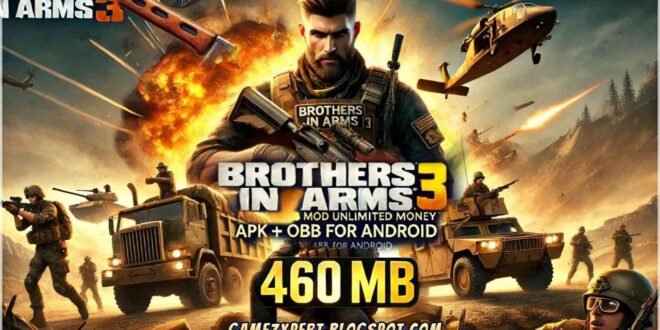
Brothers 3 In Arms Android Game APK + OBB DATA – Offline Gameplay, Missions and Installation Guide
Are you looking for a military shooting game for Android with intense battles, exciting missions and World War II action? Brothers in Arms 3: Sons of War is a title worth knowing about if you enjoy classic mobile war games.
Developed by Gameloft, Brothers in Arms 3 takes players into a World War II setting where they fight enemy forces, complete combat missions and work alongside a squad of soldiers. Instead of focusing only on running and shooting, the game also includes squad abilities that can help you turn the tide of battle.
Many Android gamers search for Brothers in Arms 3 Android Game APK + OBB DATA because they want to install the game manually or revisit its classic gameplay. However, older game files can be difficult to find, and unofficial APK packages may not work on every modern Android device.
In this guide, we’ll cover the gameplay, features, missions, OBB and DATA files, compatibility, installation precautions and what you should know before downloading the game.
What Is Brothers in Arms 3?
Brothers in Arms 3: Sons of War is a third-person military shooter set during World War II. It was developed by Gameloft and brings players into battles inspired by the European theatre of the war.
You play as a soldier leading a squad through dangerous missions. During combat, you need to take cover, aim carefully, eliminate enemy troops and use your squad’s special abilities when the situation demands it.
The game differs from a basic first-person shooting experience because you can see your character on the battlefield. This perspective makes movement, cover and positioning important parts of combat.
Brothers in Arms 3 was designed for mobile devices, but it is an older title. Its current availability and compatibility may differ from what players remember, particularly on newer Android phones.
Brothers in Arms 3 Android Game Features
1. World War II Combat
The main attraction is its World War II setting. Battles involve enemy soldiers, military positions and objectives that require more than simply charging forward.
You must decide when to move, when to take cover and when to attack. Running straight into enemy fire is usually a poor strategy—unless your plan is to spend the mission staring at the failure screen.
2. Third-Person Shooting
Brothers in Arms 3 uses a third-person perspective, allowing you to see your soldier while moving around the battlefield.
This viewpoint helps you observe nearby enemies and navigate combat areas. It also gives the game a different feel from first-person shooters such as Call of Duty Mobile.
The mobile controls are designed around touchscreen movement, aiming and shooting. Players familiar with mobile action games should recognise the general control style, although the exact experience depends on the device and game version.
3. Squad-Based Abilities
One of the game’s distinguishing features is its squad system.
Rather than fighting entirely alone, you can use squad members’ special abilities during missions. These abilities can provide tactical advantages against enemy positions and help you deal with difficult encounters.
Learning when to activate a squad ability can make combat more manageable. Using abilities at the right moment is often more effective than wasting them early in a battle.
4. Different Weapons
The game features a variety of military weapons associated with its combat missions. Different weapons can suit different situations, from attacking enemies at a distance to fighting at closer range.
Your weapon choice can affect how you approach a mission. Accurate shooting and sensible positioning are particularly useful when enemy troops have a clear line of fire.
The available equipment and upgrade options depend on the game’s original progression systems.
5. Multiple Combat Missions
Brothers in Arms 3 offers a campaign-style structure with missions built around military objectives.
Players encounter different combat situations rather than repeating precisely the same encounter throughout the game. Mission objectives may require attacking enemy positions, surviving firefights or completing specific battlefield tasks.
Progressing through the game gives players opportunities to become more familiar with its controls, weapons and squad abilities.
6. Military Environments
The game recreates a World War II atmosphere through its environments, soldiers, weapons and battlefield presentation.
Although it is an older mobile release, it was designed to deliver cinematic military action on smartphones and tablets of its era.
Don’t expect the same visual detail as a current-generation console shooter, but its third-person presentation and squad combat can still appeal to fans of classic mobile games.
7. Weapon and Character Progression
The original game includes progression systems that let players improve their combat capabilities.
Depending on the mode and progression stage, you may unlock or upgrade equipment as you advance. Better preparation can help you handle increasingly difficult encounters.
Keep in mind that progression, purchases and online-dependent functions may behave differently if an old installation is no longer fully supported.
Is Brothers in Arms 3 an Offline Android Game?
This is one of the most important questions to consider before installing the game.
Brothers in Arms 3 has historically included both single-player and multiplayer features. However, you should not assume that every version works completely offline today.
Older mobile games can depend on online services for certain features, account functions, multiplayer modes or other operations. Those services may also change or become unavailable over time.
If you want to play without an internet connection, check whether the specific version supports its single-player missions offline. If you already have a legitimate installation, you can test the supported single-player mode by disconnecting from Wi-Fi and mobile data after the game has completed any required setup.
Be careful with websites promising a guaranteed “100% offline” version. That description is not proof that the package works as advertised.
What Are APK, OBB and DATA Files?
If you’ve searched for Brothers in Arms 3 on Android, you’ve probably seen download pages mentioning APK, OBB and DATA. These terms refer to different parts of an Android application or its associated files.
APK file: The Android application package used to install the game.
OBB file: An additional data package that some older Android games use to store large assets, such as graphics, audio and other game resources.
DATA files: This term can refer to additional game files, extracted resources, saved information or modified assets, depending on the package.
Not every release uses the same structure. Some versions may require extra files, while others may package their resources differently.
Downloading all three file types does not automatically make the game compatible with your phone. The files must match the same release, and the application must still work with your Android version.
How to Install Brothers in Arms 3 on Android
Because Brothers in Arms 3 is an older title, installation can be more complicated than installing a current game from Google Play.
Use the following checklist before attempting a manual installation.
Step 1: Check Official Availability
First, look for the game through an authorised app store or an official Gameloft source.
If the game is no longer listed for your device, that may reflect its age or current availability. Avoid assuming that an APK offered by a third-party website is an official replacement.
Step 2: Check Android Compatibility
Confirm your phone’s Android version, available storage and hardware compatibility.
Older games may fail on modern devices because of changes to Android security, app installation requirements, graphics support or file access.
A game that ran successfully on an older Android phone may not work on a newer device, even if the newer phone has much more memory and processing power.
Step 3: Verify the Files
If you already have a legitimate copy and its original data files, make sure they belong to the same release.
Do not combine an APK from one version with OBB or DATA files from another. Mismatched files can cause crashes, missing textures, loading errors or a failure to launch.
Step 4: Scan Before Installing
Treat APKs from unknown websites with caution.
Scan files with a reputable mobile security tool, inspect the source and avoid packages that request unnecessary permissions. A website’s claim that a file is “safe” or “tested” is not independent verification.
Never provide your Google password, banking information or other sensitive details to an APK download page.
Step 5: Follow Version-Specific Instructions
If the source is trustworthy and the package is compatible, follow the documented installation instructions for that exact release.
OBB and DATA placement requirements can vary between games and Android versions. Do not move files into protected folders or disable security features based on instructions from an unrelated download page.
If installation requires bypassing security protections or downloading several suspicious helper applications, stop and reconsider.
Step 6: Launch and Test the Game
After a successful installation, check whether the game opens, loads its resources and allows you to enter a supported mission.
If it crashes, displays a black screen or remains stuck on the loading screen, the cause may be compatibility, missing files or discontinued online services. Repeatedly downloading APKs from unknown sources is not a reliable solution.
Common Brothers in Arms 3 Android Problems
The Game Crashes on Startup
An older game may not support your current Android version or device configuration.
Check the compatibility information for your particular release. If the game is not compatible, installing a random modified APK may introduce additional risks without fixing the underlying issue.
The OBB or DATA Files Are Not Detected
This can happen when files are missing, damaged or from a different version.
Verify that you have the correct original files and follow the documented instructions. Avoid deleting unrelated Android folders in an attempt to make the game work.
The Game Gets Stuck on the Loading Screen
Possible causes include missing resources, compatibility problems or an online service that is no longer available.
If the game requires a server that has been discontinued, reinstalling it may not restore the missing functionality.
The Game Does Not Work Offline
Some features may require an internet connection. Check the game’s original documentation and distinguish offline single-player support from online-dependent functions.
A modified version’s offline claim should be treated cautiously until you can verify that it works.
Tips for Enjoying Brothers in Arms 3
If you manage to get a compatible version running, these gameplay tips can help you get more out of the experience.
- Use cover: Avoid remaining exposed to enemy fire for too long.
- Watch enemy positions: Take a moment to understand the battlefield before moving forward.
- Use squad abilities strategically: Activate them when they can make a meaningful difference.
- Choose your weapons sensibly: Different combat situations may favour different weapon types.
- Learn the controls: Familiarity with aiming and movement can make firefights easier.
- Keep your expectations realistic: This is a classic mobile game, so its features and compatibility may differ from newer shooters.
Brothers in Arms 3 vs Modern Android Shooting Games
Should you look for this classic game or install a newer shooter?
Brothers in Arms 3 may appeal to players who enjoy World War II settings, third-person combat and squad-based missions. Its biggest attraction is its classic mobile gameplay.
Modern shooters may offer better compatibility with current devices, regular security updates, active online services and more advanced graphics. However, they may also require more storage, a stronger internet connection or newer hardware.
If you specifically want an older Gameloft game, Brothers in Arms 3 is worth researching. If your priority is a game that installs easily and receives current support, an officially available modern title is usually the more dependable option.
Frequently Asked Questions
Is Brothers in Arms 3 available for Android?
Brothers in Arms 3 was released for mobile platforms, including Android. However, its present availability through official stores may vary, and an older release may not support every current Android device.
Is Brothers in Arms 3 free?
The game’s original distribution and availability have changed over time. Be cautious of third-party websites claiming to offer an official, free, fully unlocked version.
Does Brothers in Arms 3 support OBB and DATA files?
Some older Android releases use additional game data. The exact files required depend on the version. Verify that any files you already have match the same legitimate release.
Can I play Brothers in Arms 3 without internet?
The game historically included single-player and multiplayer features, but complete offline functionality should not be assumed. Test the single-player mode on the exact version you can legitimately run.
Why does Brothers in Arms 3 fail to install on my phone?
Possible reasons include Android compatibility, an unsupported installation package, damaged files or requirements that the current device cannot satisfy. Check the package’s source and compatibility before trying again.
Is Brothers in Arms 3 an open-world game?
No. It is primarily a mission-based military shooter rather than an open-world game. Its gameplay focuses on combat objectives and squad-based action.
Final Verdict
Brothers in Arms 3: Sons of War is a classic mobile military shooter that combines World War II combat, third-person shooting, squad abilities and mission-based gameplay.
For fans of older Android games, it may be worth revisiting. However, its age creates practical challenges: official availability can be limited, modern Android compatibility is not guaranteed, and some features may depend on services that have changed over time.
Before searching for an APK + OBB DATA package, verify the source, check compatibility and avoid suspicious downloads. Also, confirm offline support rather than trusting the title of a download page.
If you prefer a smoother installation experience, start by checking officially available Android games from established publishers.
Enjoy the missions—and remember, a trustworthy game file is worth more than a download button promising everything.



2 comments
Pingback: Grand Theft Auto IV Mobile Game Offline - wapday
Pingback: Grand Theft Auto San Andreas Reduce Beyond Android Game - wapday