 wapday Download Latest Pro Soccer Games
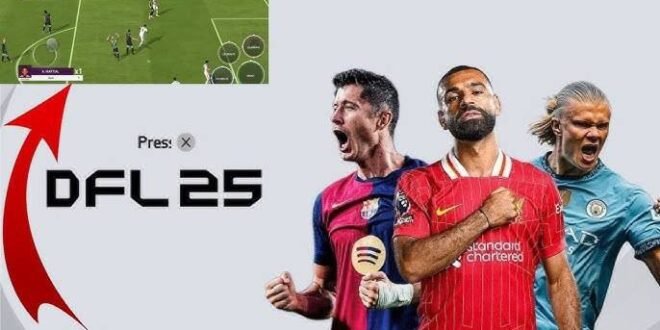
Looking for download DFL 25 Mod FIFA 16 APK OBB Data because you want updated football content without carrying a huge modern game on your phone? I get it. A good FIFA 16 modification can give an older Android football game a surprisingly fresh feel with updated squads, kits, menus, and player graphics.
But there’s something you should know before you start downloading random files from the internet. DFL 25 is an unofficial modification based on FIFA 16, not an official EA Sports release. That distinction matters because different websites can package completely different versions under the same DFL 25 name.
So, let’s talk about what DFL 25 actually offers, what APK, OBB, and DATA files mean, how installation generally works, and how you can avoid the classic Android gaming disaster: downloading a football game and getting three suspicious apps instead. 🙂
What Is DFL 25 Mod FIFA 16?
DFL 25 usually refers to a fan-made modification of FIFA 16 designed to give the older football game a more modern appearance.
Mod developers can change various parts of the original game, depending on their project. These modifications can include updated football squads, kits, player faces, competitions, menus, graphics, and transfers.
The underlying gameplay still comes from an older FIFA title. That means DFL 25 doesn’t suddenly become the same game as a modern EA Sports FC release.
Why Do Players Like DFL 25?
The appeal comes from simplicity.
FIFA 16 can run on hardware that struggles with some newer football games. A well-optimized modification can also give players newer football content without requiring the latest flagship smartphone.
You might get features such as:
– Updated teams
– New player transfers
– Modern football kits
– Updated player faces
– New menus
– Updated competitions
– Modified stadium graphics
– New boots and balls
– Updated backgrounds and loading screens
Ever wanted newer squads while keeping the lighter feel of an older football game? That’s exactly where these mods attract attention.
Is DFL 25 an Official EA Sports Game?
No.
EA Sports did not officially release DFL 25 as a FIFA 16 update. Independent developers and football-game modders create projects that use older football games as their foundation.
That means you should ignore websites that describe DFL 25 as an official EA product.
Fan modifications can still provide an enjoyable experience, but the difference matters when you look for downloads, technical support, updates, and compatibility.
What Does APK + OBB + DATA Mean?
If you’ve searched for DFL 25 FIFA 16 APK OBB DATA, you’ve probably noticed that websites often separate the game into several files.
Don’t worry; the names sound more complicated than they actually are.
APK
The APK contains the Android application package.
You can think of it as the part that installs the application onto your phone.
OBB
An OBB file can contain large game resources that the application needs.
These resources can include:
– Graphics
– Audio
– Game assets
– Textures
– Other large files
Large Android games historically used OBB files to keep these resources separate from the main APK.
DATA
A DATA folder can contain additional files required by a particular game or modification.
A mod might use DATA files for things such as:
– Configuration
– Save information
– Modified resources
– Textures
– Database changes
Not every DFL 25 version uses exactly the same file structure. Always check the instructions that accompany the specific version you legitimately obtain.
What You Need Before Installing DFL 25
Before you start moving files around, prepare your phone.
You’ll generally want:
– A compatible Android device
– Enough free storage
– A reliable file manager
– The required game files
– A legitimate copy of the underlying game where applicable
– A stable internet connection for obtaining updates or documentation
Storage deserves special attention.
[10/7/2026 1:49 AM] Content store 1: Suppose your archive occupies 1.5 GB. You might need considerably more free space while extracting it because your phone needs room for both the compressed archive and extracted files.
Keep several gigabytes of free storage available whenever possible.
How to Install a FIFA 16-Based Mod on Android
The exact process can vary between DFL 25 builds, Android versions, and file packages. However, the general workflow looks like this.
Step 1: Prepare Your Files
Download or transfer the legitimate game and modification files to your phone.
If you receive a compressed archive such as ZIP, RAR, or 7Z, extract it with a trusted file manager.
Don’t randomly rename files. Android won’t magically turn an unrelated file into a working football game just because you add “.apk” to its name.
Step 2: Install the APK
If the modification legitimately includes an APK, install it according to your Android version and the instructions supplied with the package.
Android may display security warnings for applications obtained outside the Play Store.
Take those warnings seriously.
Don’t disable security features simply because a website tells you to. If the source looks suspicious, find a safer source instead.
Step 3: Handle OBB or DATA Files
If the particular game build requires OBB or DATA files, follow its supplied folder instructions.
Android has changed its storage permissions across different versions. As a result, a method that worked on an older Android phone might not work identically on Android 13, Android 14, Android 15, or newer versions.
If your phone prevents access to a protected folder, don’t start deleting system folders or installing questionable “file access” applications.
Step 4: Launch the Game
After completing the installation, launch FIFA 16 or the compatible modification.
Give the game a moment during its first startup.
If it crashes immediately, check the files before you reinstall everything. A missing resource, incompatible modification, or corrupted archive can cause startup problems.
What Features Can DFL 25 Add?
Different DFL 25 projects offer different features, so don’t assume every version includes everything you see in promotional screenshots.
Updated Squads
Squad updates remain one of the biggest attractions.
Modders can update player transfers and team rosters to make the game feel more current.
New Kits
A good kit update can completely change the appearance of an older football game.
You may find updated:
– Home kits
– Away kits
– Third kits
– Goalkeeper kits
– National-team kits
Updated Player Faces
Some mods include redesigned player faces.
The quality can vary, though. One player might look excellent while another looks like he got rendered by a toaster.
That’s normal with community modifications.
Updated Menus
Modders can replace older menus with modern-looking interfaces.
They can change:
– Backgrounds
– Logos
– Fonts
– Buttons
– Loading screens
– Tournament graphics
These changes don’t necessarily improve gameplay, but they can make the overall experience feel newer.
DFL 25 vs Original FIFA 16
Which option makes more sense?
That depends on what you want.
Feature| Original FIFA 16| DFL 25 Mod
Official EA release| Yes| No
Original FIFA gameplay| Yes| Usually
Modern squads| No| Often
Updated kits| Limited| Often
Modded graphics| No| Often
Community updates| No| Yes
Compatibility consistency| Higher| Varies
I prefer the original FIFA 16 foundation when stability matters. A mod adds fresh content, but every additional modification can introduce compatibility problems.
If you mainly want updated squads and kits, however, a well-maintained mod can make an older game much more interesting.
Can DFL 25 Run on Low-End Phones?
Potentially, yes.
FIFA 16 comes from an older generation of football games, so some modest Android phones can handle it.
However, a heavily modified version can demand more storage and processing power than the original.
Your experience depends on:
[10/7/2026 1:49 AM] Content store 1: – Processor
– GPU
– RAM
– Android version
– Available storage
– Modification quality
– Graphics settings
Don’t judge performance solely by the download size. A tiny package can still push your phone hard once the game loads its assets.
How to Improve FIFA 16 Mod Performance
Does the game stutter or freeze?
Try these simple fixes first.
Close Background Apps
Free up RAM before launching the game.
Social-media apps, browsers, video players, and other applications can consume resources in the background.
Keep Storage Free
A nearly full phone can create performance and installation problems.
Try to keep a reasonable amount of free space available.
Avoid Overheating
Long gaming sessions can heat your phone.
If performance drops after playing for a while, let the phone cool down before blaming the game.
Lower Graphics Settings
If the modification provides graphics options, reduce demanding settings.
Stable gameplay matters more than maximum graphics quality.
What’s the point of beautiful player faces if your striker moves at five frames per second?
Common DFL 25 APK OBB DATA Problems
“App Not Installed”
This error can occur for several reasons.
Possible causes include:
– Incompatible Android version
– Conflicting package
– Corrupted APK
– Insufficient storage
– Architecture incompatibility
Check the game’s requirements before trying random fixes.
Black Screen
A black screen can indicate missing files or compatibility problems.
Verify that you extracted the required files correctly and that the modification matches the underlying game version.
Missing Kits or Player Faces
The game may load normally while displaying missing graphics.
That often points toward incomplete or incompatible mod resources.
Game Crashes After the Logo
This problem can occur when the game cannot locate a required resource.
Don’t mix OBB, DATA, and texture files from different DFL 25 versions.
Keep every component from the same release whenever possible.
How to Avoid Fake DFL 25 Downloads
This section might save you more trouble than any installation tutorial.
Popular football mods attract plenty of misleading websites.
Be careful with pages that promise:
– “Official DFL 25 by EA”
– Unlimited coins
– Free premium currency
– Tiny files containing an entire modern football game
– Password-protected archives with strange instructions
– APKs that require unnecessary permissions
– Multiple unrelated applications before downloading
A legitimate-looking filename doesn’t guarantee a safe file.
Never install an APK simply because the website calls it DFL 25.
Scan unfamiliar files, use trusted sources, and avoid giving suspicious applications access to contacts, messages, storage, or other personal information.
Is DFL 25 Worth Installing?
If you enjoy FIFA 16 and want updated football content, a good DFL 25 modification can make the game feel much fresher.
The biggest advantages include:
– Lightweight gameplay
– Updated football content
– Familiar FIFA mechanics
– Offline potential
– Modded graphics
– New kits and squads
The biggest disadvantages include:
– Unofficial status
– Inconsistent quality
– Compatibility problems
– Different versions from different creators
– Potentially unsafe download sources
IMO, the quality of the specific mod matters more than the DFL 25 name itself.
Two versions can share the same title while offering completely different experiences.
Final Thoughts
Searching for download DFL 25 Mod FIFA 16 APK OBB Data usually means you want an updated football experience that still works comfortably on Android.
DFL 25 can provide that experience through community-created modifications, but remember that DFL 25 isn’t an official EA Sports game. Different releases can also use different APK, OBB, DATA, graphics, and compatibility requirements.
Before installing anything, check the source, verify the files, keep your phone secure, and avoid suspicious APKs promising impossible features.
A good football mod should give you updated squads, fresh kits, enjoyable gameplay, and a reason to keep playing—not a reason to spend the evening removing malware from your phone.
Choose your files carefully, configure the game properly, and then get back to what actually matters: scoring that last-minute winner. ⚽


