 wapday Download Latest Pro Soccer Games
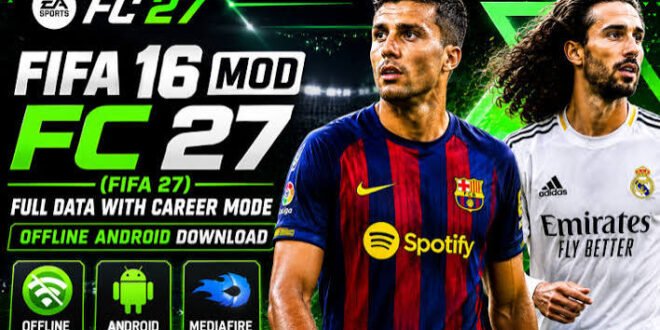
Want EA Sports FC 26-style football on Android without depending on an internet connection? That’s exactly why FIFA 16 mods continue to attract football fans. Instead of demanding a powerful phone or a huge modern football installation, these community projects take the older FIFA 16 Android game and refresh it with newer football content.
A FIFA 16 Mod EA Sports FC 26 Android Offline version can bring updated squads, kits, player faces, menus, competitions, and other visual changes to the classic football engine. The catch? EA did not officially release “FC 26” as a FIFA 16 Android modification, so community creators handle the updates.
I actually like the idea behind these mods. Why throw away a game that still plays well when creators can give it a fresh football-season makeover?
Let’s look at what you can realistically expect.
What Is FIFA 16 Mod EA Sports FC 26?
FIFA 16 Mod EA Sports FC 26 refers to a community-made modification based on FIFA 16 for Android.
The original FIFA 16 Android game came from EA. Mod creators then modify various game assets to give the game a newer-season appearance.
These modifications can include:
– Updated player squads
– New club kits
– Updated player faces
– New menus
– Modern scoreboards
– Updated team logos
– New competitions
– Updated boots
– New balls
– Stadium changes
– Updated graphics
The exact features depend on the particular mod.
One creator might focus heavily on kits and transfers, while another might spend more time improving faces and menus.
So don’t assume every FC 26 FIFA 16 mod APK offers exactly the same content.
Is FIFA 16 Mod EA Sports FC 26 an Official EA Game?
No.
That’s probably the most important thing to understand.
EA Sports FC 26 and FIFA 16 are separate releases, and a community-created FIFA 16 modification doesn’t turn into an official EA Sports FC 26 product.
Mod creators use the FIFA 16 engine and modify its assets.
That explains why the game can look modern while still retaining older gameplay mechanics.
Think of it like giving an old football stadium a complete renovation. The seats, signs, grass, and lighting can look new, but the foundation still comes from the original building.
FIFA 16 Mod FC 26 Features
So what makes this type of mod interesting?
Updated Squads
The first thing most football fans check involves the squads.
Community patches can update player transfers and team lineups to reflect newer football seasons.
Depending on the version, you may see:
– Updated club squads
– New transfers
– Updated player names
– New formations
– Updated national teams
– Modern competitions
Keep one thing in mind, though: community creators don’t receive official live squad updates from EA.
A mod advertised as “latest transfer update” may still contain some outdated players.
New Kits
Kits make a surprisingly big difference.
A team can feel completely different once you replace an old shirt with a modern design.
FC 26-style FIFA 16 mods may include:
– Home kits
– Away kits
– Third kits
– Goalkeeper kits
– National-team kits
– Training kits
The quality depends on the creator’s artwork.
Some kits can look impressively clean on a smartphone. Others might make you wonder whether the designer used a screenshot from 2017. :/
Updated Player Faces
Player faces add another layer of realism.
Mod creators can replace or improve faces for popular footballers.
A strong face pack can make the game feel much newer because recognizable players look closer to their current appearance.
However, FIFA 16’s underlying player models still have limitations.
Don’t expect PS5-level facial animation from a game built around an older mobile engine.
Updated Menus and Interface
Menus might seem like a small detail, but they affect the entire presentation.
A good FIFA 16 FC 26 Android mod can replace the original interface with modern football branding.
You may find:
[10/6/2026 4:43 AM] Content store 4: – Updated menu backgrounds
– New logos
– Modern fonts
– Updated scoreboards
– New loading screens
– FC-style presentation
These changes can make an old game feel surprisingly fresh.
FIFA 16 Mod FC 26 Offline Gameplay
Offline gameplay represents one of the biggest reasons people search for this type of modification.
You don’t necessarily need an active internet connection every time you want to play a match.
Depending on the specific mod and original game features, you can enjoy offline modes such as:
– Quick matches
– Career-style gameplay
– Tournament modes
– League matches
– Practice sessions
– Other single-player modes
That’s useful if you have limited data or simply don’t want your football game constantly checking an online connection.
Sometimes you just want to play a match. Revolutionary concept, apparently.
FIFA 16 FC 26 Gameplay Experience
Here’s where the mod gets interesting.
Even after the creators update the graphics and squads, the game still relies on the FIFA 16 gameplay engine.
You’ll still recognize familiar mechanics such as:
– Passing
– Shooting
– Crossing
– Dribbling
– Tackling
– Sprinting
– Through balls
– Set pieces
– Goalkeeping
The gameplay can feel more responsive than some newer mobile football games because FIFA 16 focuses heavily on traditional match mechanics.
If you played FIFA 16 before, you’ll probably feel comfortable within a few matches.
Graphics and Performance
A major advantage of using FIFA 16 as a foundation involves hardware requirements.
Modern football games can demand substantial storage and processing power. FIFA 16 comes from an older generation, so many Android phones can handle it more comfortably.
A mod may improve the visual experience with:
– Higher-quality textures
– New kits
– Improved faces
– Updated stadium assets
– Modern menus
– New lighting elements
– Updated pitch textures
However, more textures can also increase storage requirements.
Your phone’s performance matters too.
FIFA 16 Mod FC 26 Android Requirements
You don’t necessarily need a flagship gaming phone.
A reasonable Android device should have:
– A modern multi-core processor
– Adequate RAM
– Sufficient internal storage
– Updated Android software
– Enough free space for the game and additional assets
The exact requirements vary between different mod builds.
Some versions use larger texture packages, while others prioritize performance.
If you own a budget phone, choose a lightweight build rather than automatically chasing the biggest graphics pack.
FIFA 16 Mod APK, OBB and Data Explained
If you’ve searched for FIFA 16 Mod FC 26 APK OBB Data, you’ve probably encountered several different files.
Here’s what they generally mean.
APK
The APK contains the Android application itself.
OBB
An OBB file can contain additional game resources that don’t fit inside the main application package.
Data
Some game versions use additional data files for configurations, saves, textures, or other game resources.
Different FIFA 16 modifications use different structures, so always follow the documentation provided with the particular community project.
Don’t blindly copy folders from another mod.
That shortcut often creates more problems than it solves.
How to Install a FIFA 16 FC 26 Mod Safely
Because community builds vary, installation steps can differ.
A safe general approach looks like this:
1. Use a Trusted Source
Download the original application or community modification only from a source you trust.
Avoid suspicious APK websites that demand unnecessary permissions.
2. Check the Mod Requirements
Read the creator’s instructions before installing anything.
Confirm the Android version, storage requirements, and supported game version.
3. Keep a Backup
If you’re modifying an existing FIFA 16 installation, back up important saves or files first.
Why risk losing your progress because one texture pack decided to cause chaos?
4. Follow the Creator’s Installation Guide
Use the exact file structure that the mod creator recommends.
[10/6/2026 4:43 AM] Content store 4: Don’t mix APKs, OBB files, or data from unrelated versions.
5. Test the Game
Launch the game before changing additional settings.
Check menus, teams, matches, graphics, and performance.
If everything works, you’re good to go.
Best Settings for FIFA 16 FC 26 Mods
You don’t need to max out every graphics option.
Start with the default settings and adjust according to your phone.
For better performance:
– Close unnecessary background apps.
– Keep adequate storage available.
– Avoid extremely large texture packs on weak devices.
– Restart the game if you notice performance drops.
– Use the mod creator’s recommended settings.
If your phone struggles, lower visual quality rather than forcing maximum graphics.
Smooth gameplay always beats pretty menus with constant stuttering.
FIFA 16 Mod FC 26 vs EA Sports FC Mobile
How does the modified FIFA 16 experience compare with official EA Sports FC Mobile?
Feature| FIFA 16 FC 26 Mod| EA Sports FC Mobile
Gameplay| FIFA 16 engine| Modern mobile engine
Offline focus| Strong| More online-focused
Updated content| Community-made| Official EA content
Graphics| Modified older graphics| Modern mobile graphics
Hardware needs| Generally lower| Generally higher
Online services| Limited| Extensive
Customization| High| Limited compared with mods
The official mobile game wins for current official content, online features, and modern presentation.
The FIFA 16 mod wins if you prefer offline gameplay, customization, and lower hardware demands.
Personally, I think the offline advantage makes these mods especially interesting for players who don’t want to depend on mobile data.
Common Problems With FIFA 16 FC 26 Mods
Community mods don’t always behave perfectly.
Game Crashes
An incompatible file can cause crashes.
Use the correct version of the mod and avoid mixing files from different releases.
Missing Kits
The patch may require additional texture files.
Check the creator’s documentation.
Players Have Wrong Faces
Face packs vary between versions.
Some mods update only selected players.
Transfers Look Outdated
Community creators may not update every transfer.
Check the mod’s release date before assuming it contains the latest squads.
Game Runs Slowly
Reduce the graphics load and remove unnecessary enhancements.
Your phone doesn’t need to prove anything to anyone.
Is FIFA 16 Mod EA Sports FC 26 Worth Playing?
If you enjoy offline football games on Android, I’d say yes.
The biggest attraction comes from the combination of classic FIFA 16 gameplay and modern community-made content.
You get the familiarity of FIFA 16 while enjoying newer squads, kits, faces, menus, and other visual changes.
The experience won’t match the official EA Sports FC 26 on modern hardware.
But that’s not really the point.
The appeal comes from getting a lightweight football game that works well on devices that might struggle with newer titles.
Safe Download Advice
Search engines return plenty of pages for FIFA 16 Mod EA Sports FC 26 Android Offline download.
You should still treat third-party APK downloads carefully.
Remember these tips:
– Use trusted sources.
– Avoid suspicious modified APKs with unexplained permissions.
– Scan unfamiliar files before opening them.
– Don’t install unnecessary “download manager” applications.
– Back up your existing game data.
– Avoid websites requesting sensitive personal information.
– Don’t assume every file labelled “FC 26” comes from EA.
A community mod can provide a fun experience, but you should never sacrifice your phone’s security just to get a new kit pack.
Final Verdict
FIFA 16 Mod EA Sports FC 26 Android Offline offers an interesting alternative for football fans who want modern-looking content without relying heavily on online gameplay.
The community can refresh FIFA 16 with updated squads, kits, player faces, menus, competitions, scoreboards, and graphics while keeping the familiar gameplay that made FIFA 16 popular.
Just remember that this remains a community-made modification, not an official EA Sports FC 26 Android release.
If you want official online features and modern mobile technology, EA Sports FC Mobile makes more sense. If you want offline gameplay, customization, and a lighter experience, a well-made FIFA 16 FC 26 mod can still provide plenty of entertainment.
And honestly, sometimes that’s all you need: a decent phone, a good football mod, and a striker who actually finishes one-on-one chances. 🙂


