 wapday Download Latest Pro Soccer Games
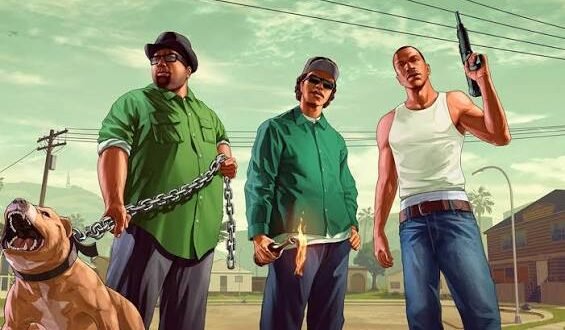
Looking for GTA San Andreas APK OBB for Android? You’re definitely not alone. Rockstar’s classic open-world game still attracts Android gamers who want the full San Andreas experience on a phone without carrying around a console.
The big question is simple: Can your Android phone handle GTA San Andreas comfortably? And what exactly do APK and OBB mean? Let’s clear that up before you start filling your storage with random files from the internet. 🙂
What Is GTA San Andreas?
Grand Theft Auto: San Andreas takes you to the fictional state of San Andreas, where you play as Carl “CJ” Johnson. CJ returns to Los Santos after years away and quickly gets dragged into family problems, gang conflicts, corruption, car chases, and plenty of other chaos.
The game originally appeared on consoles and PC, but Rockstar later released an official Android version. That mobile release brings the core open-world experience to touchscreen devices.
You can explore cities, complete missions, steal cars, buy weapons, customise CJ, fly aircraft, ride motorcycles, swim, gamble, and cause the kind of trouble that makes the police chase you for half an hour.
And honestly, what other game lets you go from eating a burger to hijacking a tank within the same afternoon?
GTA San Andreas APK OBB Explained
If you have searched for GTA San Andreas APK OBB Android, you have probably seen these two terms everywhere.
But what do they actually mean?
What Is an APK?
APK stands for Android Package Kit. Android uses APK files to install applications.
For an official GTA San Andreas installation, the game may come through the Google Play Store instead of requiring you to manually handle an APK.
Third-party websites often use the phrase “GTA San Andreas APK” when referring to an Android installation file. That does not automatically make the file legitimate or safe, so you should always check the source before installing anything.
What Is an OBB File?
OBB refers to an Android expansion-data format that some older games used for large game assets.
An OBB file can contain things like:
– Textures
– Audio
– Maps
– Models
– Cutscenes
– Other large game resources
That explains why you may see searches for GTA San Andreas APK + OBB.
However, Android games and Android storage systems have changed over time. Newer installations may use different data-delivery methods, so you shouldn’t assume that every modern installation needs a manually copied OBB file.
FYI: If a website tells you to download several suspicious files just to install one game, slow down and check what you’re actually installing.
GTA San Andreas Android Gameplay
The biggest attraction remains the open-world gameplay.
You don’t simply follow one straight mission path. San Andreas gives you a large environment where you can decide what you want to do between missions.
Want to drive across the map? Go ahead.
Want to steal a sports car and escape from the police? You already know the answer.
Want to spend time improving CJ’s skills? The game gives you plenty of options.
Story and Missions
The storyline follows CJ as he returns to Los Santos and reconnects with his family and Grove Street.
The campaign features:
– Story-driven missions
– Gang conflicts
– Vehicle missions
– Heists
– Police encounters
– Character development
– Side activities
– Exploration
The story also takes you beyond Los Santos into other parts of San Andreas, giving the game a much larger sense of scale than many older open-world titles.
Open-World Exploration
This remains one of the game’s strongest points.
You can explore Los Santos, San Fierro, and Las Venturas, each with its own atmosphere and activities.
You can drive through the countryside, visit towns, explore highways, enter buildings, search for collectibles, or simply ignore the storyline and cruise around.
Ever started a mission and somehow spent the next 40 minutes changing cars and causing trouble? Exactly.
Key Features of GTA San Andreas on Android
[10/6/2026 4:25 AM] Content store 3: The Android version keeps many of the features that made the original game so popular.
Large Open World
San Andreas gives you a huge map to explore.
The three major cities create different environments, while rural areas connect everything together. You can travel by car, motorcycle, bicycle, boat, helicopter, or aircraft.
Character Customisation
CJ offers more customisation than many players expect from an older GTA game.
You can change:
– Clothing
– Hairstyles
– Tattoos
– Body weight
– Muscle level
– Weapons
– Vehicles
CJ can even gain or lose weight depending on how you play.
Vehicle Variety
Cars form a major part of the San Andreas experience, but they represent only one part of the vehicle selection.
You can use:
– Cars
– Motorcycles
– Bicycles
– Boats
– Helicopters
– Planes
– Trains
– Special vehicles
Each vehicle gives the open world a different feel.
Weapons
The game offers a large selection of weapons that you can use during missions and free-roam gameplay.
You can use pistols, shotguns, SMGs, assault rifles, explosives, melee weapons, and other equipment.
The weapon system also adds variety to missions because you can approach certain situations differently depending on your equipment.
GTA San Andreas Graphics on Android
Let’s keep expectations realistic.
GTA San Andreas isn’t a modern AAA Android game. Its visuals come from an older generation, but the art style still works surprisingly well.
The Android release can look good on a suitable display, especially when you consider the size of the world and the amount of content packed into the game.
Don’t expect console-quality graphics from a game originally designed for older hardware. If someone promises “PS5 graphics” from a tiny San Andreas APK, your first response should probably involve closing the browser tab.
GTA San Andreas Android Controls
Touchscreen controls make the mobile version different from the original console experience.
The screen displays virtual controls that let you move CJ, attack, drive, interact with objects, and perform other actions.
Some players adapt quickly. Others prefer a physical controller.
Controller Support
If your phone supports a compatible Bluetooth controller, you may find GTA San Andreas much easier to play.
For driving and shooting, physical controls can provide better precision than touchscreen buttons.
IMO, a controller makes long GTA sessions much more comfortable, especially when you play missions that require quick reactions.
GTA San Andreas Android Requirements
Before installing the game, check your phone.
The exact requirements can vary depending on the Android release and device, but you should consider these factors:
– Android version compatibility
– Available storage
– RAM
– Processor performance
– Graphics performance
– Free internal storage
– Battery condition
Storage deserves special attention because large games need room for installation and additional data.
Don’t wait until your phone shows “insufficient storage” after downloading everything. That little notification has ruined enough gaming sessions already.
GTA San Andreas APK OBB vs Official Android Version
You may wonder whether you should search for a separate APK and OBB package or simply use the official Android release.
Here’s the practical comparison:
Feature| Official Android Version| Random APK/OBB Package
Source| Official store/developer| Third-party website
Security| More trustworthy| Depends on source
Updates| Easier| Often manual
Installation| Usually simpler| Can require extra steps
Malware risk| Lower| Potentially higher
Support| Better| Usually limited
Legitimacy| Clear| Varies
If you want the safest experience, choose the official version from a legitimate store or authorised source.
Third-party APK websites can contain modified files, outdated builds, unwanted software, or files that don’t match the advertised game.
Is GTA San Andreas Offline on Android?
One reason players still search for GTA San Andreas Android offline is the game’s single-player campaign.
[10/6/2026 4:25 AM] Content store 3: The core story experience does not require you to play with other people.
Once you have a legitimate installation and the game supports the required setup, you can enjoy the single-player world without needing a multiplayer session.
That makes San Andreas particularly attractive for players who want a large adventure rather than a game that constantly pushes online features.
Common GTA San Andreas Android Problems
Even a classic game can have technical problems.
Game Crashes
If the game repeatedly crashes, check your available storage and make sure your device meets the requirements.
Restarting your phone can also help when another background process consumes too many resources.
Black Screen
A black screen can result from compatibility problems, damaged files, or an incorrect installation.
Avoid downloading multiple random versions and installing them over one another. That approach usually creates more problems than it solves.
Missing Game Data
If an installation expects additional data but cannot find it, the game may fail to start.
Follow the installation instructions from the official distribution method you use rather than copying random files from unrelated sources.
Poor Performance
If GTA San Andreas runs slowly, try closing background apps and lowering graphics options where the game provides them.
Older or entry-level phones may struggle more than newer mid-range devices.
Is GTA San Andreas APK OBB Safe to Download?
This question matters more than the download size.
A random APK can contain malicious code, unwanted advertisements, trackers, or modified game files.
Before installing an Android game file, consider these basic precautions:
1. Prefer official stores and authorised sources.
2. Avoid suspicious websites that force multiple redirects.
3. Don’t install files that request strange permissions.
4. Scan unfamiliar files with reputable security software.
5. Keep Android and Google Play Protect updated.
6. Don’t disable security features simply because a website tells you to.
7. Avoid “unlimited money,” “mod menu,” or “cracked” packages from unknown sources.
A free game isn’t worth turning your phone into a pocket-sized headache.
Why GTA San Andreas Still Holds Up
San Andreas succeeds because it offers something simple: freedom.
You can follow the story, explore the map, customise CJ, collect vehicles, improve skills, complete side activities, or simply drive around listening to the radio.
Modern games may offer better graphics, larger maps, and more sophisticated physics, but San Andreas still has personality.
That’s the difference.
A game doesn’t need 200 GB of storage to become memorable. Sometimes you just need CJ, a stolen car, Grove Street, and a police helicopter ruining your evening.
Final Verdict
GTA San Andreas APK OBB remains a popular search because the game still delivers one of the most recognisable open-world experiences in gaming.
The Android version gives mobile players access to the classic San Andreas story, large map, vehicles, weapons, customisation, and side activities.
If you want to play it safely, focus on the official Android release or another legitimate source rather than blindly installing random APK and OBB packages.
Check your phone’s storage and compatibility before installation, keep your security settings enabled, and consider using a controller if touchscreen controls feel awkward.
So, is GTA San Andreas still worth playing on Android?
Absolutely. The graphics may show their age, but the gameplay hasn’t forgotten how to have fun. And if CJ somehow gets five wanted stars while you’re “just going for a quick drive,” well… that’s part of the San Andreas experience. 🙂


